

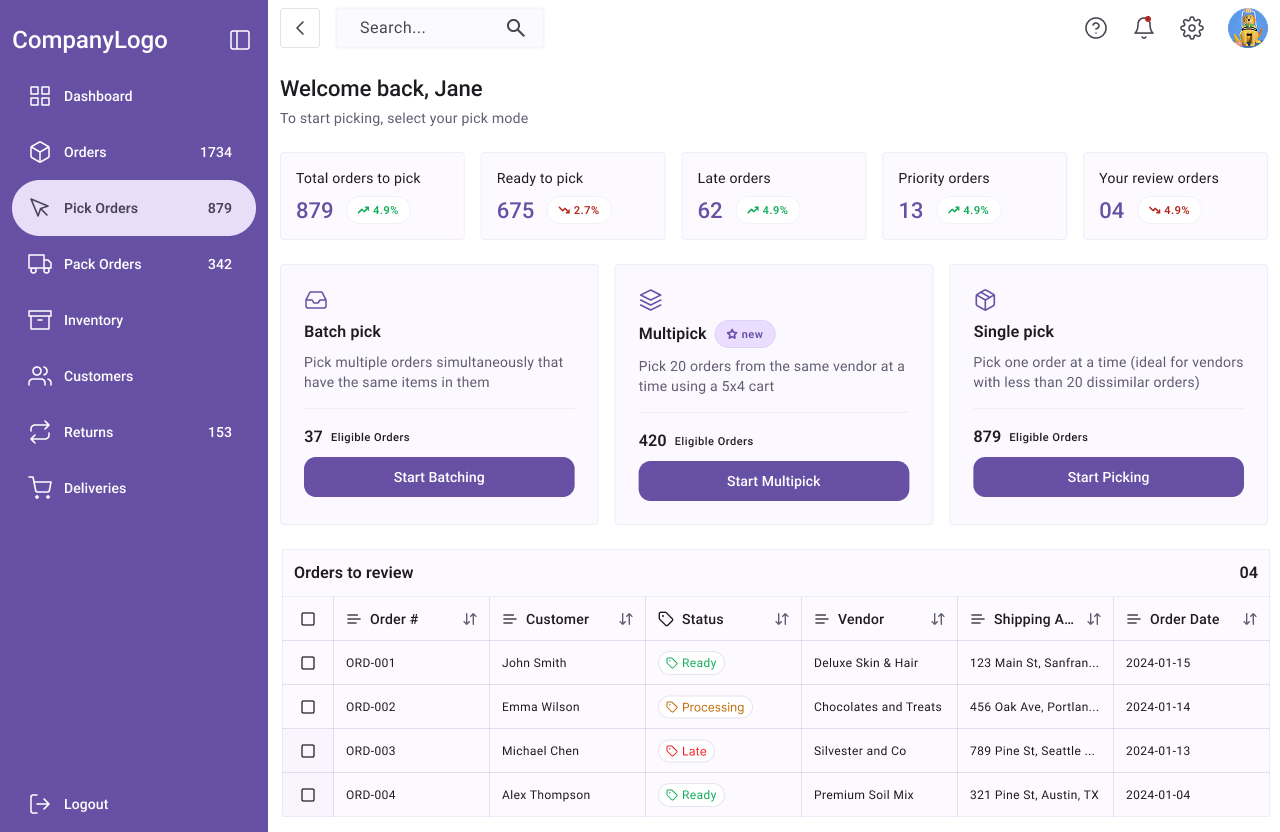
A new pick mode
Multipick was integrated into the existing warehouse software. This pick mode allows users to pick 20 orders from the same vendor simultaneously, using a 5×4 rack. By making it possible to pick 20 orders simultaneously, multipick reduced time spent going back and forth from one pick aisle to another, from pick aisle to pack station, searching for order items, etc.
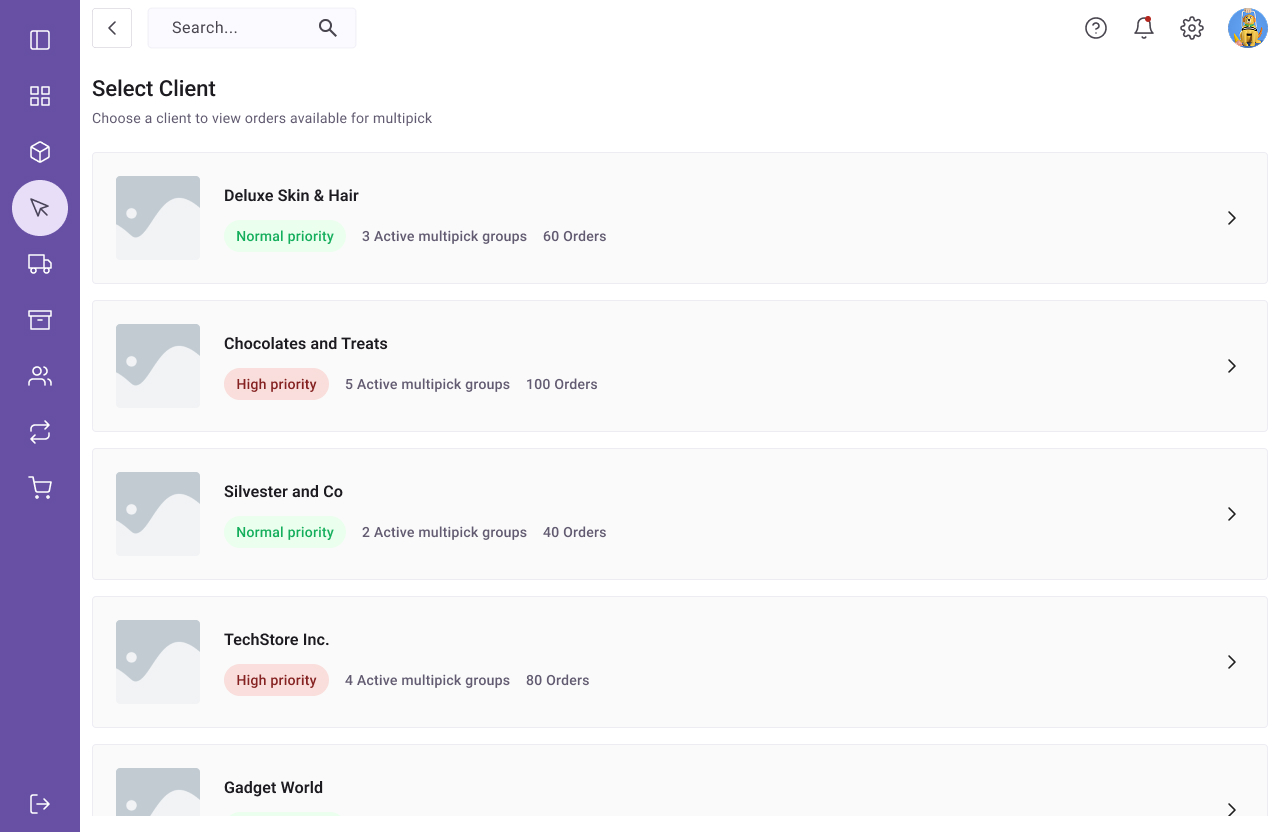
Work on one client’s orders at a time
The warehouse/fulfilment centre carried multiple SKUs many different vendors. The new multipick system grouped orders from the same client together. This helped reduce the number of items from different vendors that landed in customers’ orders, and also cut time spent searching for products.
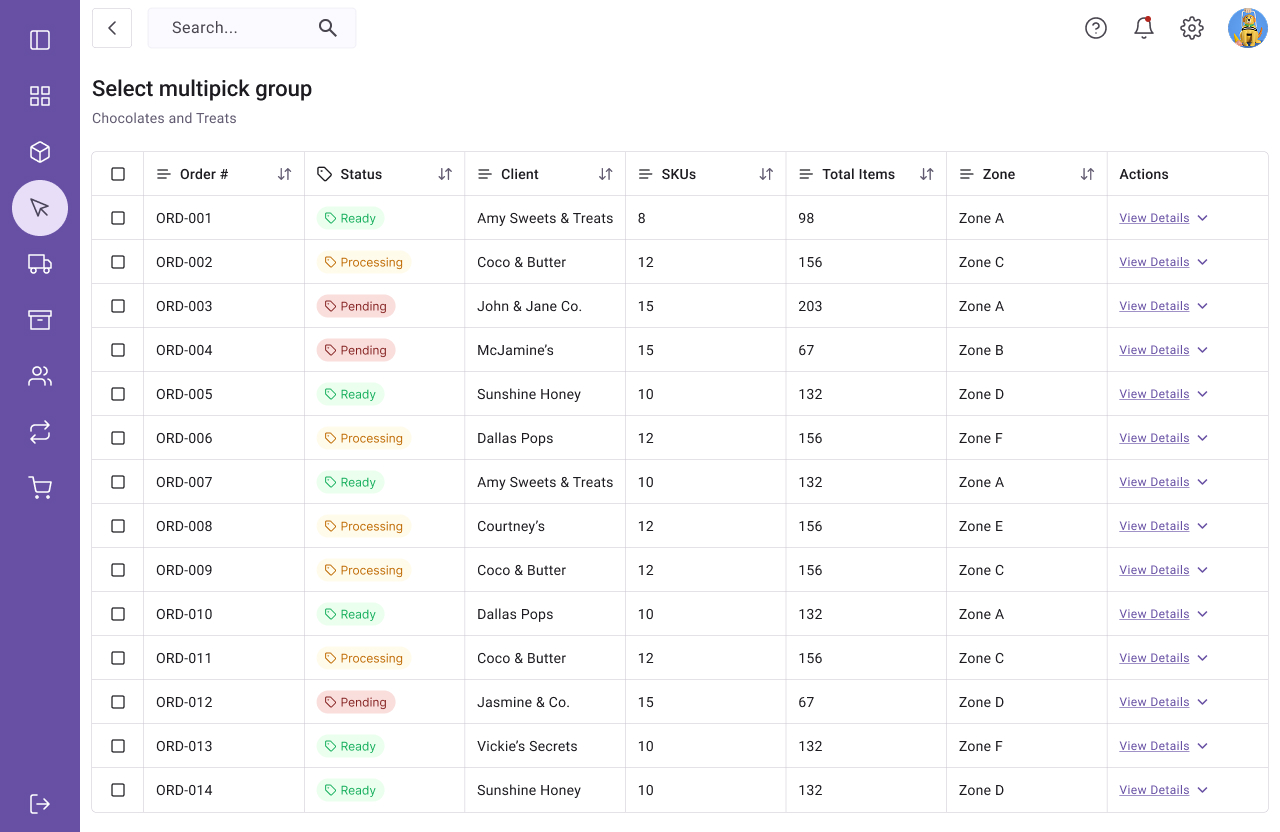
Select multipick group
A data table with orders lets the picker select an order group to work on. For each order group, they can see the status, as well as view order details. Pickers can only begin working on orders where status = ready.
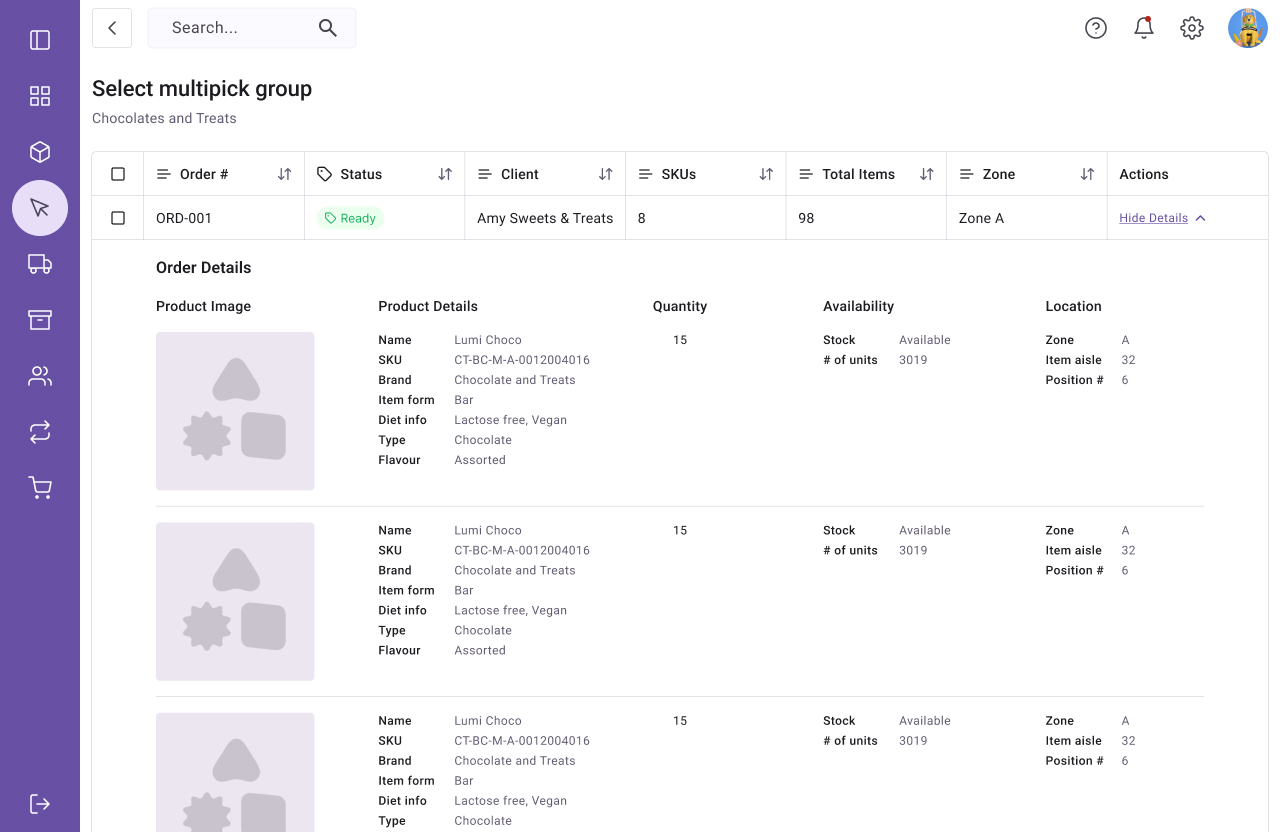
View order details before starting
One thing I had observed is that, there were often discrepancies between the online inventory and the warehouse stock. It was therefore important to give pickers the chance to view order details before they started the multipick process, as is was built to be an all-or-nothing process.
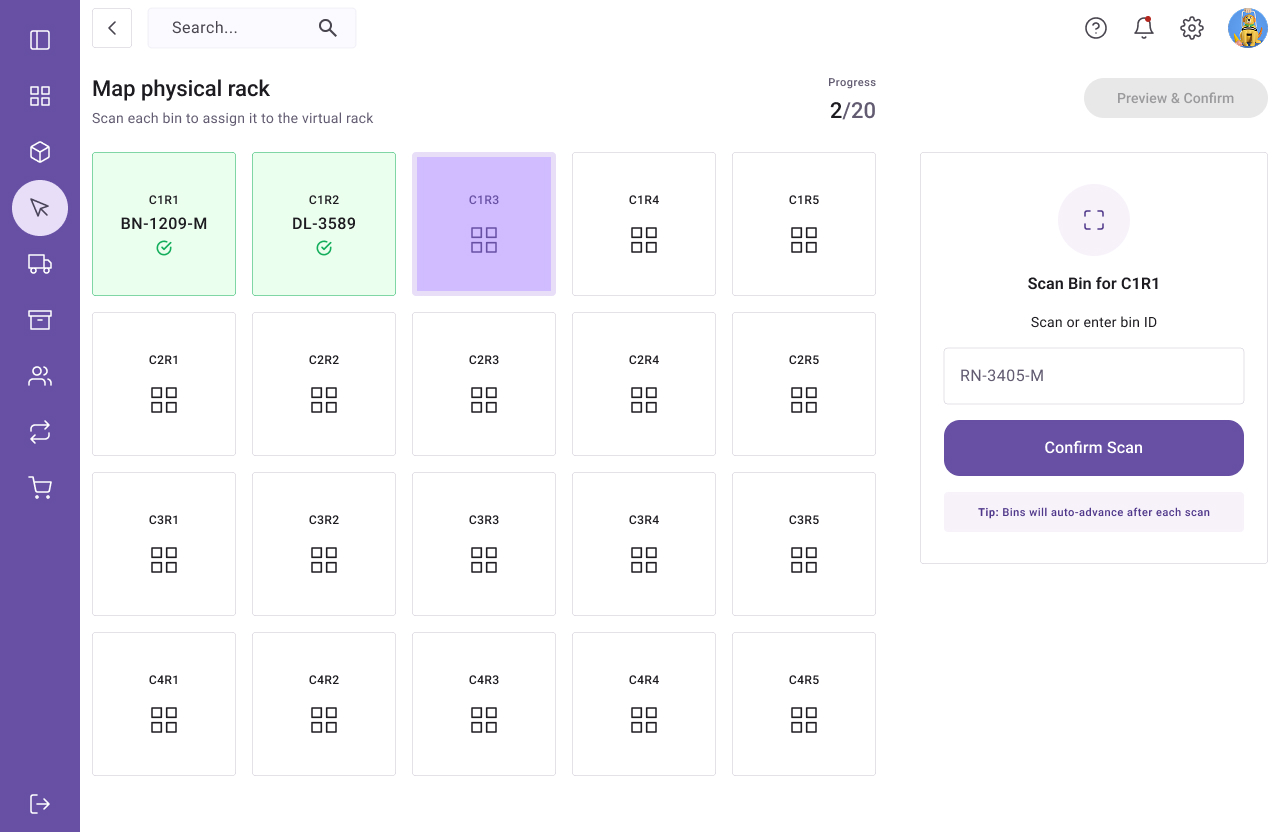
Map physical rack to virtual rack
The picker fills a rack with 20 pick bins (5×4) and then the system guides them through steps to scan each pick bin, and then creates a virtual rack which is a representation of the physical one.
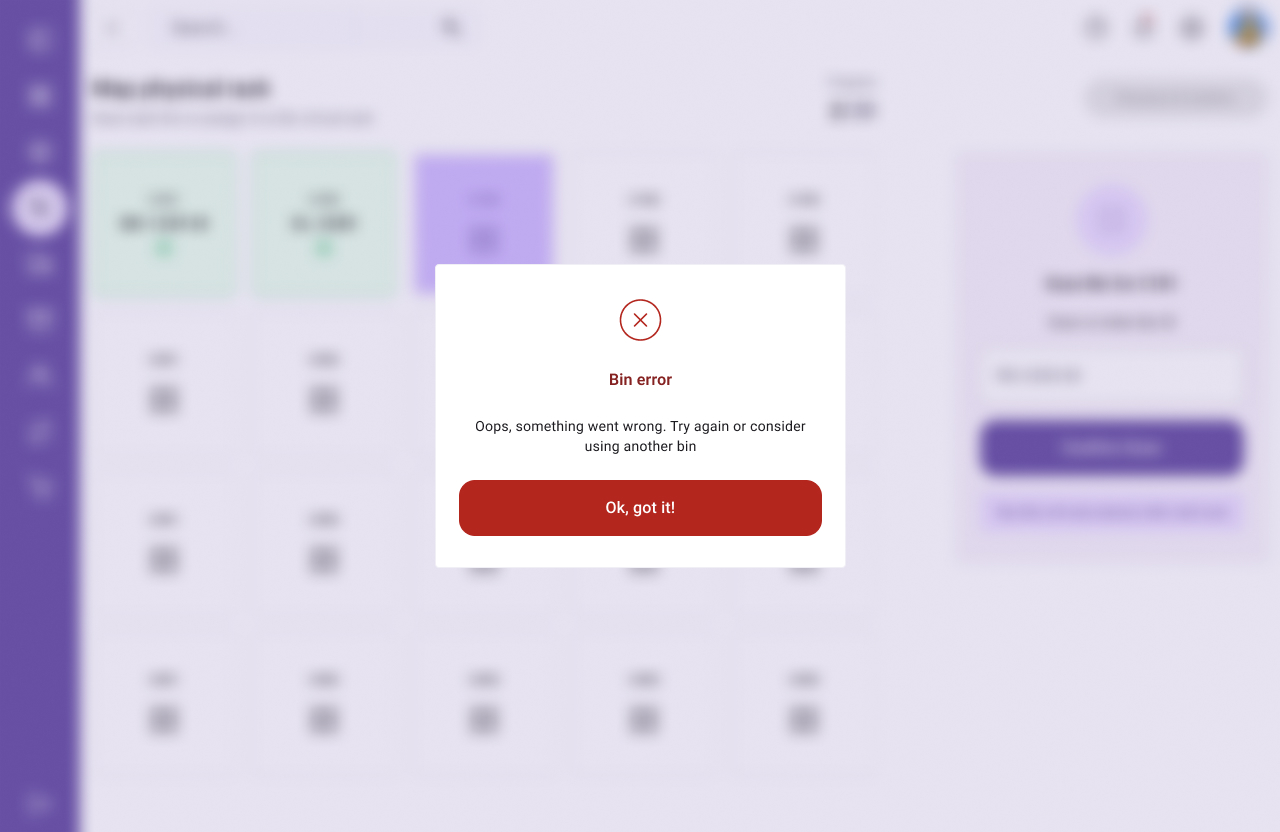
Clear error states
Because the multipick system was designed to be all-or-nothing, it was quintessential to give immediate feedback if any errors arose so they can be fixed immediately. The “bin error” error state often happened when the warehouse bin handling module failed to clear a bin after a previous pick session. When this error came up, the picker simply had to replace the current pick bin on the rack with another one that was ready to use.
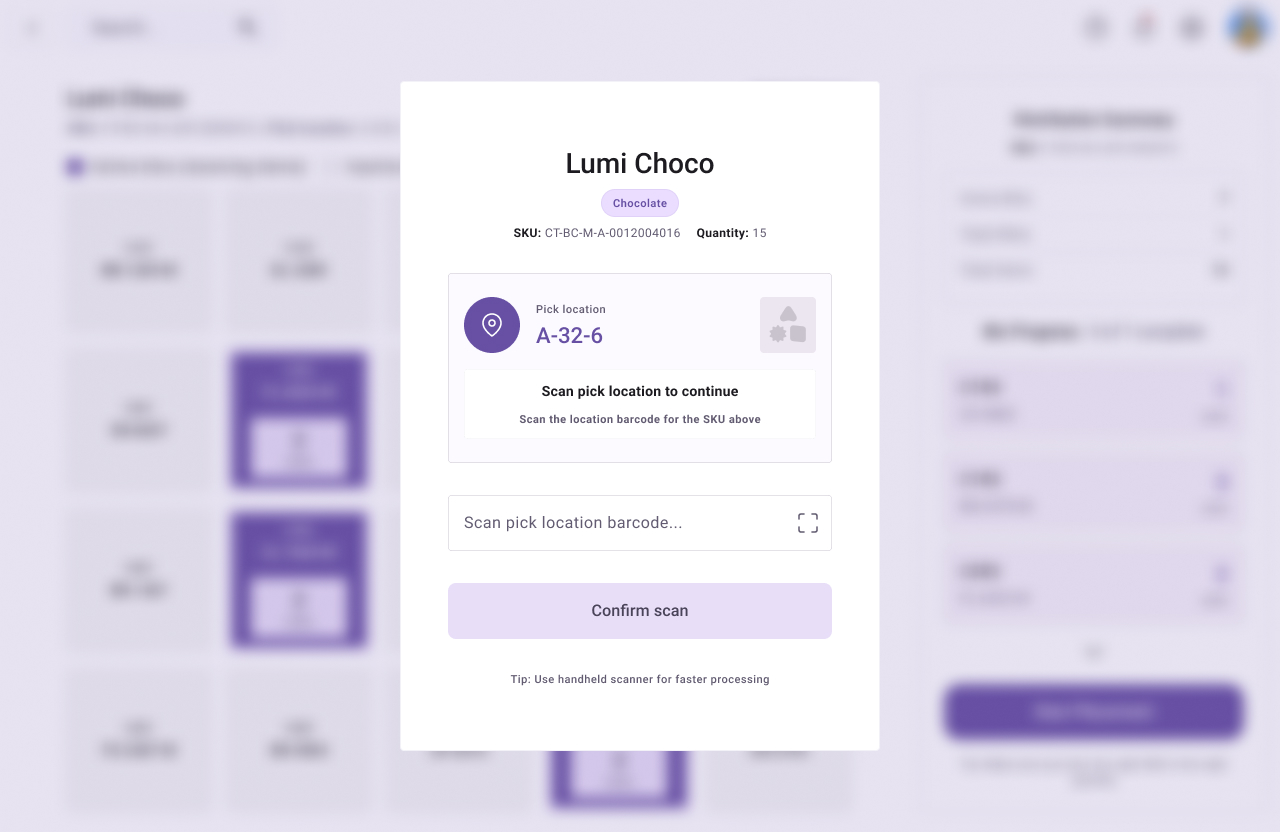
Pick one SKU at a time
Even though the concept of Multipick was “pick 20 orders simultaneously”, orders had to be picked one SKU at a time. The SKU pick screen showed the details of the SKU as well as as where to find it in the warehouse. The picker had to successfully scan the correct SKU location to proceed. This was a measure to reduce errors.
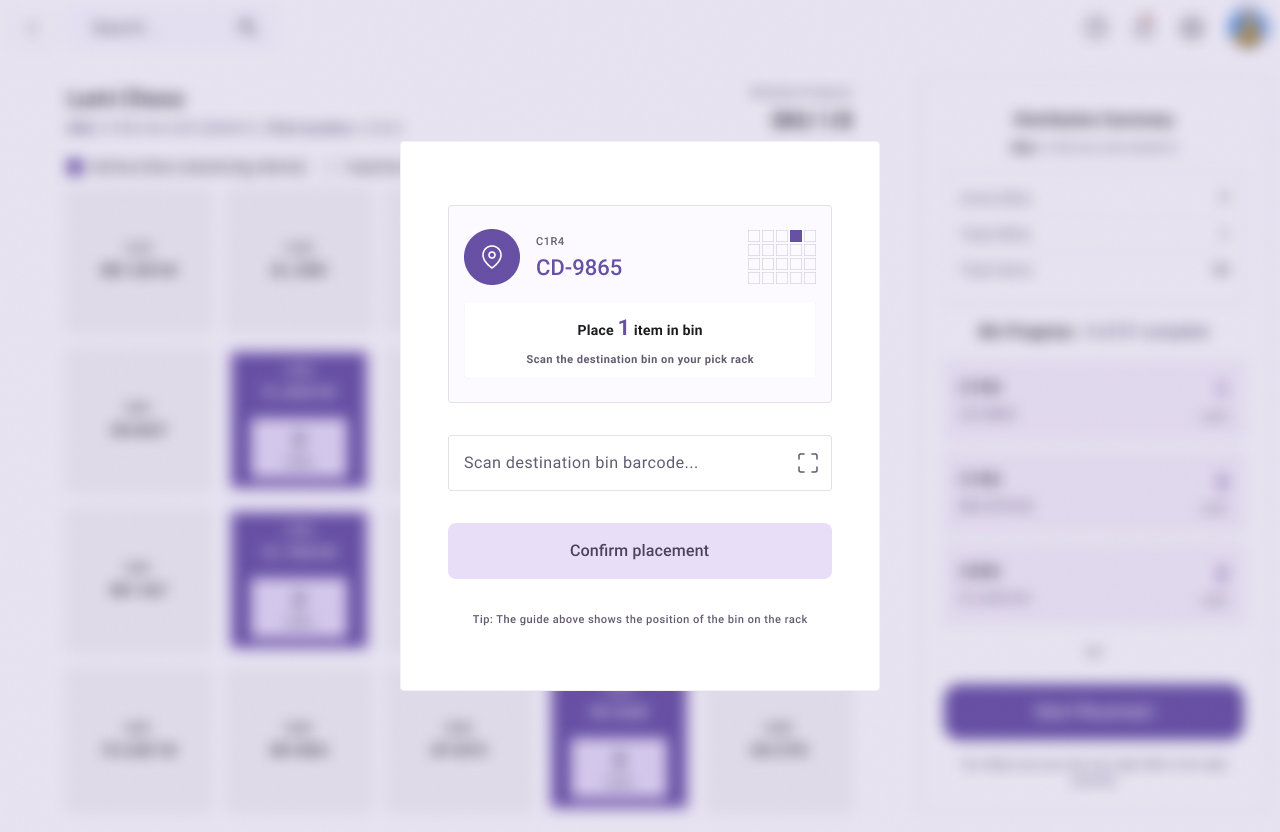
Place SKU in bins
After the picker successfully scanned the pick location, the screen highlighted what bins to place the SKU in, as well as what quantities of the item to place in the bin. For additional clarity, the modal shows a grid with the destination bin’s position highlighted.
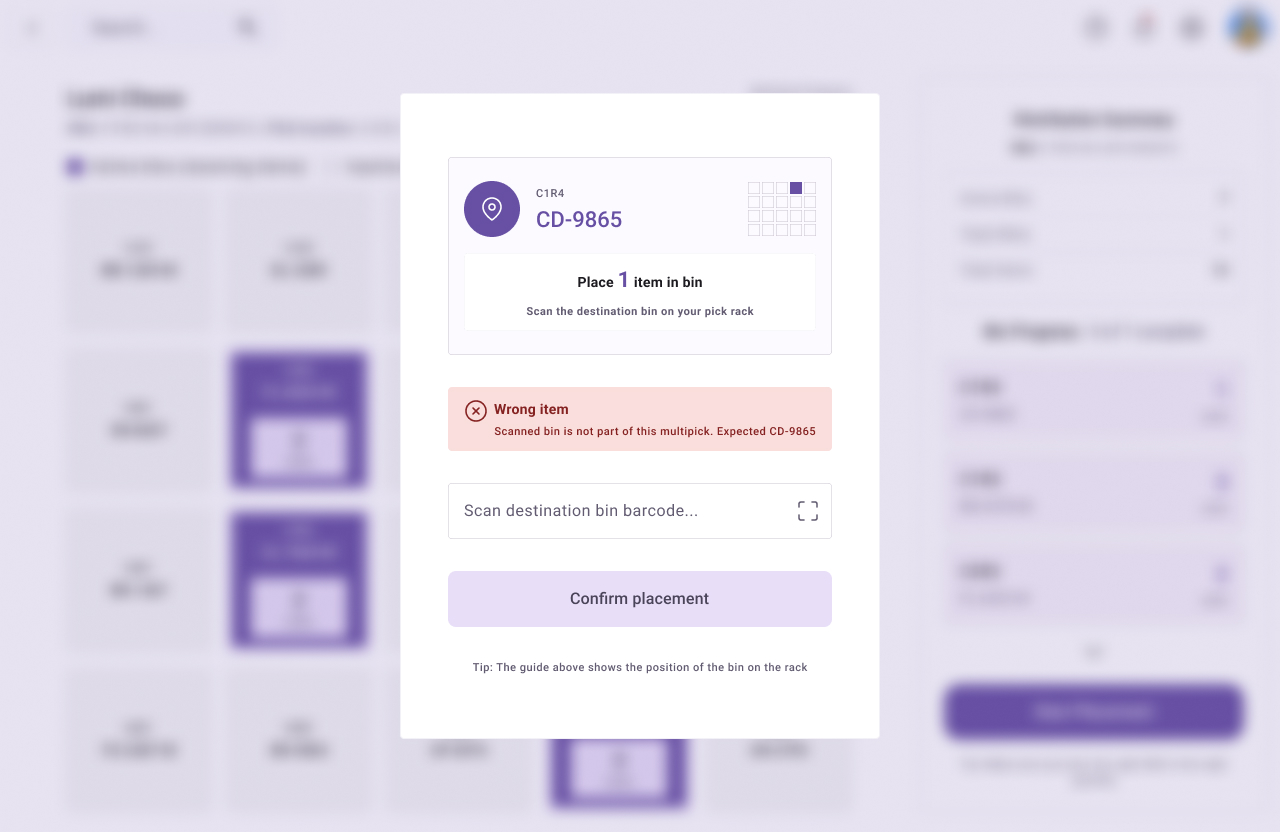
Scan each bin before placing items
Before placing a picked SKU in a bin, the picker needed to scan the physical bin on the rack. If they scanned the wrong bin, this resulted in an error. By doing this, we were able to add yet another layer of checks to reduce errors.
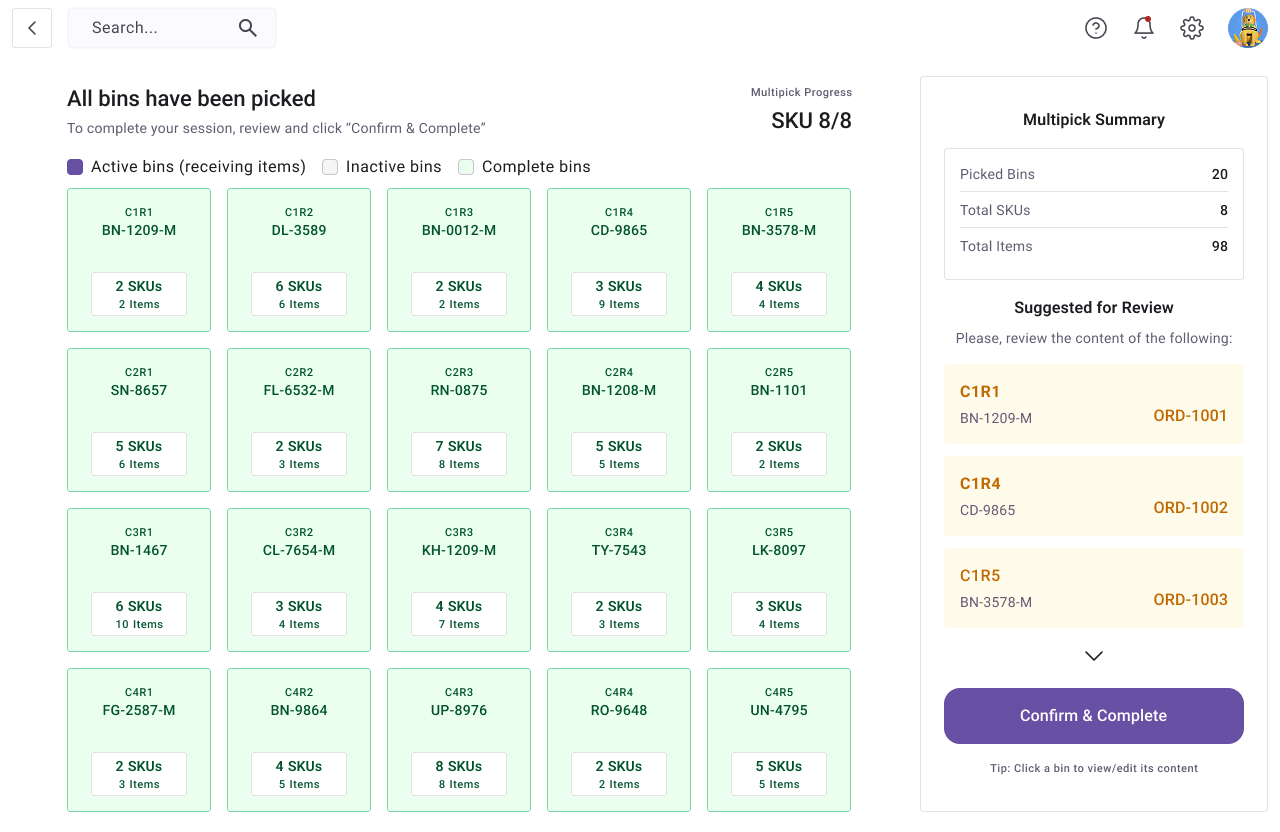
A session summary with suggestions for review
At the end of the multipick session, the picker got a summary screen from where they could review each bin’s content. The right side bar shows a list of orders to review, based on mistakes that were detected during the picking process. Once everything was confirmed to be correct, the picker could then complete their session and move all 20 orders to a packing station.