

Social Media

Copyright 2026 Adele Nguedia. All Rights Reserved

Warehouse Multipick System

A Canadian warehouse and shipment facility with international branches was struggling to keep up with workload. They needed a solution to increase order fulfilment rate without a proportional increase in cost.

500%

increase in daily shipped orders

83%

increase in pick accuracy

0%

increase in daily operational cost

Overview

My Role:
Product Designer
UI/UX Researcher
Front-end Developer

I collaborated with engineering, warehouse staff and business stakeholders to design a multipick system that perfectly integrated with the existing software and relied on equipment that was already present in the facility. With this, warehouse employees were able to pick 20 orders simultaneously.

I led the research efforts, designed the prototypes and worked with other developers to bring the system to live, and then trained employees at one warehouse location on how to use the new multipick system.

Research & Discovery

I spent several weeks at the warehouse interviewing employees and managers, processing orders, and understanding what was going on so that I could identify opportunities.

I also spent time analysing the existing software and talking with developers to understand the tech and the team’s technical abilities, to make sure the proposed solution would be feasible.

Order processing was slow:
Warehouse employees were having a hard time getting through orders, there was a huge, ever-increasing backlog of orders that needed to be fulfilled and unhappy clients waiting for their packages to be delivered. In the competitive industry that is shipping and fulfilment, such delays could mean losing a substantial amount of customers, and therefore, income.

Errors in orders:
Too many packages were being returned by customers because they contained the wrong items. Not only was this a bad look for the business, it also caused extra costs as returns also needed to be processed.

The opportunity

How might we increase the number of orders fulfilled daily without increasing operational cost

Features highlight

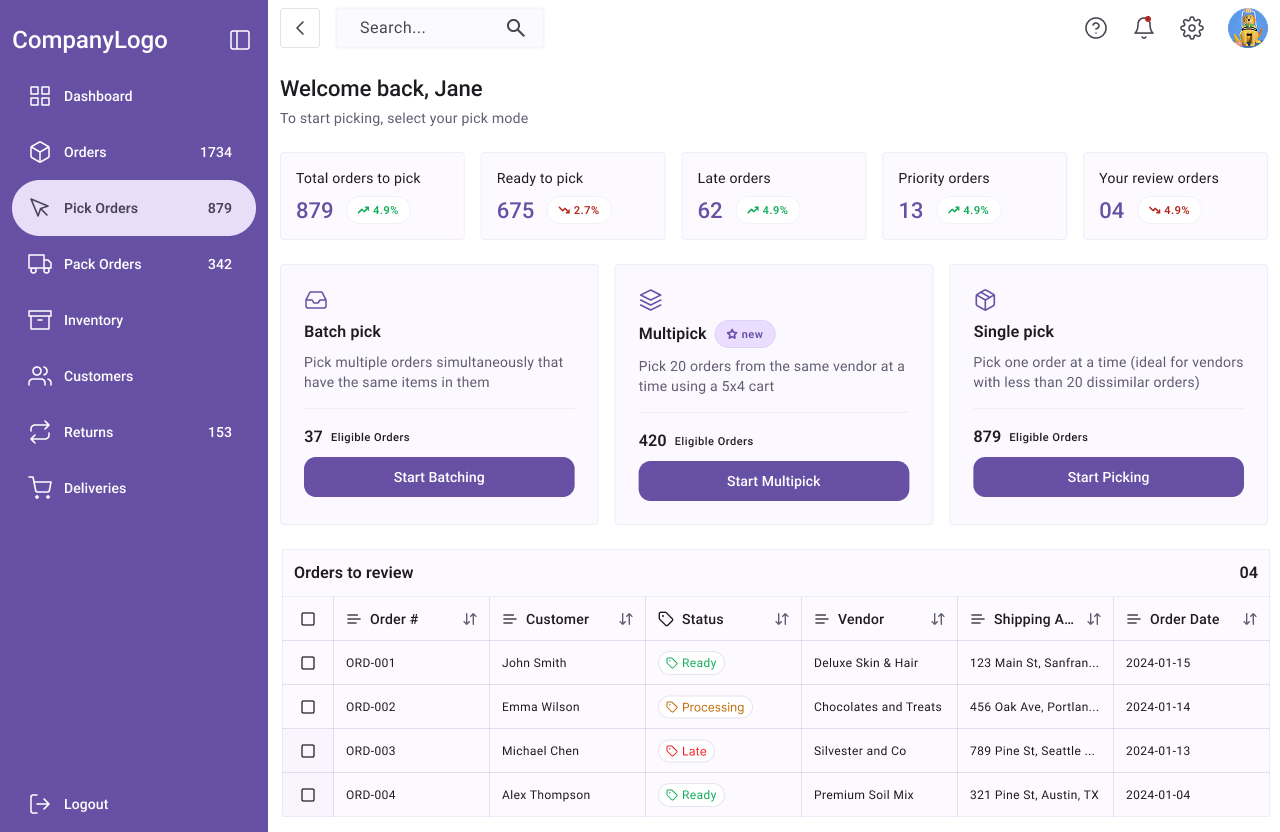
A multipick system that lets users pick 20 orders at a time

Multipick system -select pick mode

A new pick mode

Multipick was integrated into the existing warehouse software. This pick mode allows users to pick 20 orders from the same vendor simultaneously, using a 5×4 rack. By making it possible to pick 20 orders simultaneously, multipick reduced time spent going back and forth from one pick aisle to another, from pick aisle to pack station, searching for order items, etc. 
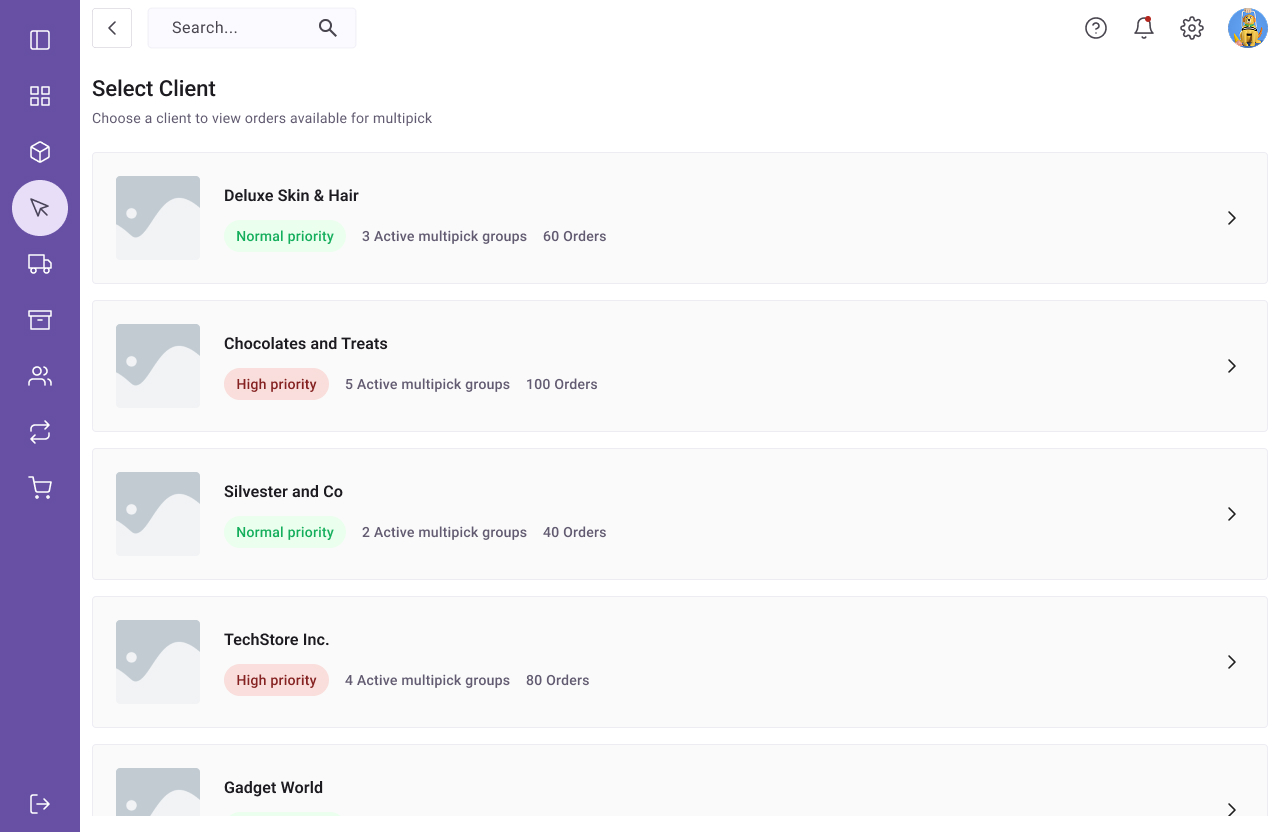
Multipick system -select client

Work on one client’s orders at a time

The warehouse/fulfilment centre carried multiple SKUs many different vendors. The new multipick system grouped orders from the same client together. This helped reduce the number of items from different vendors that landed in customers’ orders, and also cut time spent searching for products.
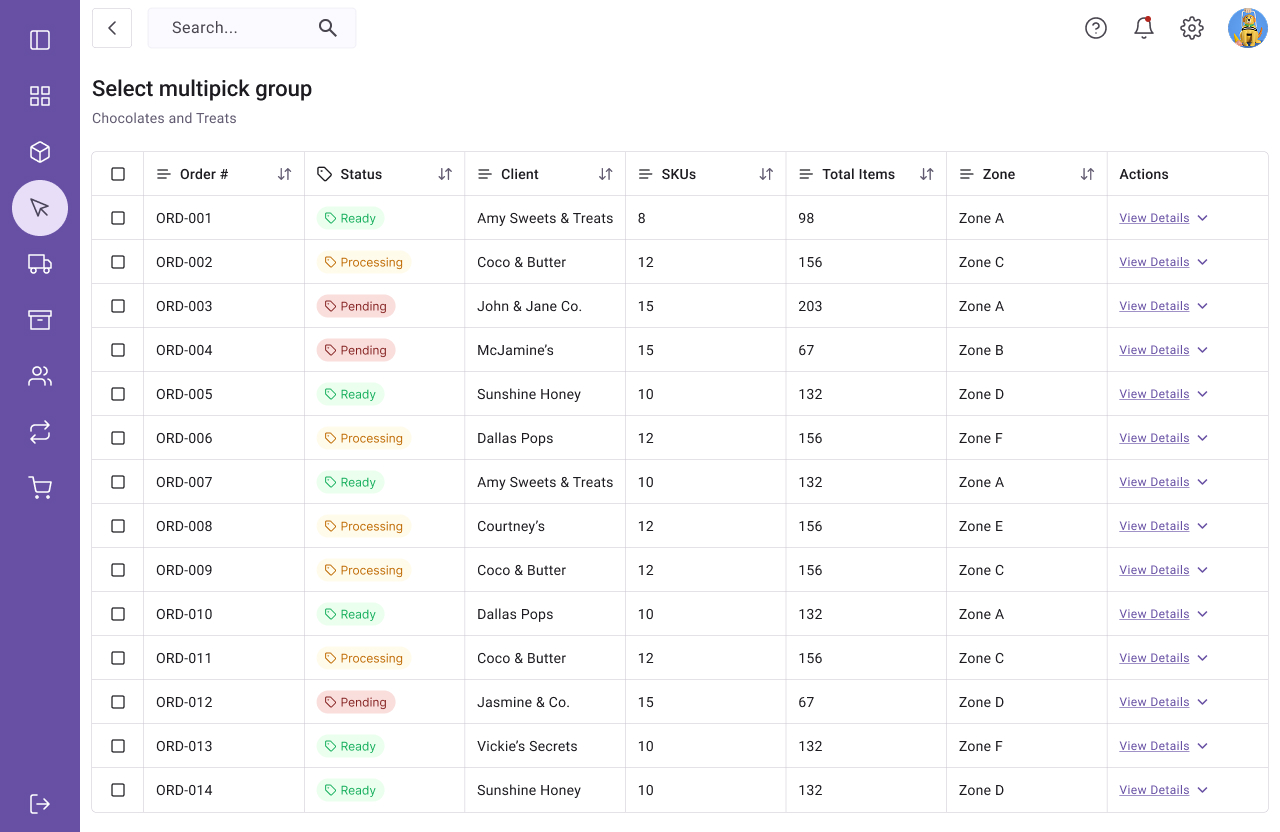
Multipick system -select pick group

Select multipick group

A data table with orders lets the picker select an order group to work on. For each order group, they can see the status, as well as view order details. Pickers can only begin working on orders where status = ready.
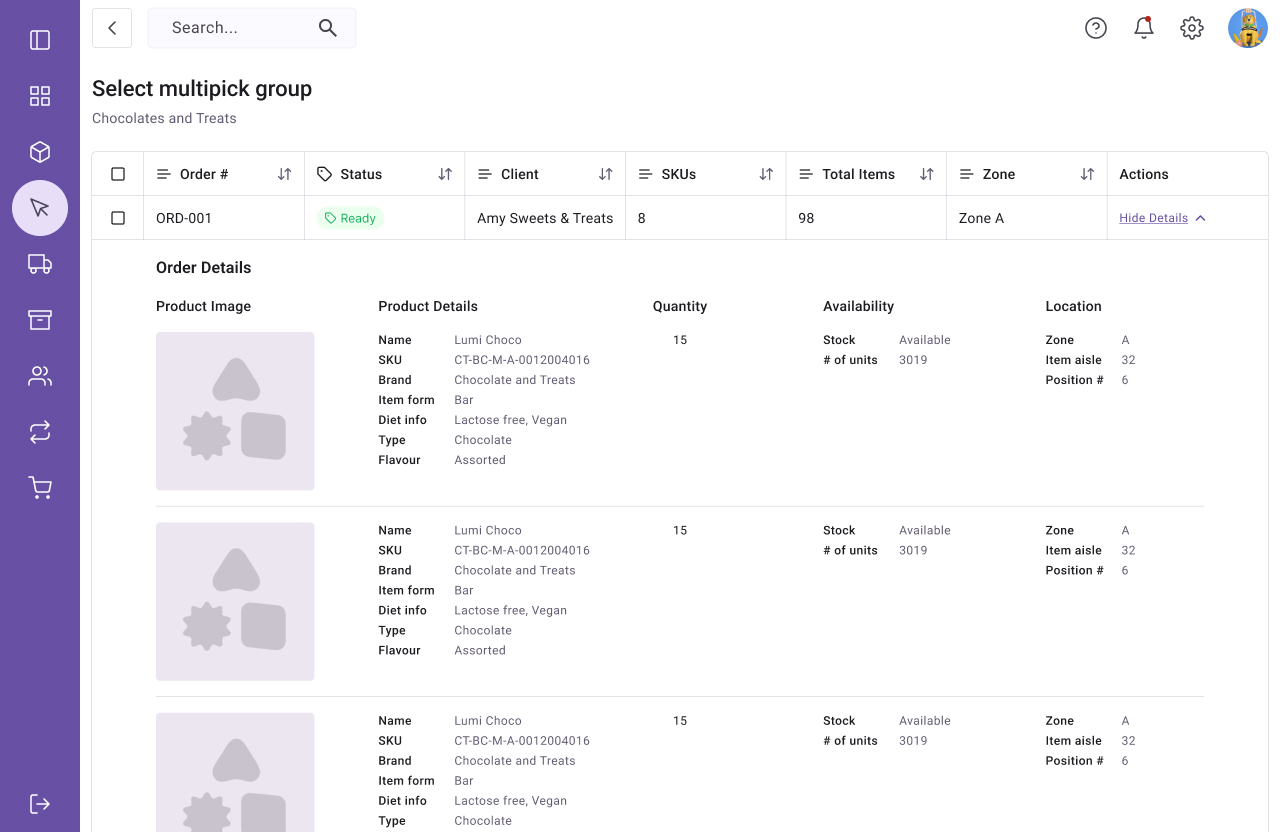
Multipick system -select pick group - expanded

View order details before starting

One thing I had observed is that, there were often discrepancies between the online inventory and the warehouse stock. It was therefore important to give pickers the chance to view order details before they started the multipick process, as is was built to be an all-or-nothing process.
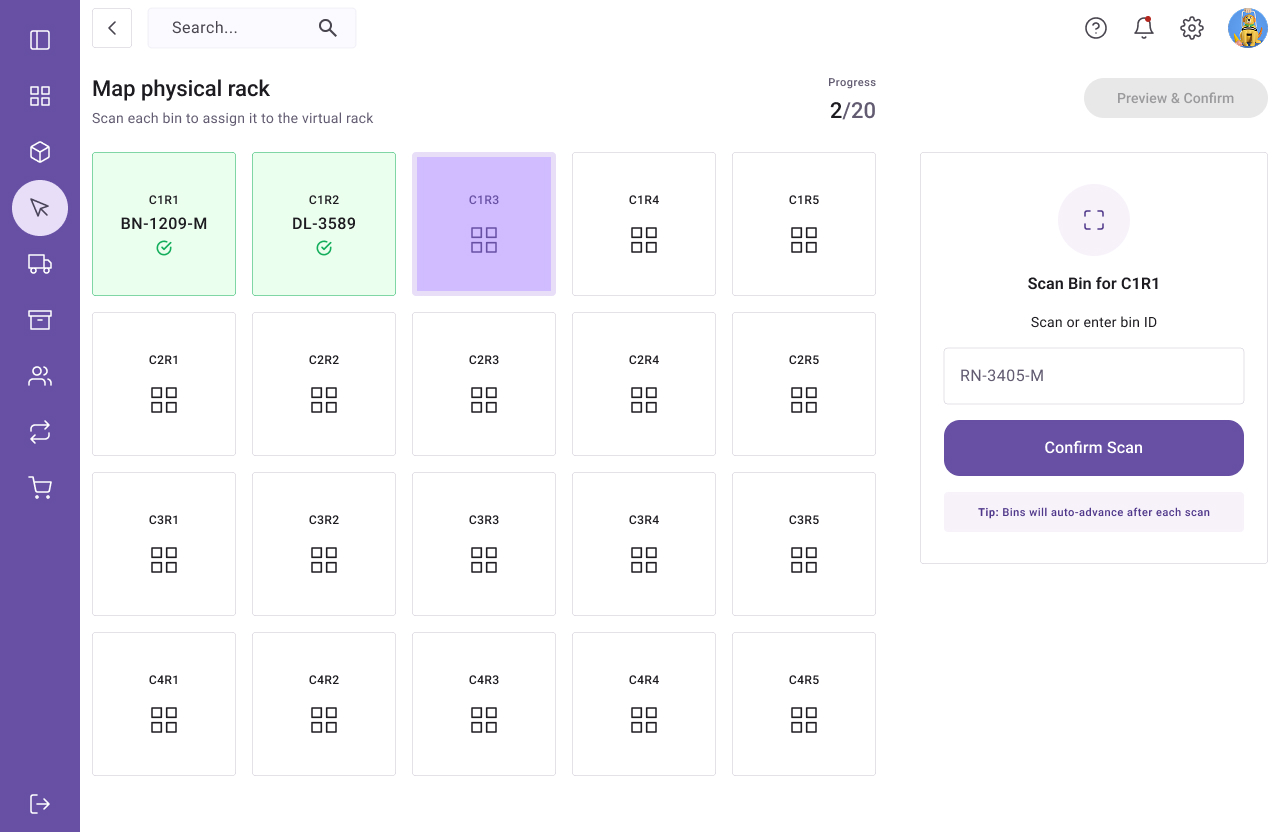
Multipick system -map physical rack to virtual

Map physical rack to virtual rack

The picker fills a rack with 20 pick bins (5×4) and then the system guides them through steps to scan each pick bin, and then creates a virtual rack which is a representation of the physical one.
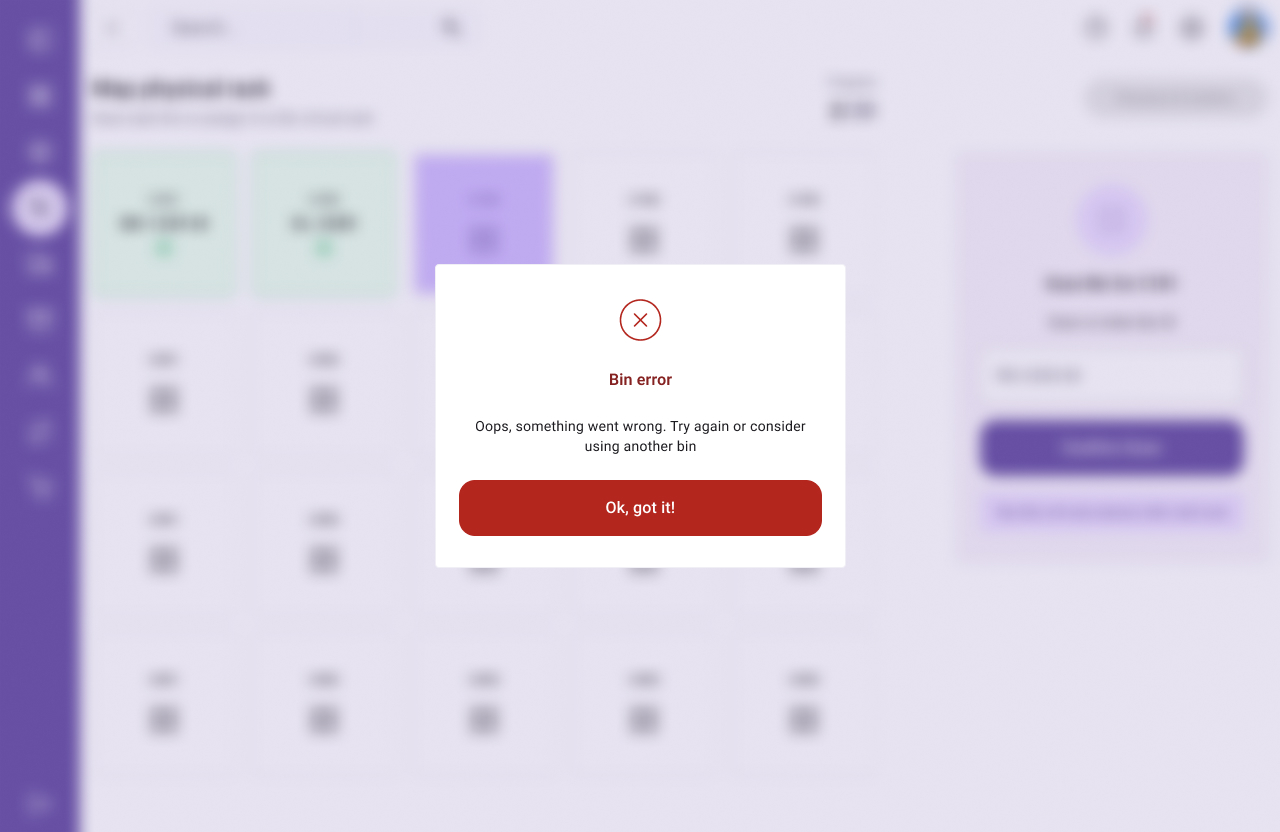
Multipick system - error mapping bin

Clear error states

Because the multipick system was designed to be all-or-nothing, it was quintessential to give immediate feedback if any errors arose so they can be fixed immediately. The “bin error” error state often happened when the warehouse bin handling module failed to clear a bin after a previous pick session. When this error came up, the picker simply had to replace the current pick bin on the rack with another one that was ready to use.
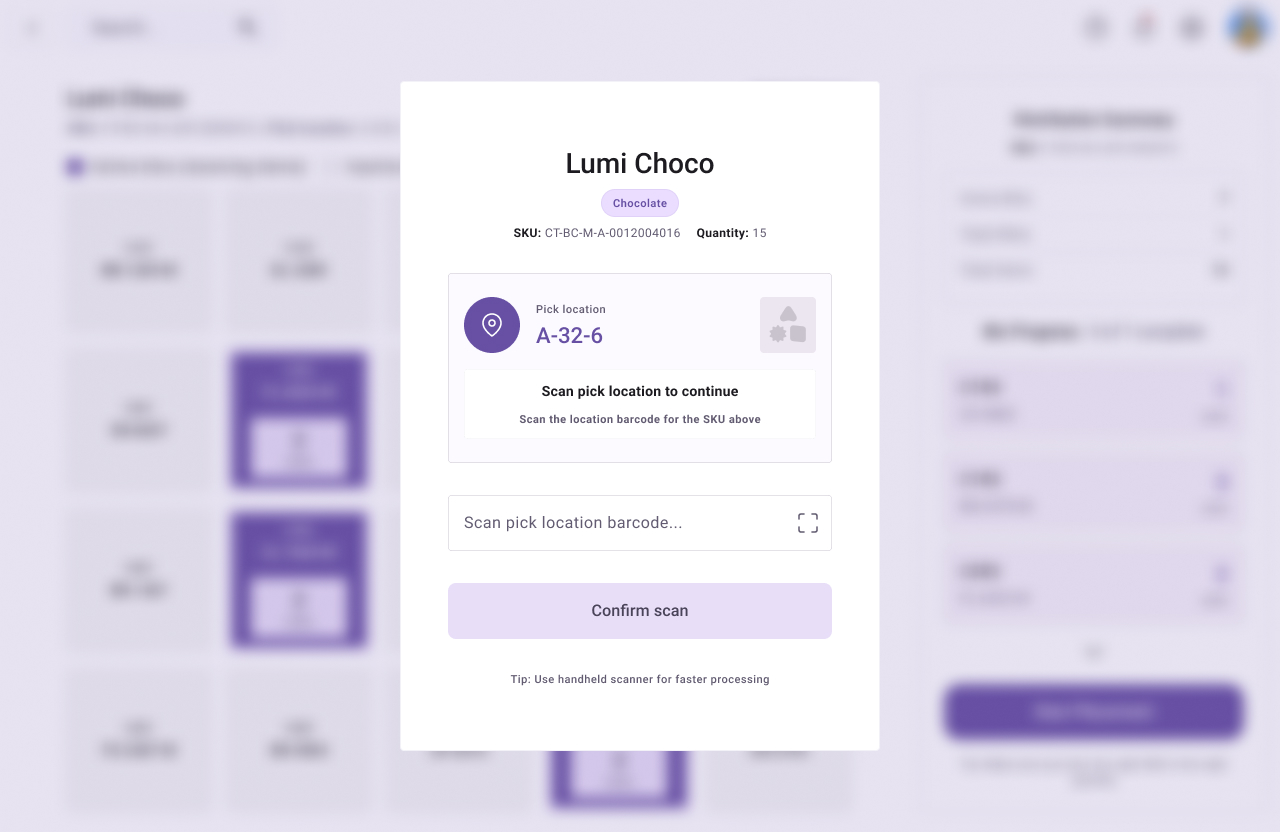
Multipick system -select pick one SKU

Pick one SKU at a time

Even though the concept of Multipick was “pick 20 orders simultaneously”, orders had to be picked one SKU at a time. The SKU pick screen showed the details of the SKU as well as as where to find it in the warehouse. The picker had to successfully scan the correct SKU location to proceed. This was a measure to reduce errors.
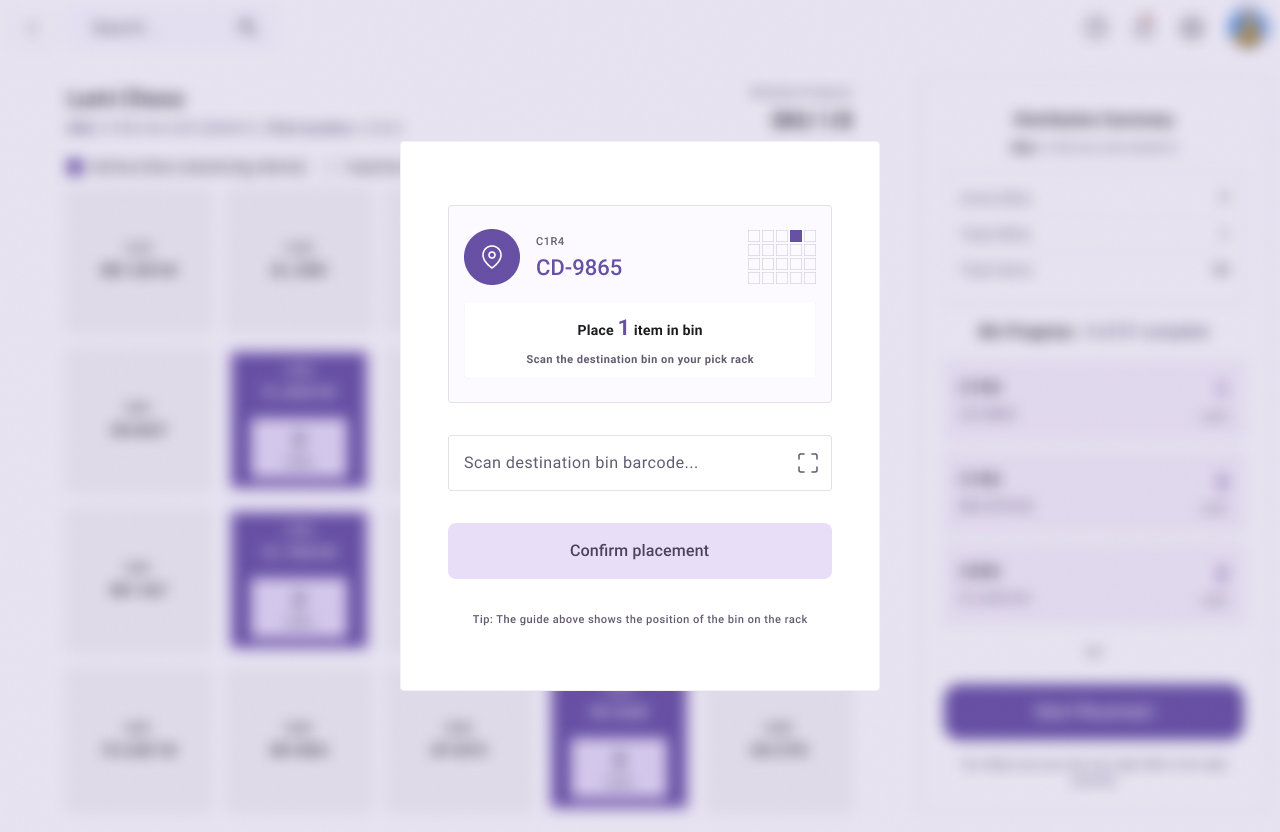
Multipick system -place one item in bin

Place SKU in bins

After the picker successfully scanned the pick location, the screen highlighted what bins to place the SKU in, as well as what quantities of the item to place in the bin. For additional clarity, the modal shows a grid with the destination bin’s position highlighted.
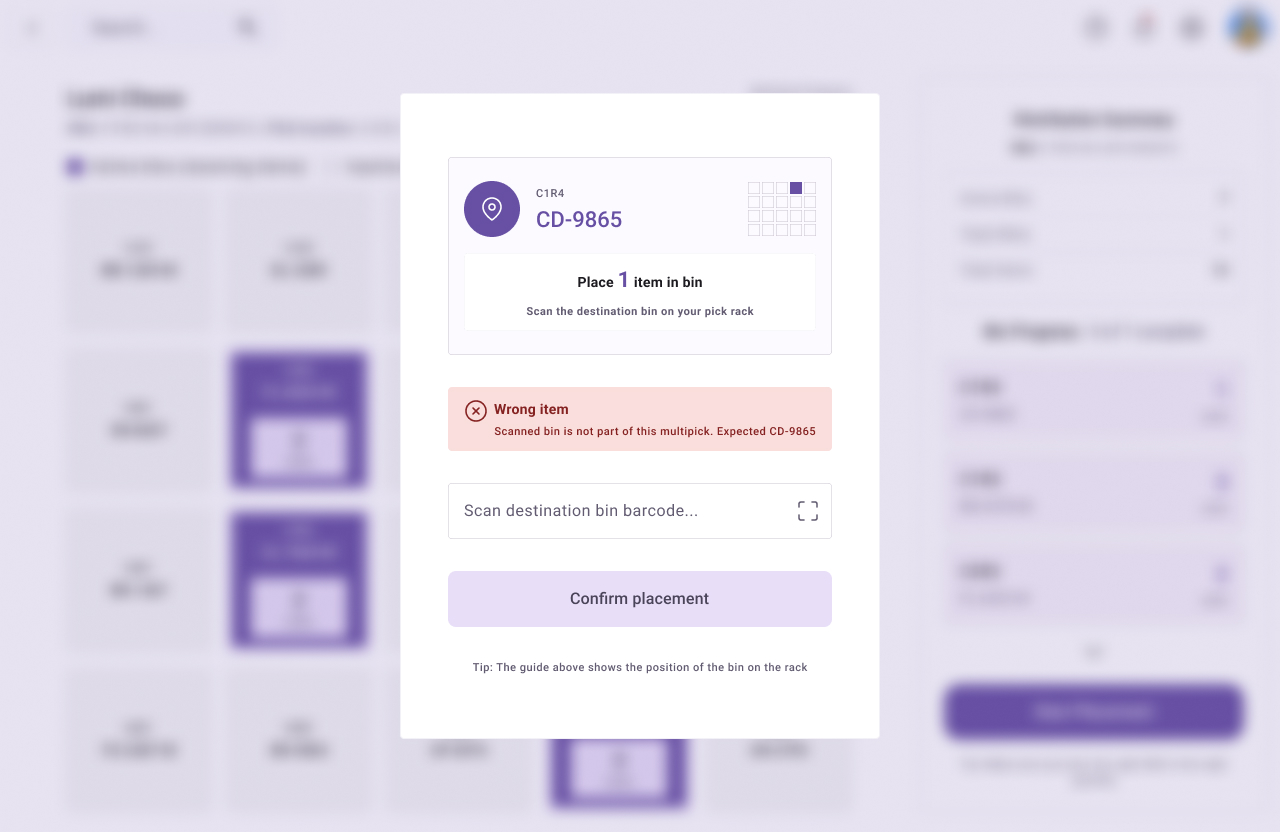
Multipick system -place one item in bin - wrong bin scanned

Scan each bin before placing items

Before placing a picked SKU in a bin, the picker needed to scan the physical bin on the rack. If they scanned the wrong bin, this resulted in an error. By doing this, we were able to add yet another layer of checks to reduce errors.
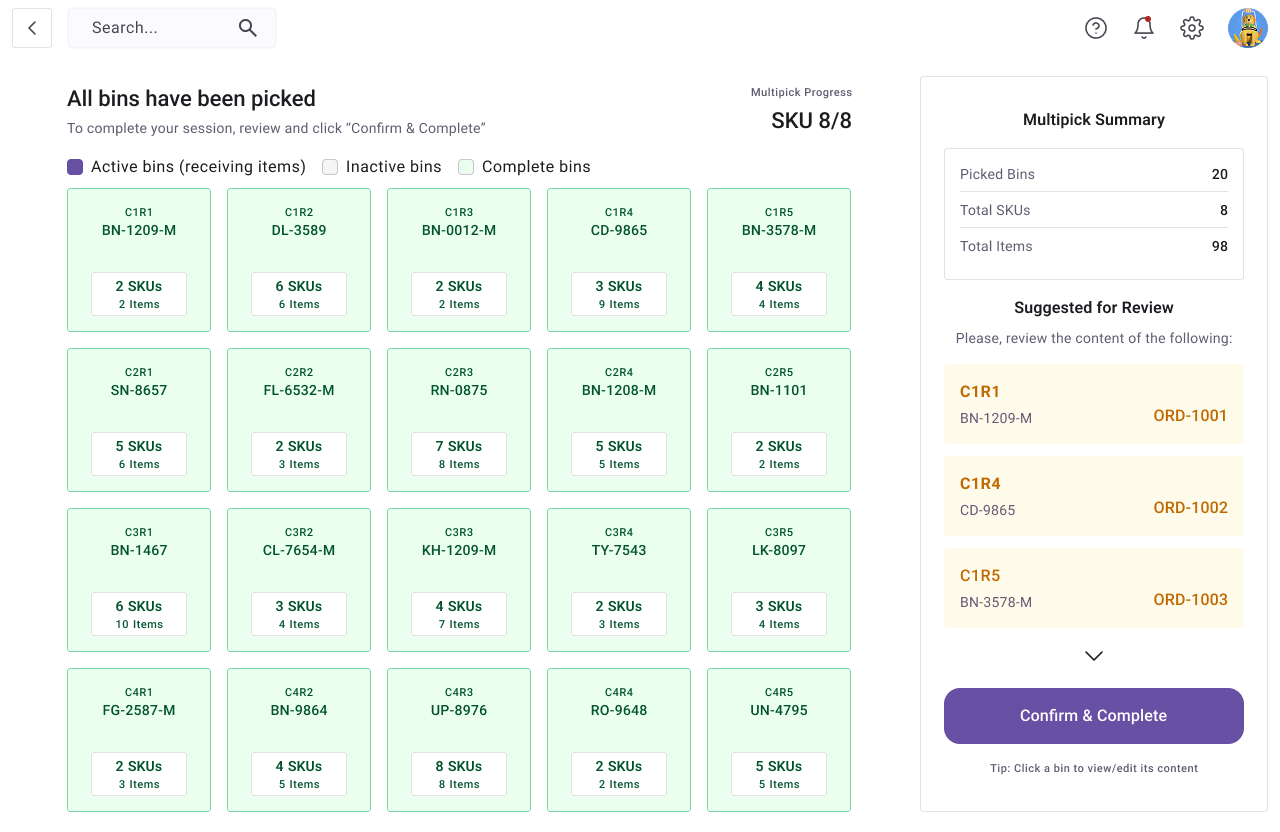
Multipick system -Filled all bins

A session summary with suggestions for review

At the end of the multipick session, the picker got a summary screen from where they could review each bin’s content. The right side bar shows a list of orders to review, based on mistakes that were detected during the picking process. Once everything was confirmed to be correct, the picker could then complete their session and move all 20 orders to a packing station.

Design principles

The system streamlines the order fulfillment process by grouping similar orders by client, guiding workers through clear and sequential picking steps. It also prevents multiple workers from working on the same order simultaneously.

Information at a glance

The work environment is fast-paced. It was therefore important to make key information immediately visible and easy to understand.

Form follows function

Efficiency and accuracy are top priority, they should not be compromised for design.

Error prevention

Reduce errors and uncertainty by providing immediate audio-visual feedback.

Results

The new system was launched in a pilot branch and then adopted across the board

500%

increase in daily orders fulfilled

83%

increase in pick accuracy, thanks to error handling mechanisms

0%

increase in operational cost, since we used already existing tools and equipment

100s

of employees trained across locations to increase adoption rate

Increased client satisfaction now that orders are shipped faster and with fewer errors

The new system effortlessly supported scaling during holiday season with no extra staffing

Privacy Settings
We use cookies to enhance your experience while using our website. If you are using our Services via a browser you can restrict, block or remove cookies through your web browser settings. We also use content and scripts from third parties that may use tracking technologies. You can selectively provide your consent below to allow such third party embeds. For complete information about the cookies we use, data we collect and how we process them, please check our Privacy Policy
Youtube
Consent to display content from - Youtube
Vimeo
Consent to display content from - Vimeo
Google Maps
Consent to display content from - Google