
Social Media

Copyright 2026 Adele Nguedia. All Rights Reserved

Admissions flow optimization

WIC Admissions System Redesign

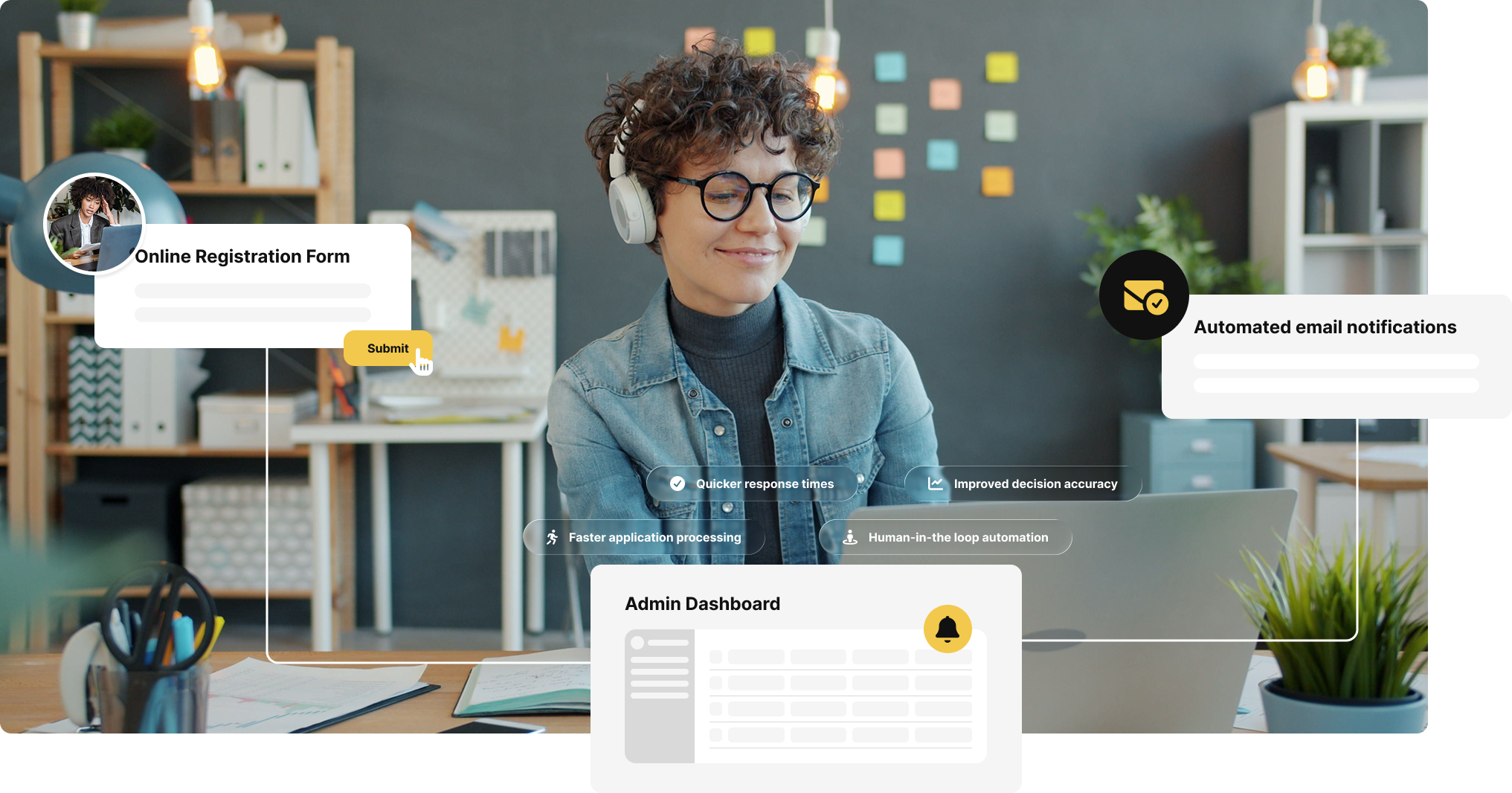
WIC’s admissions process relied on multiple tools, manual handoffs, and repeated data entry, creating long wait times for students and significant operational strain for admins.

5x

faster application completion time

95%

increase in admin efficiency

6x

more completed applications

Overview

Project Manager
Product Designer
UI/UX Researcher
Front-end Developer

I led the end-to-end redesign of WIC’s student admissions process: from online student application to eligibility evaluation and application feedback. We simplified the registration process for students, streamlined the administrative workflow for reviewing, managing, and processing applications, and significantly reduced operational cost, all while maintaining trust and fairness.

I led the project, working across product, design, research, development, and stakeholder management.

Research
& Discovery

Woman working on a laptop at a cafe

01

Stakeholder interviews

I interviewed leadership, marketing, and admissions staff to understand the business goals, operational requirements, and day-to-day operations and challenges. I also shadowed 4 administrators over 5 business days, documenting how applications moved through the process and the workarounds they had developed to keep things moving. This revealed where the biggest delays, handoffs, and manual work were happening.

02

User research

We interviewed 20+ applicants, including people who completed the process and people who abandoned it. We completed the registration process multiple times both as applicants and administrators, timed each step, mapped every system involved, and documented everything. This helped us understand their experience and where expectations broke down.

03

Workflow Mapping

With our findings, we were able to map every step from registration through eligibility evaluation, including the systems involved, data entry, hand-offs, and workarounds. This helped distinguish UI problems from problems in the underlying process, and created a solid foundation for deriving a working scalable solution.

Our Findings

WIC’s existing workflow relied on too many disconnected tools

Fragmented workflow:
The process moves students and data across different tools, increasing errors, data loss, abandoned submissions, and risk of interception by malicious actors.

Repeated data entry:
Students entered the same information multiple times, while admins had to sort through and reconcile data from different sources.

Long processing times:
Students spent 45–60 minutes across multiple sessions to complete their applications, and admin review took several weeks, creating large backlogs and frustration for both students and admins.

Heavy manual workload:
The process relies very heavily on human input for application progress, evaluation and feedback. Relying on humans for every step increases the likelihood of mistakes.

4800+

applications waiting to be processed

52.5min

application completion time over multiple days (students)

90min

application processing time, spread over multiple weeks

100+

student application status inquiries per day

1000s

of dollars spent monthly on various tools

No

established system for sharing application status

2.3%

conversion rate from visitor to basic form

43%

conversion rate from basic form to eligibility form

Design Goals

How would we simplify the system end-to-end to reduce friction for both admins and students

Make the registration process easier for students

Reduce friction in the registration process so students can complete their applications quickly and with as little hassle as possible.

Help admins process student applications faster

Increase application processing efficiency, as well as accuracy in the decision-making process, while preserving trust and maintaining fairness in key decision points.

Reduce operational cost and data risk

Make the student registration and application evaluation process cost-efficient, reliable and easy to scale, while maintaining data integrity

Leading a cross-functional team to build a scalable system

The project began as a UI redesign, but research quickly revealed that the registration interface was only part of the problem. I led the team through workflow mapping, wireframing, prototyping, testing, and stakeholder validation to redesign the underlying admissions process.

To avoid disrupting ongoing operations, we built and tested the new system in a sandbox before deployment. After several iterations and rounds of testing, we launched with little to no downtime.

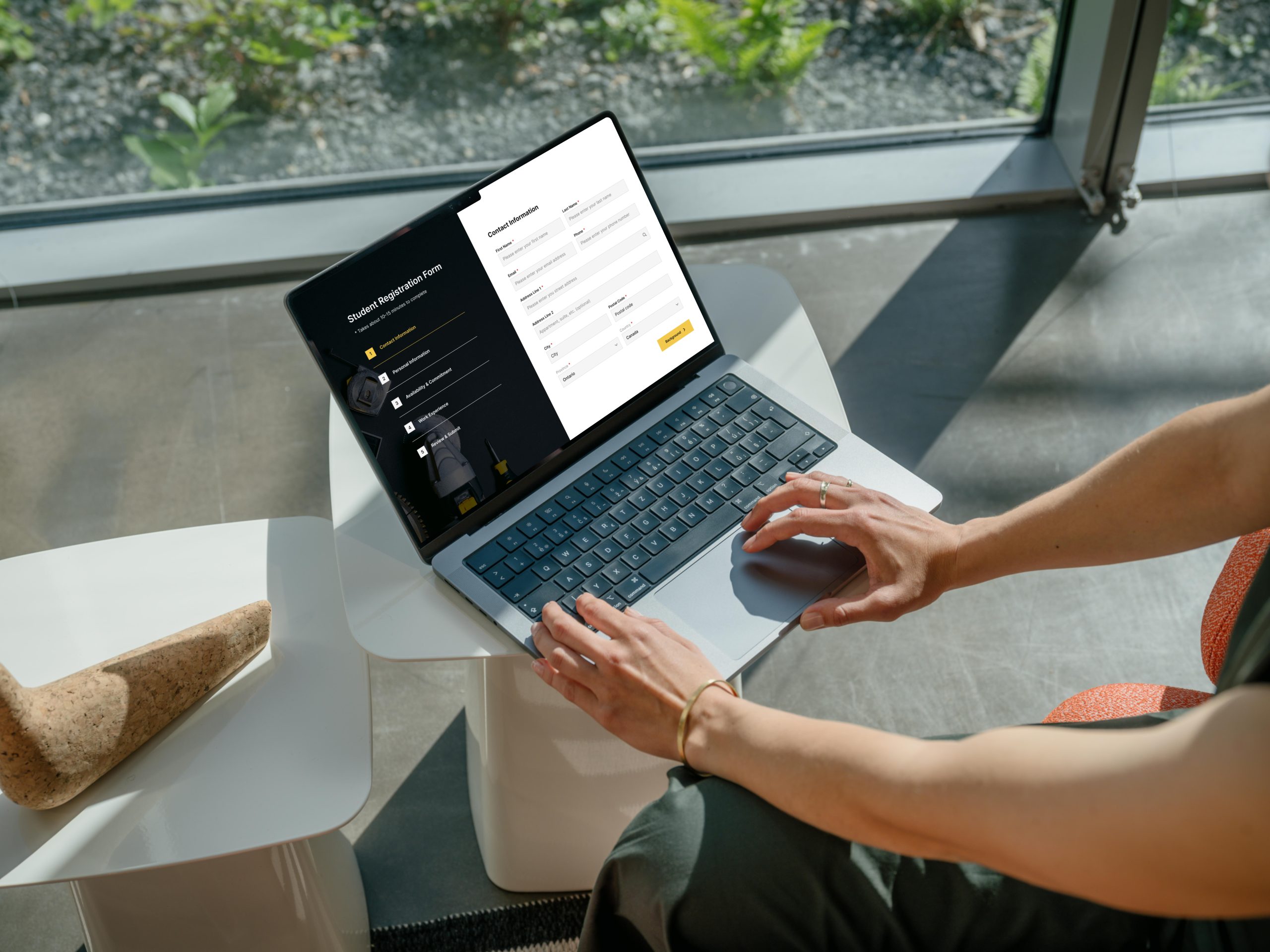
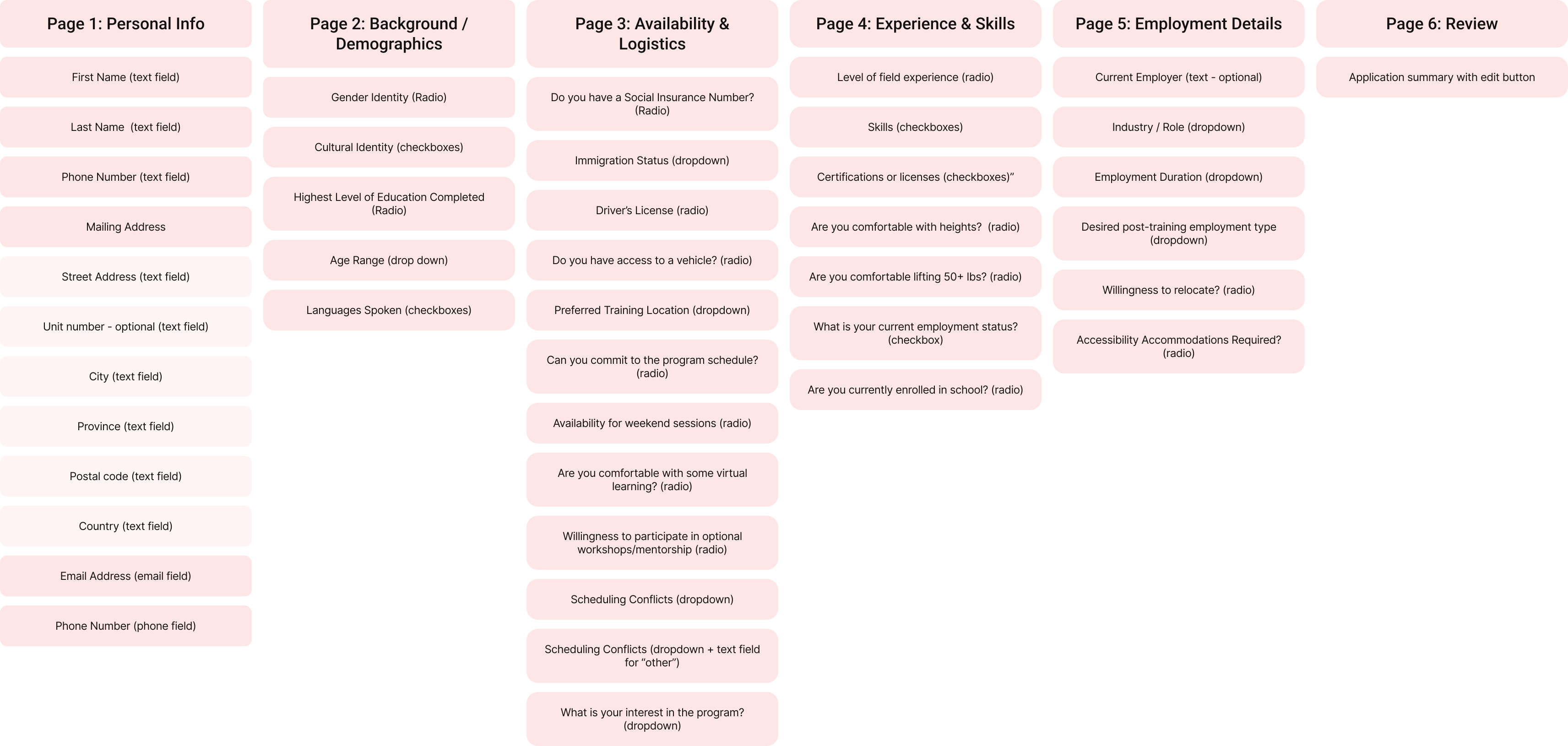
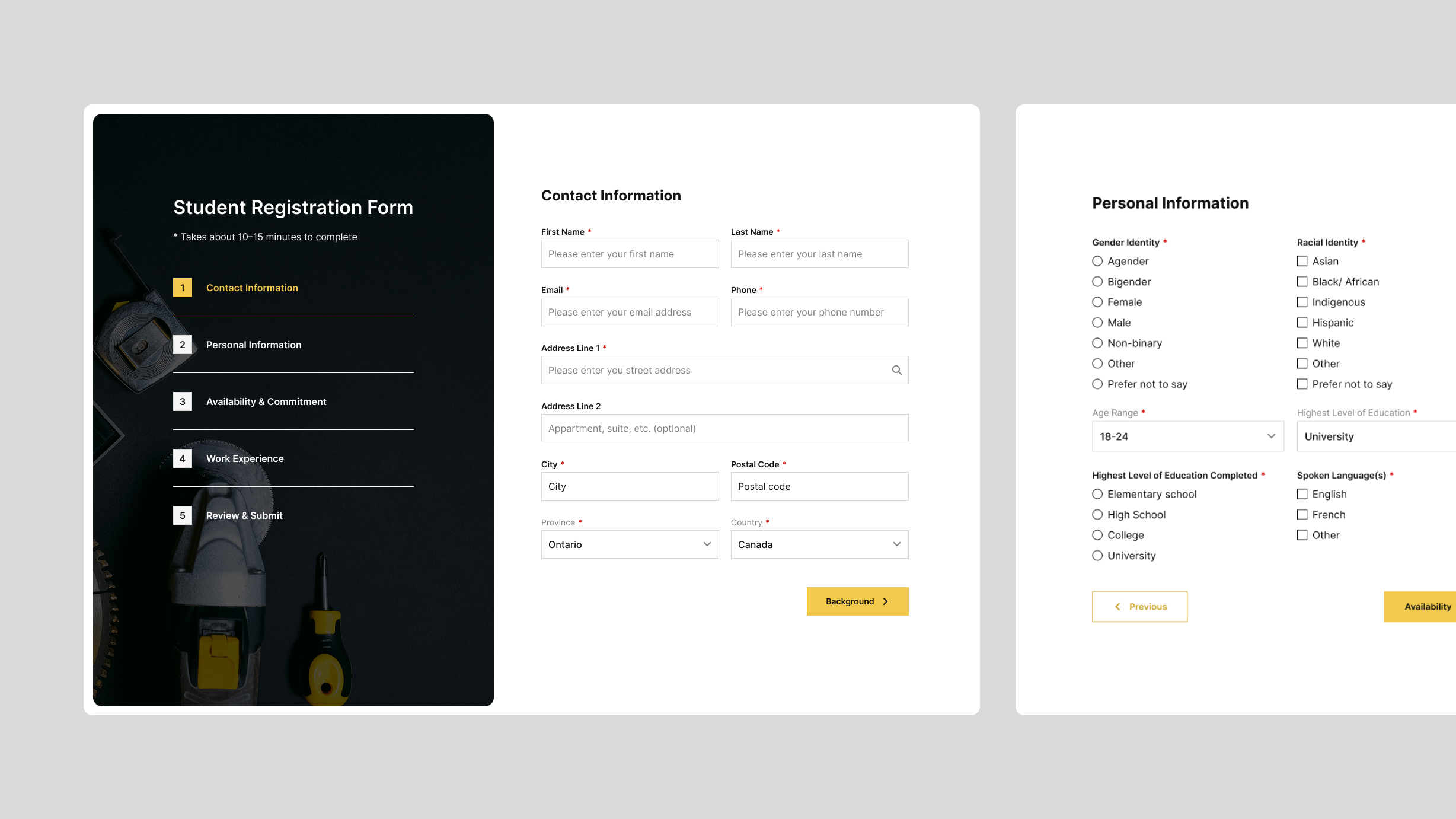
Planning the student registration portal

Student registration flow planning

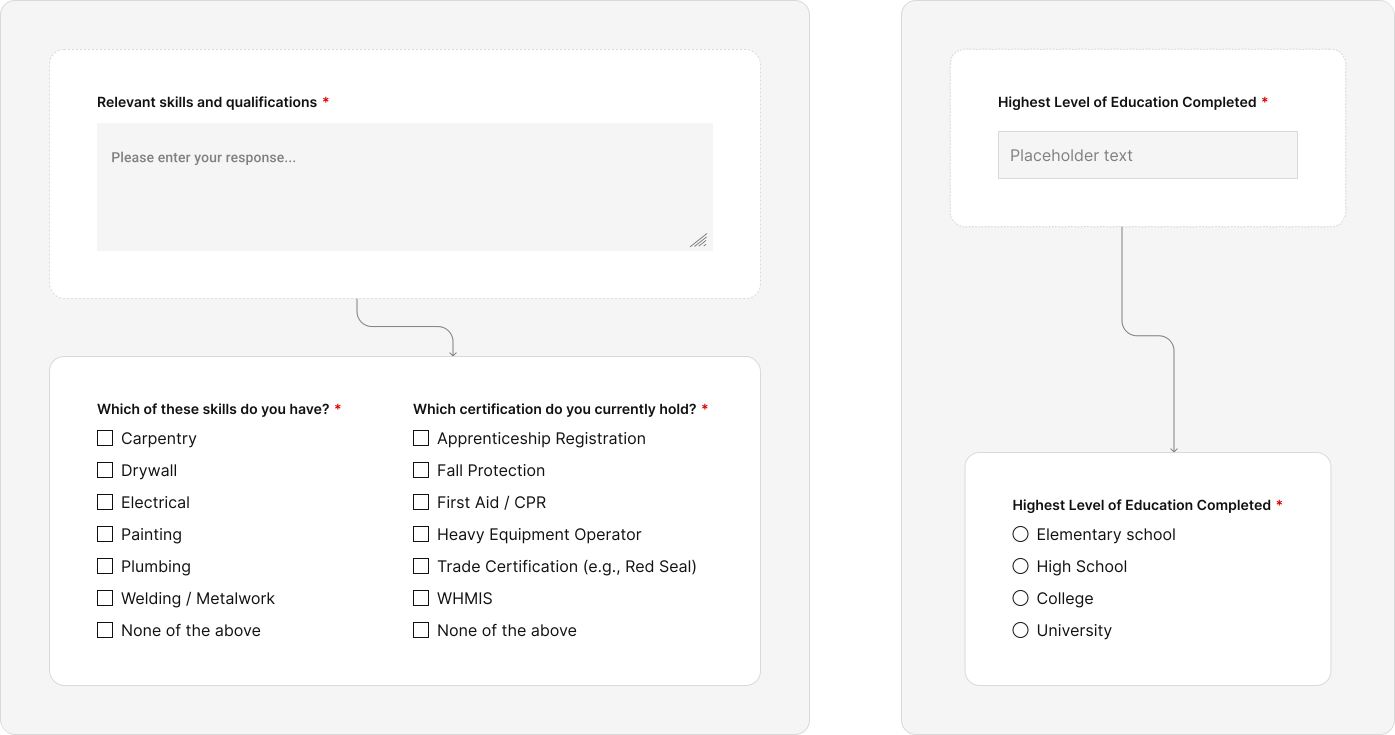
Restructuring responses to facilitate automated evaluation*

Note: These restructured questions and options came as a result of multiple interviews with program admins and leadership to make sure that we captured all the information needed to make decisions.

Structured responses
First Outcome

A clearer, more reassurring experience for students

Student multistep form

A streamlined process with structured responses

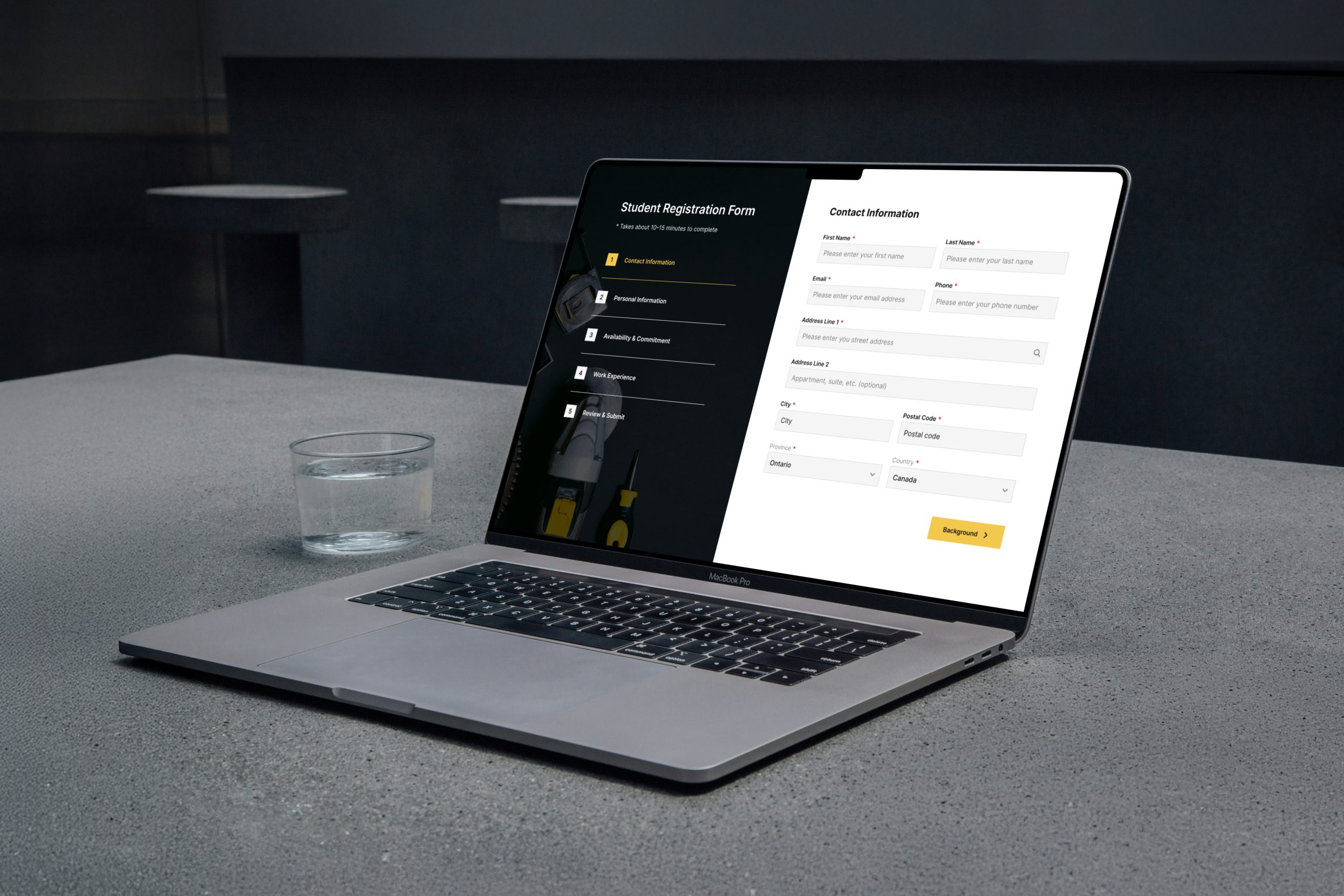
The application is contained in one streamlined flow, with related information grouped into manageable steps to reduce cognitive load. We also replaced open-ended questions with structured response options, making the form easier to complete while giving admins cleaner, more consistent data to process.

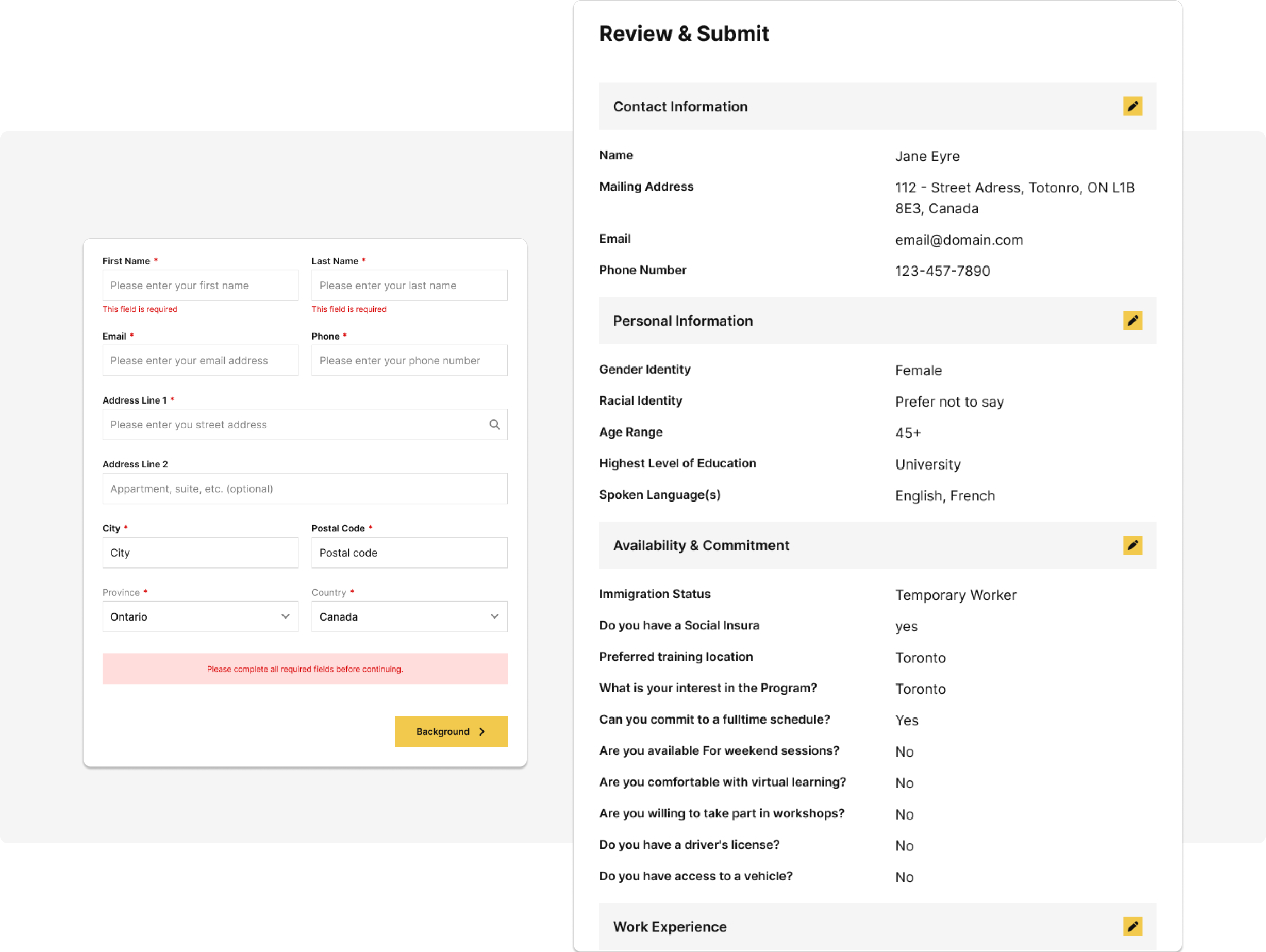
on-page feedback

Better feedback and correction mechanisms

Students receive clear validation and error states as they complete each step. They can move freely between steps, review their information, and correct mistakes before submitting. This helps alleviate stress about mistakes and gives them confidence that their application is complete and accurate.

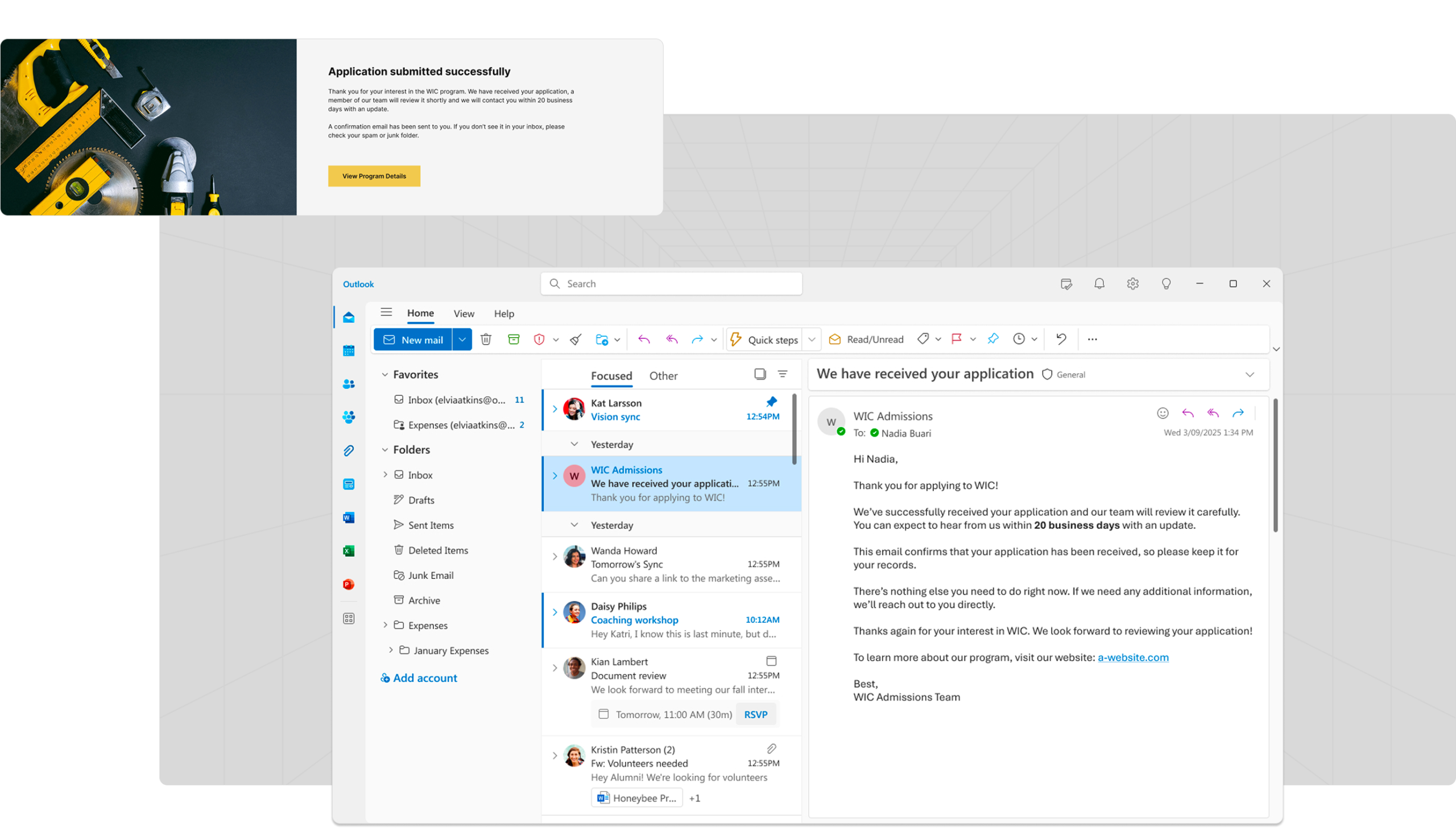
Application submission feedback

Immediate confirmation

A clear confirmation screen appears immediately after submission, followed by an almost-instant email receipt confirming that the application was successfully received and will be reviewed. This removes the uncertainty for the students about whether their applications were successfully submitted.

Students went from navigating multiple forms and waiting for admin follow-up after each step, to being able to complete their application in one streamlined 10-15 mins session.

5x faster application completion

Because there are now fewer steps, fewer redirects and clearer expectations, application completion time has dropped from 45–60 minutes across multiple days–weeks, and multiple platforms to 10–15 minutes in one session and on a single platform.

Over 95% less status inquiries

The number of “did you get my application” emails dropped from 200+ weekly to less than 10 as students receive immediate on-page and email confirmation.

Increased trust

Because there are fewer platforms involved in the process and fewer drop-off points, students now feel more confident they are not at risk of scams, and they trust the application process more. 

Second Outcome

Easier application evaluation, communication and data management

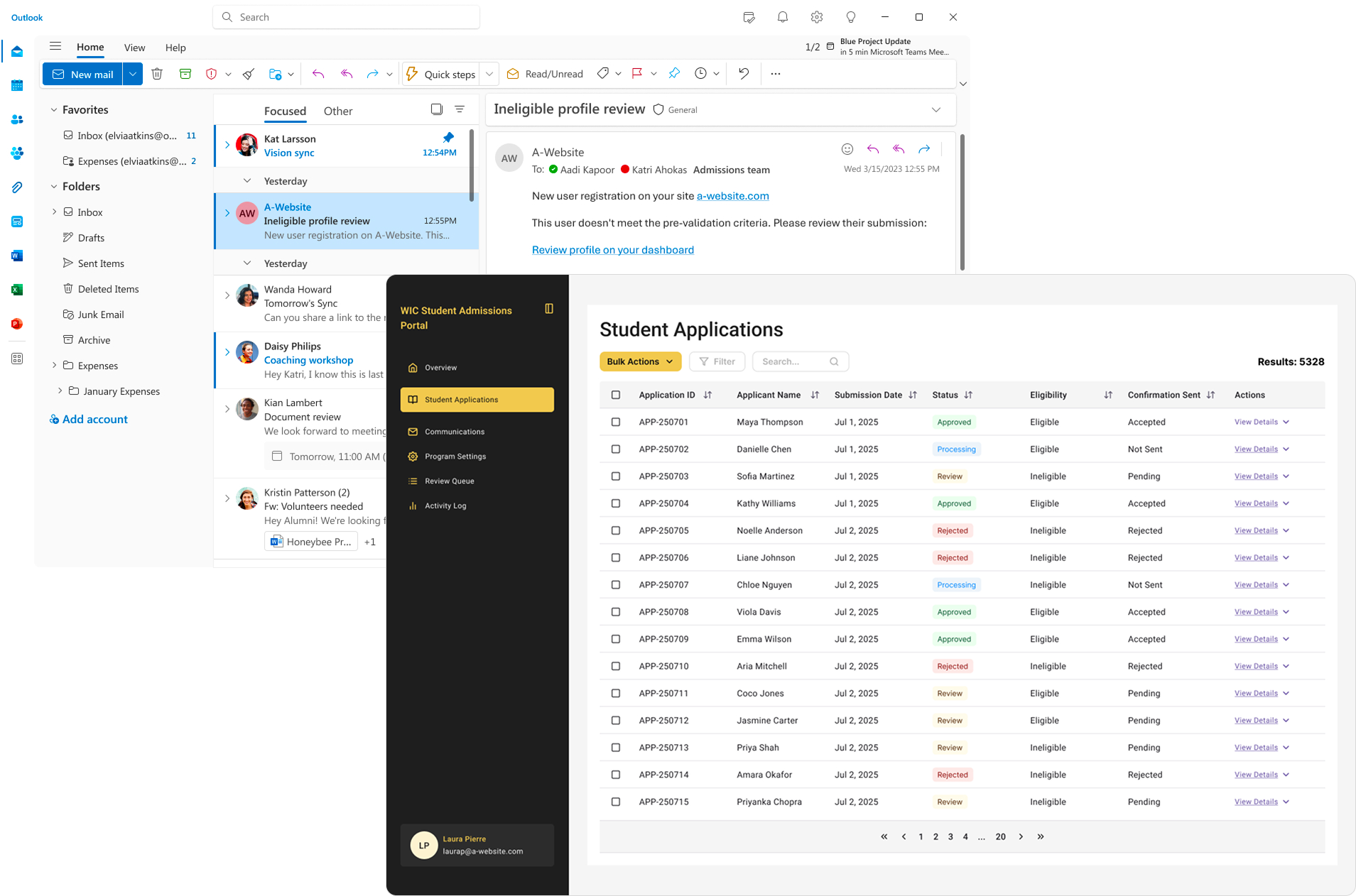
Admin dashboard and notifications

Application processing efficiency has increased by 95%

The updated system evaluates applications against eligibility criteria and instantly notifies admins when a new application is submitted. Each email includes a secure link that allows them to review the application and make the final decision through the dashboard.

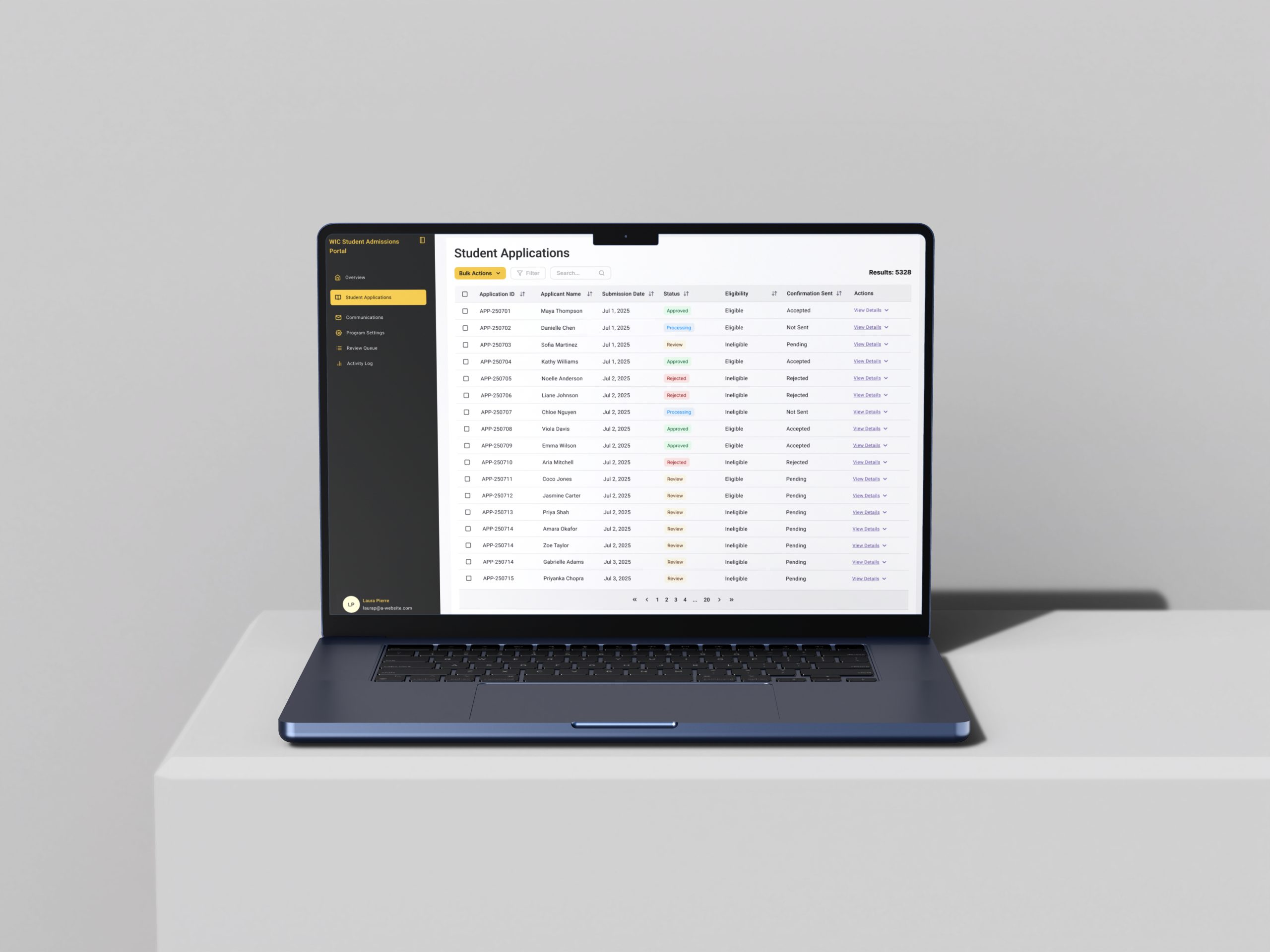
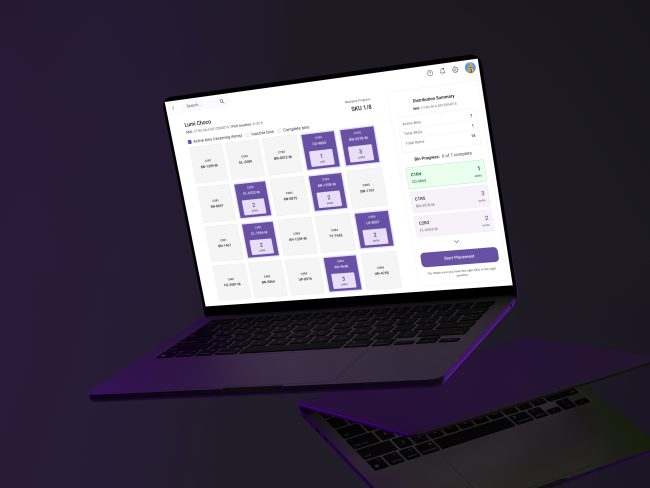
Admin dashboard mockup

Better application management

Instead of having data scattered across multiple different tools, we created a dashboard that consolidates everything so that the program admins can see and manage all student applications in one place. This has considerably improved application tracking and reduced data loss.

Email templates

Quicker response times

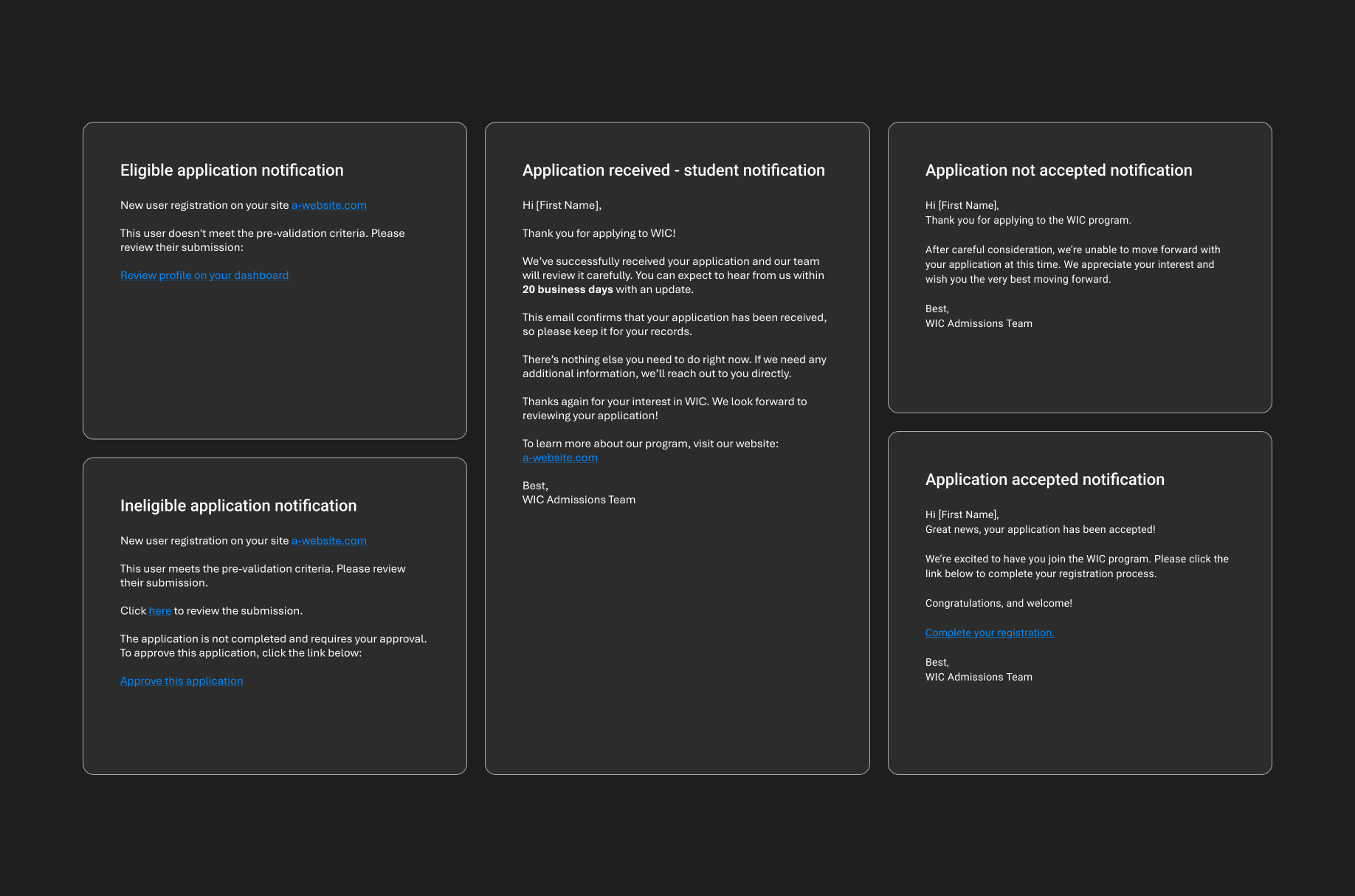
In addition to supporting automated application evaluation, the new system uses email templates so admins no longer have to manually write responses for every application. They simply click “approve” or “reject,” and the system automatically sends a customized email based on a pre-designed template.

Cleaner, more-structured submissions

The application flow discourages spam and low-effort submissions through built-in validation and submission controls. This keeps the application pool cleaner and reduces the time admins spend sorting through spam or incomplete submissions. Structured data also means admins can more easily review each application.

Important Metrics

Increased capacity without a proportional increase in administrative staff.

Metric Before After Impact analysis
Application completion time 45–60 minutes across multiple days 10–15 minutes in one session About 80% reduction: single-session completion reduces friction
Weekly status inquiries 200+ Less than 10 >95% reduction: immediate confirmation removes uncertainty around submission and reduces status-related follow-ups
Admin team size needed to process applications 10–15 people 1–2 people Over 85% less manpower, lowering operational cost
Admin time spent on each application ~1h40mins over several days–weeks ~5 minutes in one session ~95% faster
Application data management Multiple platforms, fragmented Centralized dashboard Centralized data makes applications easier to track and manage
Completed applications weekly <100/week 600+/week 6× increase: with a more streamlined process, there were fewer incomplete applications
Operational cost & scalability High admin load with limited scalability Lower admin load with higher application volume Greater scalability: Program growth no longer requires proportional admin growth
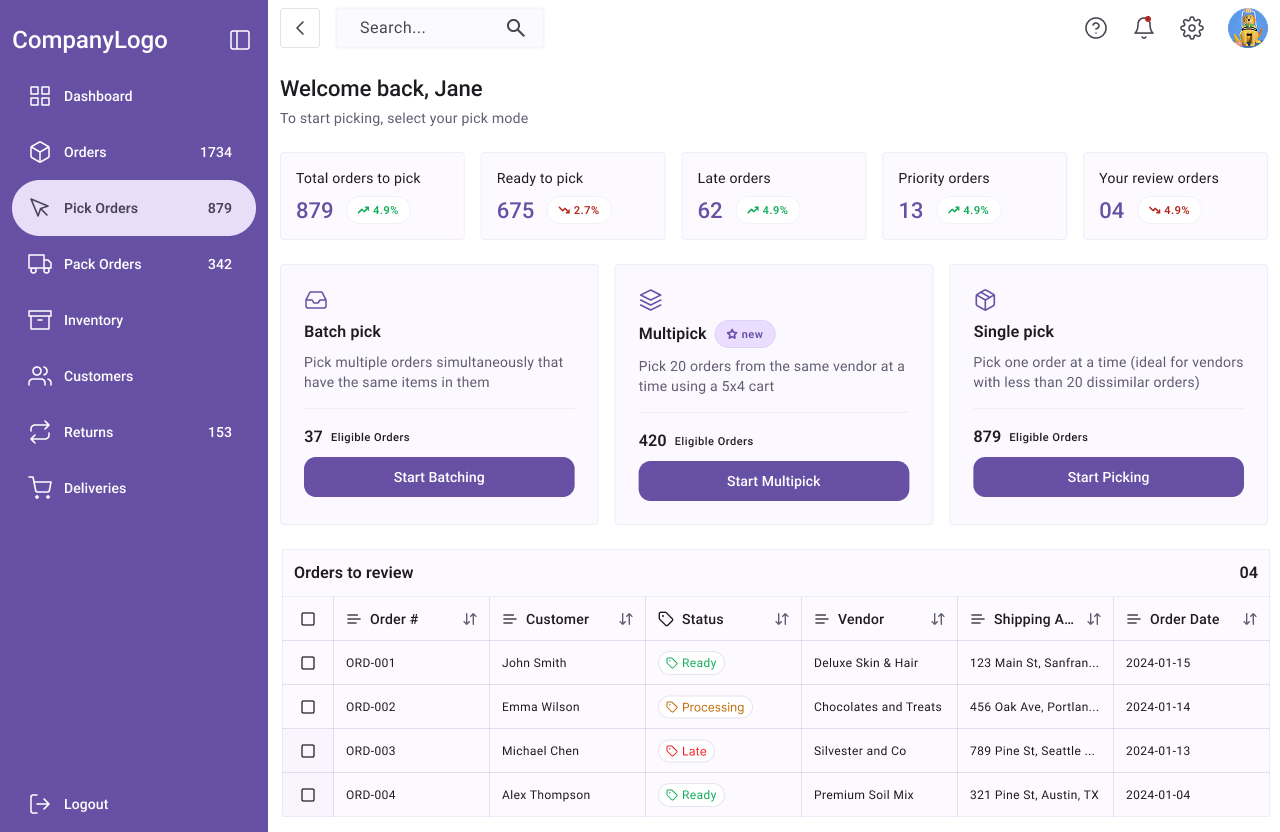
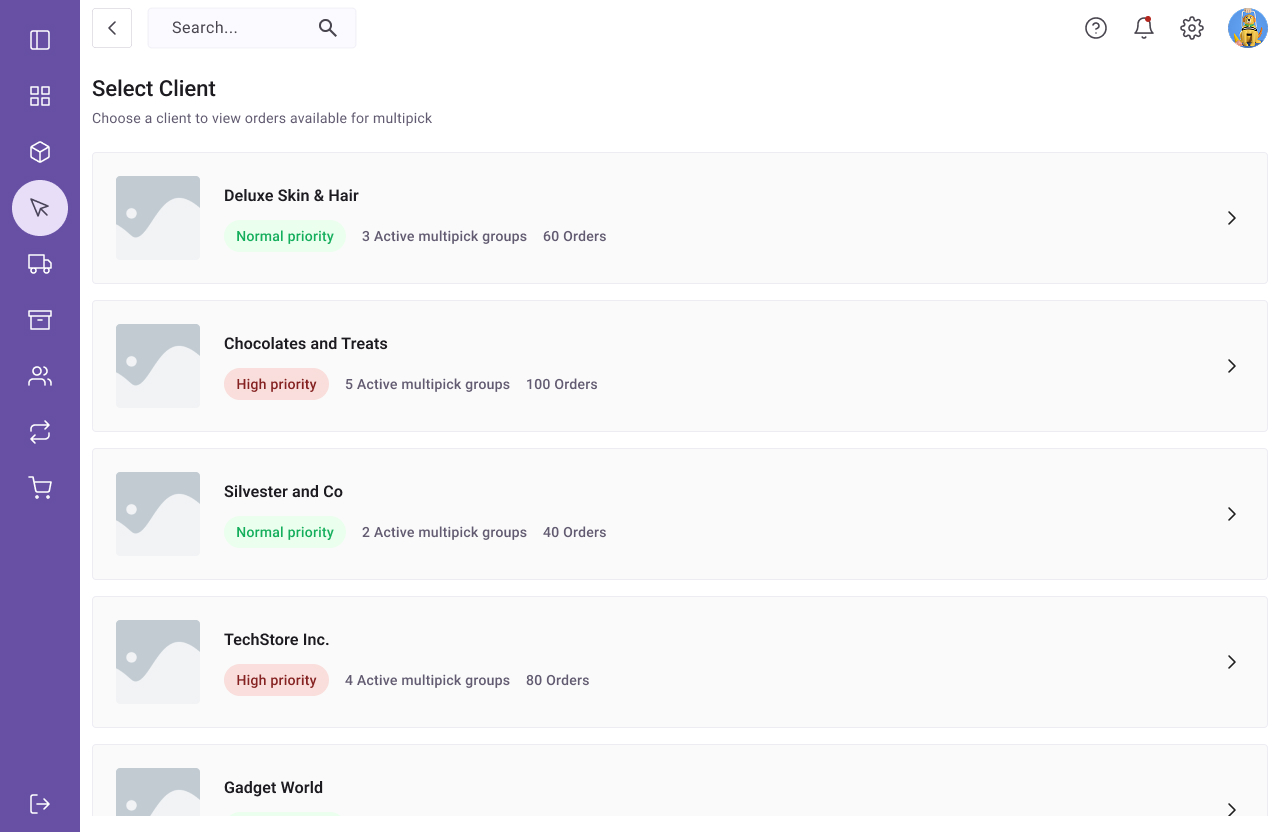
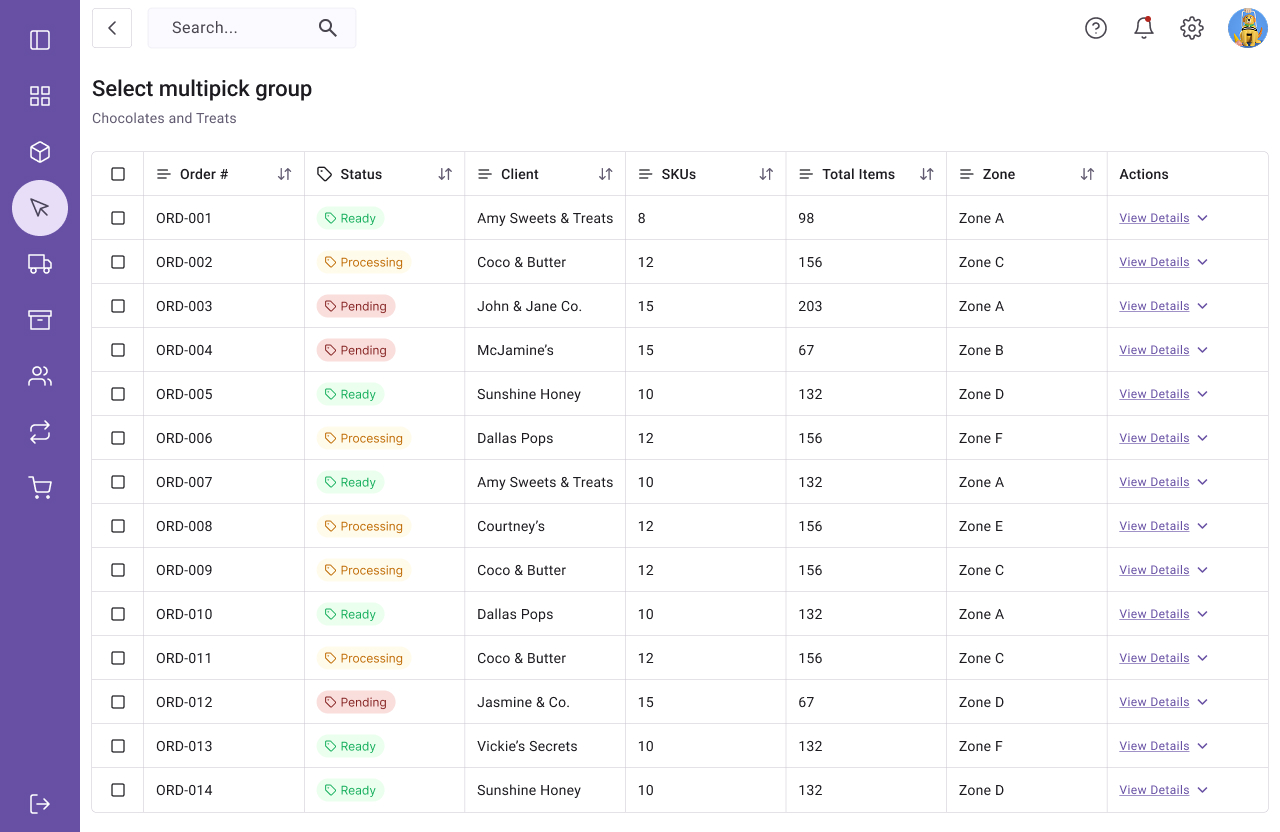
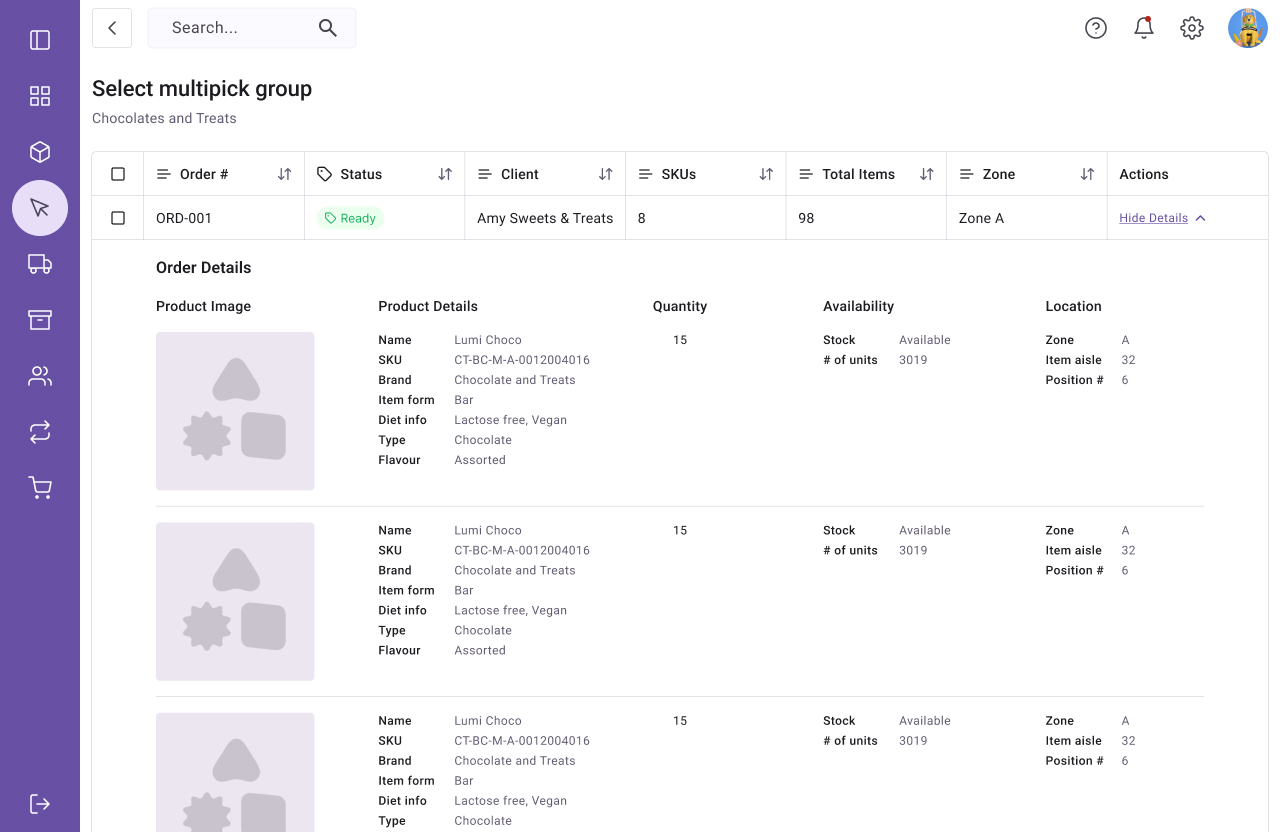
Registration system mockup

Gifty

GIFTY

Mobile app for easily finding custom gift suggestions

Harnessing advanced algorithms and user-centric design principles, this application seamlessly integrates technology and human sentiment to curate tailored gift suggestions.

With a focus on elevating the gifting experience, this project aspires to become the quintessential companion for individuals seeking to express their sentiments through thoughtfully chosen and thoroughly personalized gifts.

Note: because this is a work in progress, this write-up will only touch on some aspects of the project.

MY ROLES
  • Project manager

  • Product owner

  • Product Designer

TOOLS
  • Lucidchart

  • Sketch

  • Figma

  • Google sheets

  • Jira

DELIVERABLES
  • User flow diagrams

  • User personas

  • Wireframes and mockups

  • Prototypes

  • Project plan

  • Project charter

  • Feasibility study

  • Competitive analysis

  • Risk analysis

Overview

A brief overview of the product and it’s main objectives.

Expressing sentiments through carefully chosen gifts holds immense cultural and emotional significance. However, navigating the landscape of gift-giving poses a challenge for many. The struggle to find that impeccable gift, especially when not everyone creates a registry for every occasion, is a universal experience. The intricate dance of selecting the perfect gift for each occasion is an art, laden with the weight of societal expectations and the desire to make meaningful connections.

Our application aims to address the inherent challenges in this process by harnessing cutting-edge algorithms and user-centric design principles, seamlessly integrating technology with the nuanced understanding of human sentiment.

By curating tailored gift suggestions, we aim to simplify the entire gifting experience, turning it into a heartfelt expression of emotions rather than a daunting task.

The aspiration of our project goes beyond mere functionality; it strives to become the indispensable companion for individuals navigating the complex realm of gift-giving.

OBJECTIVES

The objective of this project is to create a user-friendly app that suggests personalized gift ideas based on occasion (e.g. birthday, graduation, Christmas, etc.) lifestyle, personalities and interests.

Additionally, the application will allow users to organize gifting events, create wishlists by pulling items from external websites, and manage folders for saving gift ideas for different people.

  • Facilitate the gifting process

  • Provide accurate gift suggestions

  • Provide gift scheduling options so that users never miss events

  • Facilitate the creation and management of gifting events

  • Encourage gift purchases through the app (affiliate links)

Cute robot holding a gift

Requirements Gathering

Requirements gathering is a crucial phase in the project lifecycle, ensuring that the development team understands and captures the needs of stakeholders accurately.

Requirements specification

FUNCTIONAL REQUIREMENTS
  • User registrations and login

  • User profile management

  • Gift suggestion engine

  • Search and filtering

  • Gift buckets

  • Gift pooling

  • Gift scheduling

  • Group gifting events

  • Expense tracking

  • Wishlist creation and management

  • Social features

  • Notification system

  • Analytics and reporting

NON-FUNCTIONAL REQUIREMENTS
  • User-friendly interfaces

  • Great user experience

  • Data security and privacy

  • Performance

  • Reliability

  • Scalability

  • Device and system compatibility

  • Maintainability

  • Interoperability

  • Cost

OUT OF SCOPE
  • Web version of the app

  • eCommerce features for direct purchases via the app

CONSTRAINTS
  • Time

  • Budget

  • External Services and APIs

Requirements Gathering Approach

  • Clear articulation of the goals and objectives of the requirements gathering process

  • Identification of the key stakeholders of the project to establish chains of command and clear communication

  • Stakeholder meetings and interviews to gain their unique perspectives and understand their requirements

  • User surveys and interviews to understand their needs, preferences, and pain points.

  • Workshops and brainstorming sessions with the project team and stakeholders to generate ideas

  • Creating user stories and personas

  • Use case scenarios to understand how users will interact with the app in real-world situations, to further capture features and functionalities that may have been missed in general discussions.

  • Storyboards and wireframes to validate concepts with stakeholders and ensure a shared understanding of the app’s flow

  • Competitor analysis to check out user reviews and feedback, in order to refine our own requirements

  • Establishing feedback loops with stakeholders to ensure alignment, share progress updates and gather input

  • Establishing collaborative tools to facilitate collaboration with team members and stakeholders

  • Proper documentation using concise language, in order to ensure continuity in case of unforeseen circumstances and facilitate hand-off

  • Research and reviewing industry standards and best practices

  • Adopting an iterative approach to be able to revisit and update requirements based on evolving insights, market changes and feedback

User stories

Role Story Objective Priority
As a user I want to be able to register for an account on the app and log in to access personalized features. med
I want to be able to see trending gifts to get inspiration high
I want to choose the occasion for which I am buying a gift (e.g., Christmas, birthday, Valentine’s day) to receive relevant gift suggestions. high
I want to specify the gender of the person I am buying the gift for to receive gender-specific gift suggestions. high
I want to specify my budget to receive recommendations for gifts I can afford high
I want to provide detailed information about the recipient, including their occupation, interests, hobbies, personality traits, likes/dislikes, favorite colors, and lifestyle. to receive customized gift suggestions high
I want the app to generate five gift suggestions based on the personalized information provided. So I can find my perfect gift high
I want the option to refresh the gift suggestions if I am not satisfied with the initial recommendations. high
I want the option to filter search results  
I want basic profile management features, including the ability to update my information and view past gift suggestions so I can continue my session med
I want to be reminded of upcoming holidays and birthdays/life events of my friends and family so I can send a thoughtful message or gift on time med
I want to be able to create a wishlist so I can get the gifts I really want med
I want to be able to share my wishlist with friends/family med
I want to be able to save gifts so I can purchase them later high
I want to be able to create virtual events e.g. secret santa, qt cupid etc and invite people so we can easily draw and exchange gifts med
I want to have access to relevant deals and coupons so I can save on gifts med

Market Research

It is quintessential to understand consumer behavior and economic trends from the outset. This helps to gain valuable insight to guide strategic decisions, meet users’ expectations, facilitate the project development process, reduce risks, and gain a competitive advantage.

Here’s a summary of the market research for this project:

  1. Defining the objectives of the market research: understanding the target audience, market size, trends, and regulatory considerations.

  2. Identifying and understanding the demographics, preferences, and behaviors of the target audience for personalized gift suggestion apps. Factors considered include: age, gender, interests, and spending habits.

  3. Analyzing the overall size of the market for personalized gift suggestion apps and exploring potential growth trends and opportunities.

  4. Investigating current trends in the gift-giving market and the technologies used in similar applications. While staying informed about emerging technologies that could impact the market.

  5. Understanding relevant regulations and legal considerations in the market to ensure compliance with data protection and privacy laws.

  6. Understanding relevant regulations and legal considerations in the market to ensure compliance with data protection and privacy laws.

  7. Conducting surveys, interviews, and focus groups to understand the key needs and pain points of potential users of the app to help in tailoring the app to address specific customer requirements.

  8. Properly documenting facts and findings.

Our Survey Sample
Cute robot holding a lens
MARKET RESEARCH FINDINGS

*Note: For privacy reasons, the information presented in this report is not an accurate representation of our findings*

  • About 70% of people reported feeling stress from lack of time/money and over 50% feel stressed about what to get.

  • Many people reported especially feeling pressure around the Christmas holidays.

  • Augmented reality (AR) and artificial intelligence (AI) are emerging technologies that can enhance the app’s capabilities and user experience.

  • Current trends include a preference for experiential and eco-friendly gifts.

  • Adherence to data protection and privacy laws is imperative. Ensuring compliance with regional regulations and international standards will build trust among users.

  • Surveyees expressed a need for a convenient and thoughtful gift suggestion solution. Challenges include finding unique gifts for specific occasions. The app must address these pain points and offer a seamless, user-friendly experience.

  • The target audience for personalized gift suggestion apps is primarily individuals aged 18-44, this takes into consideration their involvement in gift-giving and tech-savvinness.

Competitor Analysis

Competitor analysis involves researching major competitors to gain insight into their products, sales and marketing, as well as their strength and weaknesses.

  1. Identifying existing gift apps and platforms, including both direct competitors offering similar features and indirect competitors providing alternative solutions.

  2. Analyzing the features and functionalities offered by competitors, identifying their unique selling points and areas where they may be lacking.

  3. Evaluating the user experience of competitor apps, taking note of strengths and weaknesses in terms of usability, design, and overall user satisfaction.

  4. Examining the pricing models of competing apps, understanding how they monetize their services and whether there are opportunities for differentiation in pricing.

  5. Evaluating the marketing strategies and branding efforts of the competitors, and understanding how they attract and retain users.

  6. Researching any partnerships or integrations that competitors have with external platforms, retailers, or services. This provides insights into potential collaboration opportunities.

  7. Investigating how competitors acquire and retain customers: user acquisition channels, engagement strategies, and retention programs.

  8. Researching available public information regarding the future development and expansion plans of competitors, as well as anticipating potential challenges or opportunities in the evolving landscape.

Conducting a competitor analysis is essential for any business entering a market or launching a new product. It helps in identifying market trends, understanding customer preferences, benchmarking performance, setting competitive pricing, and differentiating your offer.

By scrutinizing competitors, businesses can strategically position themselves, learn from successful marketing strategies, and mitigate risks. This analysis also aids in identifying partnership opportunities and building confidence among investors and stakeholders.

COMPETITOR ANALYSIS FINDINGS

*Note: For privacy reasons, the information presented in this report is not an accurate representation of our findings*

  • Key competitors in the personalized gift suggestion app space include apps like “GiftList,” “Giftata,” and “Giftster.” Each offers unique features and approaches to curated gift recommendations.

  • “GiftList” stands out for its AI-driven suggestions, while “Giftata” emphasizes curated lists from experts. “GIfster” differentiates itself with collaborative wishlist features.

  • “GiftList” offers a sleek design with a personalized dashboard. “Giftata” provides a visually appealing interface with expert-curated lists. “Giftster” prioritizes a social-media-like experience.

  • “GiftList” is free and relies on affiliate links, “Giftata” follows a freemium model, and “Giftster” is free. Understanding these models helps in developing a competitive pricing strategy.

  • Positive reviews highlight the accuracy of AI suggestions in “GiftList,” while “Giftata” receives praise for reminders and expert-curated lists. User feedback for “Giftster” emphasizes social features but notes some UX issues.

Some of the features many users appreciated/requested include:

  • Good UI/UX

  • Reminders

  • In-app lists + list management options

  • Social options

  • Gift organizing options

  • Item reservation

  • Free tier

  • Group visibility settings

  • Curated lists

  • Recommendations from multiple sources

  • Recommendations from multiple sources

  • Recommendations from multiple sources

  • Great customer service

  • Direct purchase links with images and prices

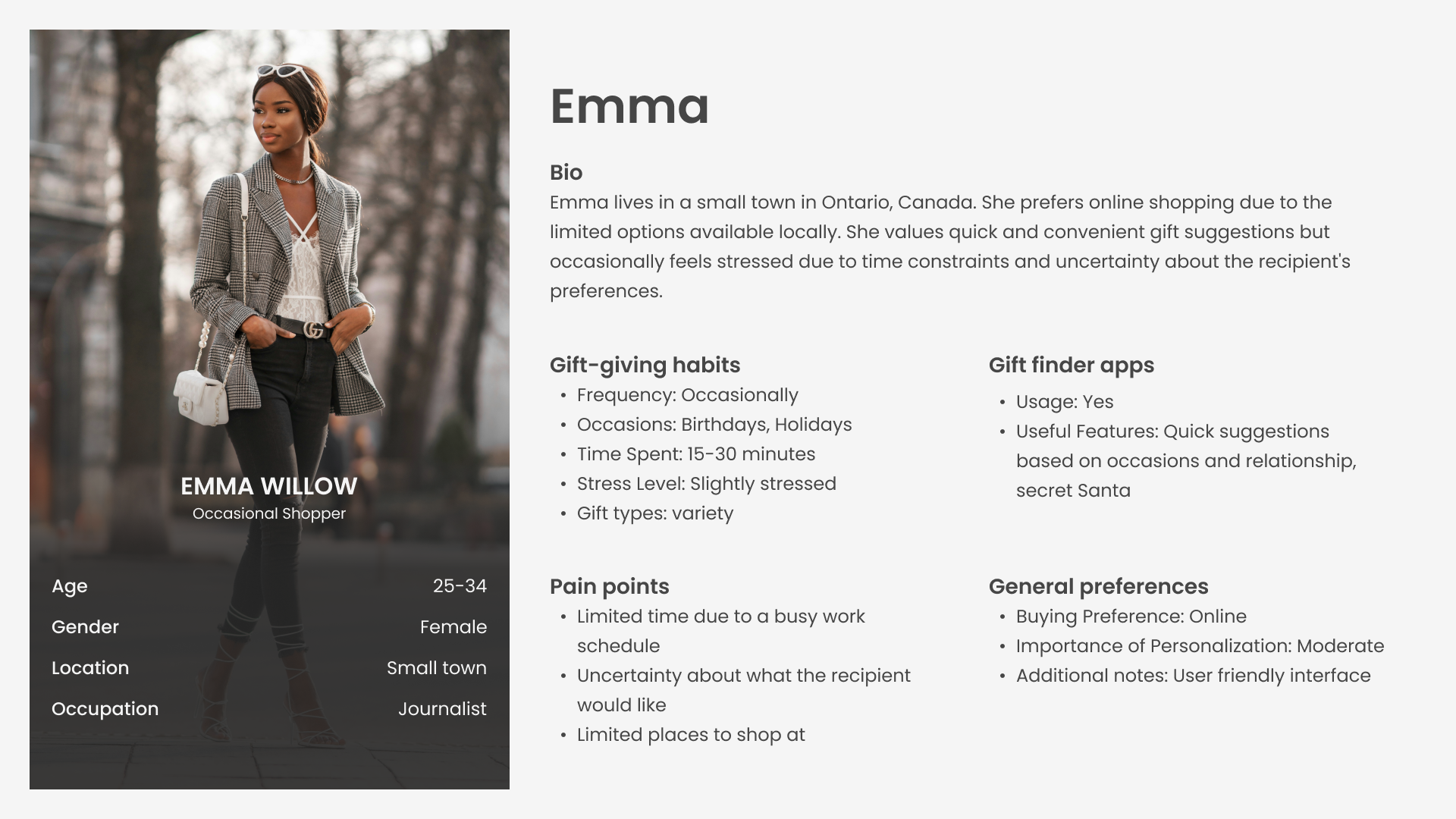
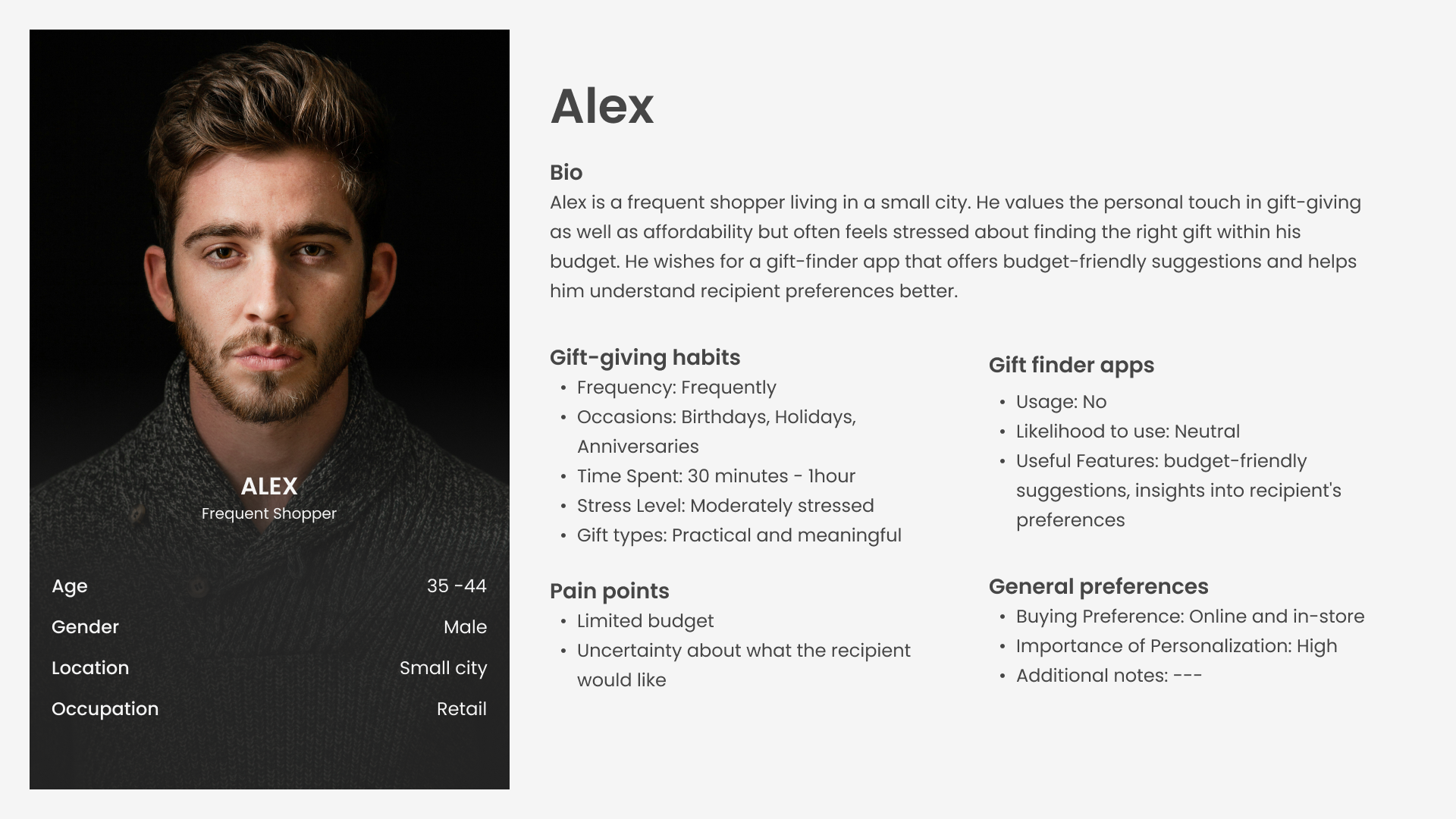
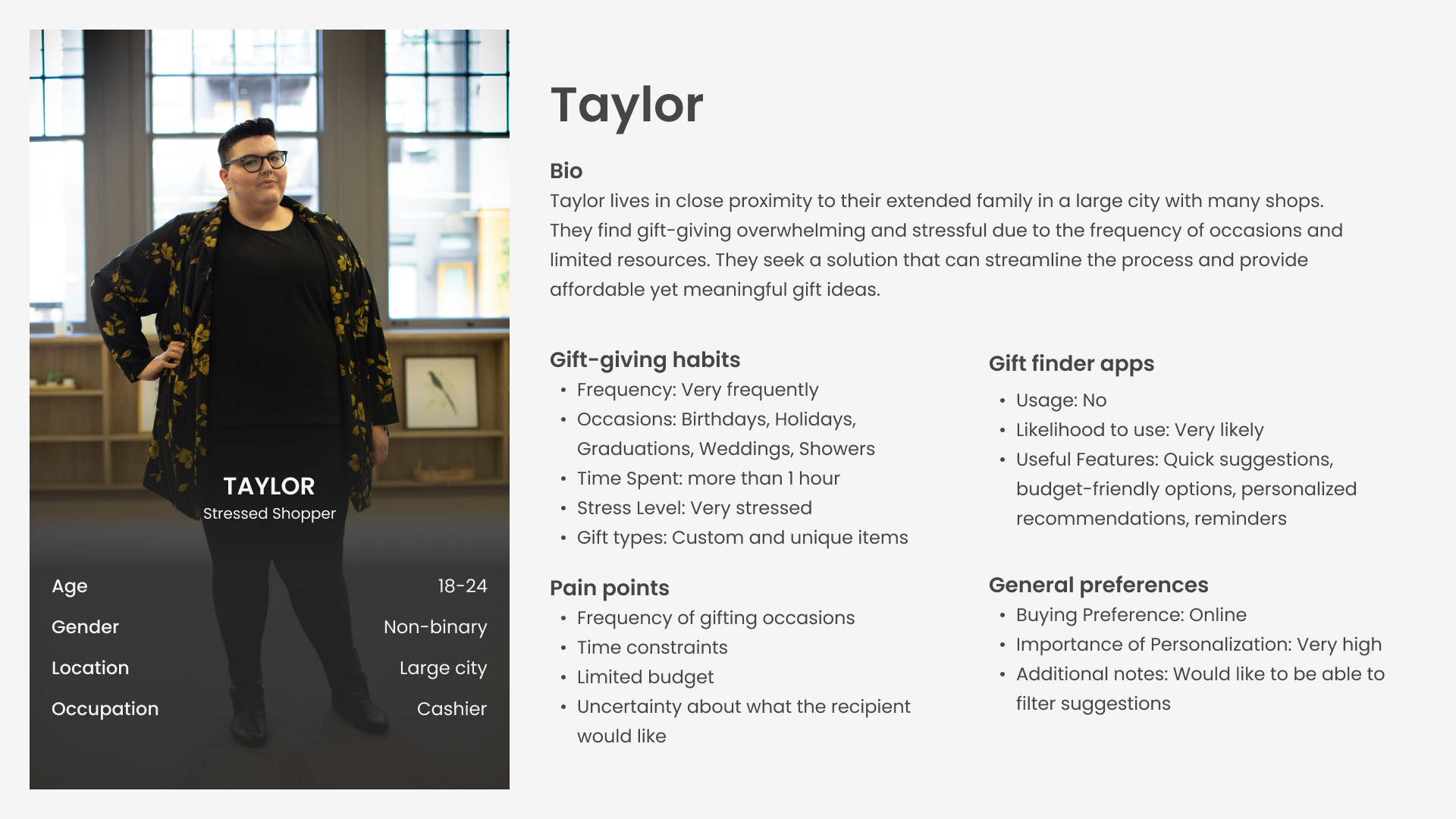
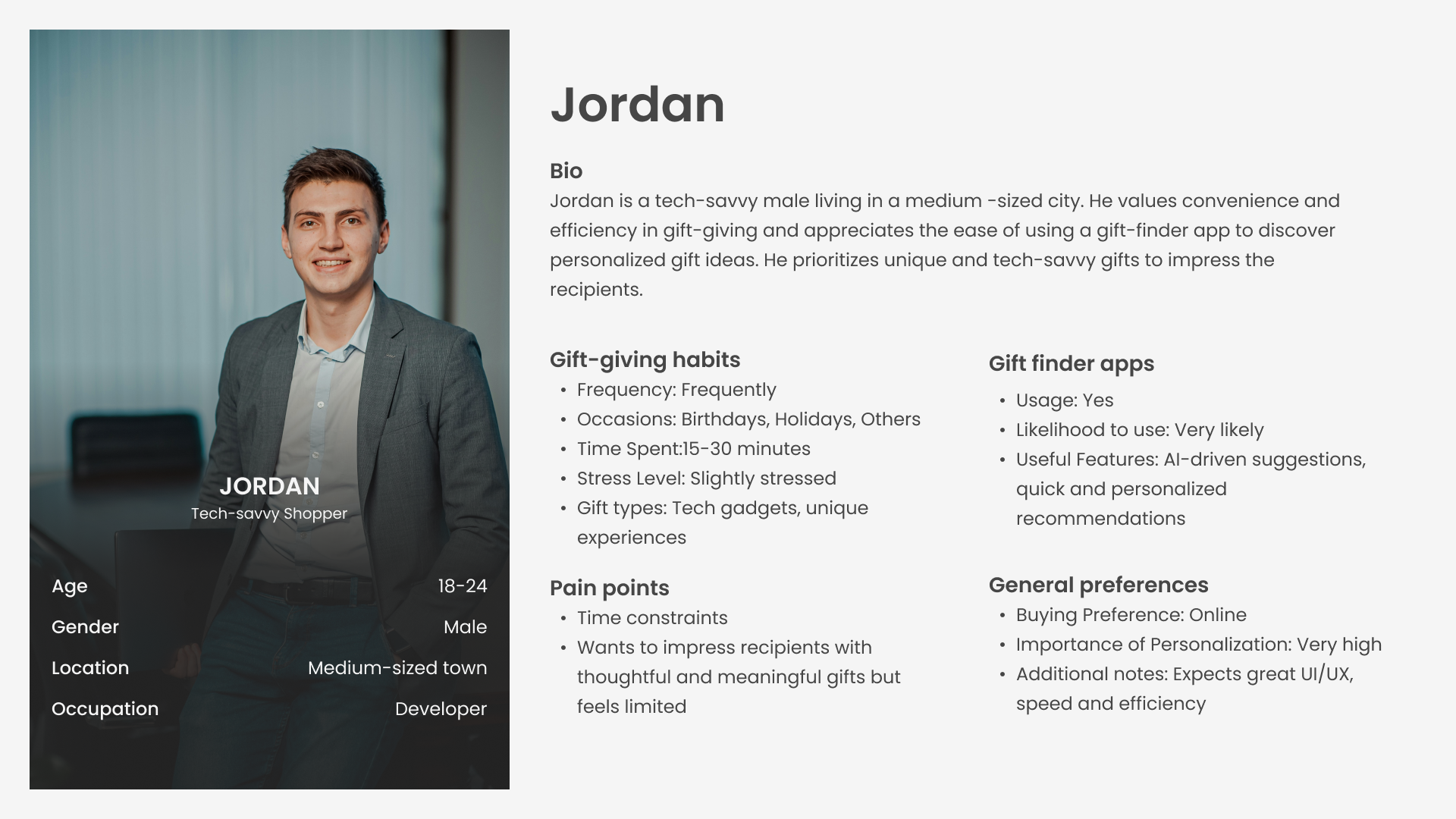
User personas

User personas pay an important role in the the software development life cycle (SDLC) as they help teams understand the diverse needs, preferences, and behaviors of potential users. By creating detailed profiles of typical users, we can design and tailor products to meet specific user requirements, resulting in more user-centric and successful outcomes.

Here’s an overview of of the approach used for this project:

  • We conducted surveys to gather insights into the demographics, gift-giving habits, and preferences of potential users. This data allowed us to identify and understand our target audience.

  • Based on the survey results, we crafted detailed user personas representing different segments of our target audience. Each persona included demographic information, gift-giving habits, pain points, and desired features for the gift-finder app.

  • We paid particular attention to identifying the pain points and challenges faced by users during the gift-giving process. Understanding these pain points was essential for designing features that address users’ needs effectively.

  • We solicited feedback from potential users on the drafted user personas to ensure accuracy and relevance. Iterative revisions were made based on this feedback to refine and finalize the personas.

CHALLENGES FACED
  • One of the challenges we encountered was the limited availability of data, especially for specific demographics or user segments. This required us to extrapolate insights from the available data and make educated assumptions where necessary.

  • Balancing the level of detail in the user personas was another challenge. While it was essential to capture a comprehensive picture of users’ needs and preferences, we had to ensure that the personas remained concise and focused on the most relevant information.

LESSONS LEARNED
  • Soliciting feedback and making iterative revisions allowed us to create more accurate and representative personas that better reflected the needs of our target audience.

  • Developing user personas reinforced the importance of empathy in the design process. By putting ourselves in the shoes of our potential users and understanding their pain points, we were able to design a more user-centric and effective solution

  • Engaging with users throughout the persona creation process proved invaluable. By actively seeking user feedback and validation, we ensured that our personas were grounded in real user insights and aligned with users’ expectations.

*Note: For privacy reasons, the information presented in this report is not an accurate representation of our findings*

User Journey Map

Stage Awareness Consideration Decision Delivery and Use Loyalty and Advocacy
Customer Activities Discover app through ads, social media, or referrals. Explore app features and set preferences. Decide on a gift based on app suggestions. Check external vendor for purchase and await delivery. Share experience with friends; consider app for future gifting.
Customer Goals Find a convenient way to discover and send unique gifts. Understand how the app can simplify gift finding. Choose a suitable, thoughtful gift quickly. Ensure gift is purchased, delivered on time, and appreciated by the recipient. Become a repeat user and recommend the app to others.
Touchpoints Social media, App store, word of mouth. App tutorial, Preference settings. Gift suggestion list, External reviews, Vendor links. External vendor websites, Email confirmation. Social media, Word of mouth, In-app feedback form.
Experience (1-5) 4 – Interest piqued by app’s unique value proposition. 3 – Intrigued by features, but needs clarity on app’s effectiveness. 4 – Satisfied with the gift selection process, though cautious about external purchase. 3 – Anxious about external transaction and delivery process. 5 – Pleased with overall experience, leading to high likelihood of recommendation.
Business Goal Increase app downloads and user registrations. Demonstrate app value and usability to encourage engagement. Drive decision-making within the app to solidify user trust. Ensure smooth transition to external vendors for a seamless user experience. Cultivate a loyal user base and stimulate word-of-mouth marketing.
KPI Number of downloads, Registration rate. User engagement metrics (e.g., tutorial completion rate). Number of gifts selected through the app. Satisfaction with purchase process (survey). Net Promoter Score (NPS), Repeat usage rate.
Organizational Activities Marketing campaigns, SEO optimization for app visibility. Onboarding improvements, User feedback solicitation. Enhance AI recommendation engine, Curate high-quality gift suggestions. Partnership development with reliable vendors, Streamline vendor links. Implement referral programs, Collect and act on user feedback.
Team/Person in Charge Marketing Team Product Management Team UX/UI Design Team, Data Science Team Business Development Team Customer Success Team, Marketing Team

System design and Architecture

This system design provides an overview of the components, modules, and flows of the gift recommendation app. It ensures that the app is secure, scalable, and able to provide users with personalized and thoughtful gift suggestions. As we move forward with development, conducting thorough testing, gathering user feedback, and iterating on the design will be essential to creating a successful and user-friendly application.
FRONT-END

The front-end will be developed using React Native for its component-based structure, facilitating the creation of a dynamic and responsive user interface.

Styling: CSS/BootStrap will be used for styling to ensure a visually appealing and user-friendly interface.

BACK-END

Node.js will serve as the backend runtime environment, and Express.js will be used as the web application framework. This combination is known for its efficiency in handling asynchronous tasks and building scalable APIs.

DATABASE AND APIs

MongoDB, a NoSQL database, will store user data, including account information and personalized details about recipients. Its flexibility makes it suitable for handling varied and dynamic data.

RESTful APIs will facilitate communication between the front end and back end. These APIs will handle user authentication, user data storage, and the generation of gift recommendations

DEPLOYMENT

The app will be deployed on a cloud platform for accessibility and scalability. CI/CD pipelines will be implemented for automated testing and deployment.

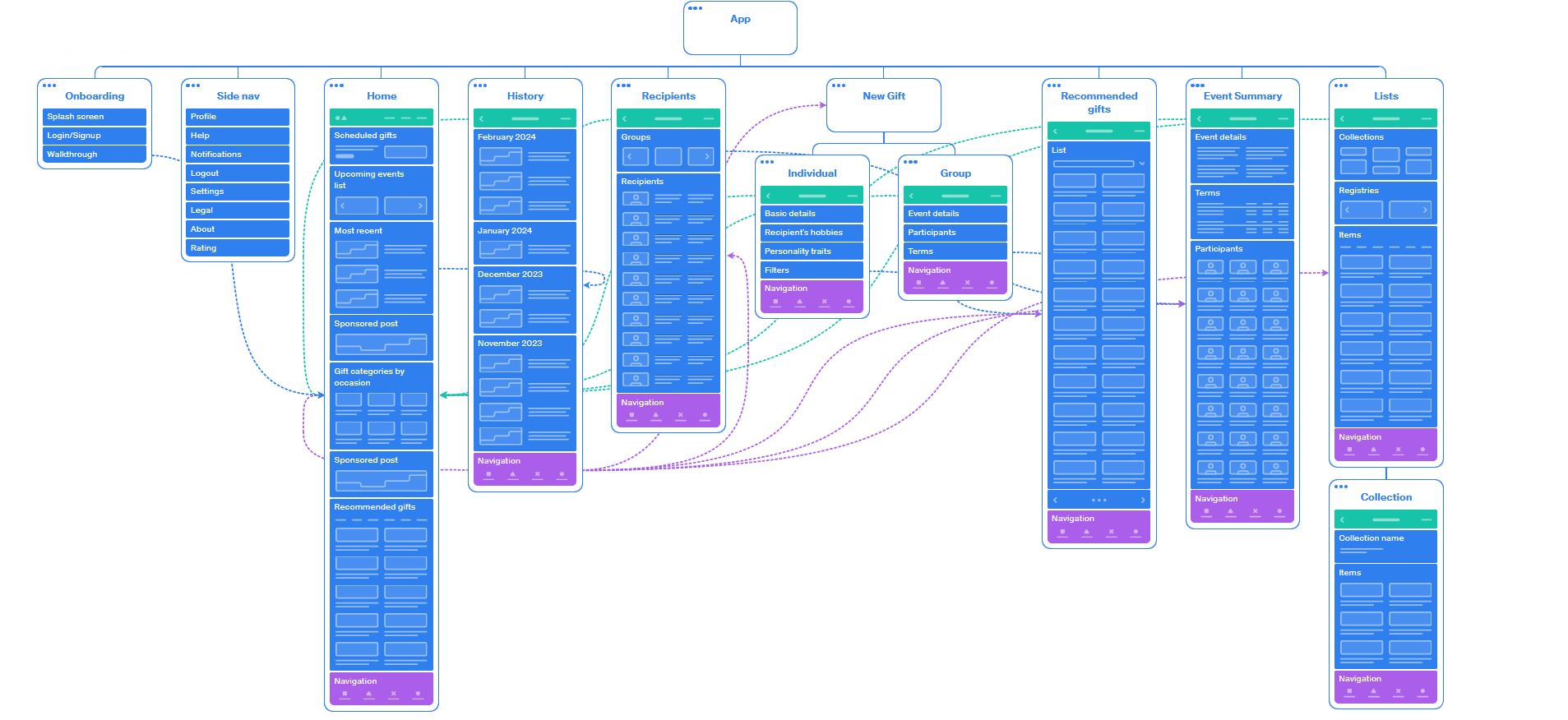
Site map

Site map

Component tree

Global Navigation Top Navigation Left Navigation (links)

  • Profile management
  • Help
  • Notifications
  • Logout
  • Settings
  • Legal (terms and conditions)
  • About
  • Rating
Title/logo
Right menu (links)

  • Coupons
  • Event creation
Main menu Bottom Navigation (links)

  • Home
  • History
  • New gift
  • Recipients
  • Wishlist
Home page Scheduled gifts list Scheduled gift Gift (name + image)Recipient + Occasion Date Details link
View all link – – – – – – – – –
Upcoming events list Upcoming events Calendar Icon

  • Month
  • Date

Recipient name + Occasion Find gift link

View all link – – – – – – – – –
Sponsored post
  • Sponsor
  • “Sponsored”
  • Image
  • CTA link
– – – – – – – – –
Most recent gifts list Most Recent Gift Item IconRecipient name Occasion Gifted date Gift name Price
More button/link – – – – – – – – –
Gift categories by occasion list Gift Category ImageName
View all link – – – – – – – – –
Recommended gifts list Recommended gift ImageItem name Price Source link Add to wishlist button
Item category pills  
More button – – – – – – – – –
Gift History page Gifted Item Group(Grouped by month) Gift item

  • Icon
  • Recipient + Occasion
  • Day, date
  • Price
Month, year – – – – – – – – –
Page title bar – – – – – – – – –
Recipients page Search Search input form
  • Placeholder text and icon
  • Search function
Side nav Letters link nav – – – – – – – – –
Group gifts Group nameGroup image – – – – – – – – –
Recipients list Recipients
  • Initials
  • Name
  • Sub menu
    • Edit
    • Delete
Page Title bar – – – – – – – – – – – – – – – – – –
Wishlist page Top navigation View all link – – – – – – – – –
Collections list Collection image gridCollection name Number of items in collection  
All items list Category pills – – – – – – – – –
Items list Item imageName Source Price Dismiss button

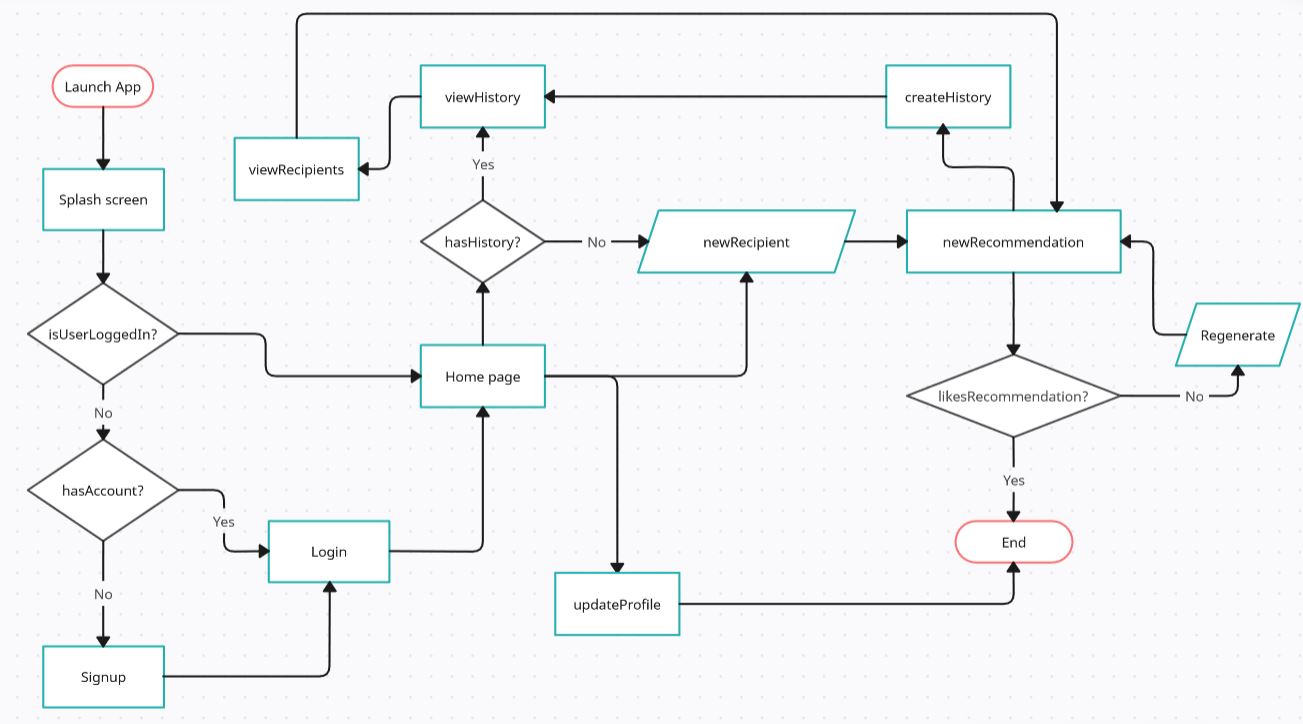
Defining user flows

User flows are critical in designing because they help identify the steps a user takes to accomplish specific tasks.

OBJECTIVES
  • Provide clarity in design

  • Identify friction points

  • Help designers understand the user’s journey and enhance user experience

  • Facilitate feature prioritization

  • Ensure logical navigation

USER FLOWS
  • Creating an account and setting preferences

  • Finding gift recommendations

  • Creating a group event

  • Scheduling a gift

  • Creating wishlists and registries

Example: user flow for finding new gift recommendations
sample user flow diagram

Design Process

A Powerful and Elegant Front End Page Builder for WordPress

Wireframing and Prototyping

The wireframing and prototyping phase is a pivotal part of the design process. This stage bridges the gap between the conceptual understanding of the app’s functionality and the tangible creation of its user interface (UI). The approach used for this project ensures that the app’s design aligns with user needs and expectations.

  • Sketching low-fidelity wireframes on paper and digital tools to experiment with different layouts and user flow concepts.

  • Early wireframes were shared with the project team and a select group of potential users to gather initial feedback on the app’s navigation structure and feature placement, ensuring intuitive user pathways.

  • Based on feedback, we iteratively refined the wireframes, adjusting the layout and flow until a consensus was reached on a structure that best served the app’s objectives and user needs.

  • Utilizing tools like Figma, we developed interactive high-fidelity prototypes that incorporated the app’s visual design elements, including the color scheme, typography, and iconography.

  • The interactive prototypes were subjected to rigorous user testing to assess usability and navigation intuitiveness.

  • The insights gained from user testing were meticulously analyzed to identify patterns and specific areas for improvement.

  • The finalized prototypes will serve as a key reference for the development team, ensuring a shared vision of the final product.

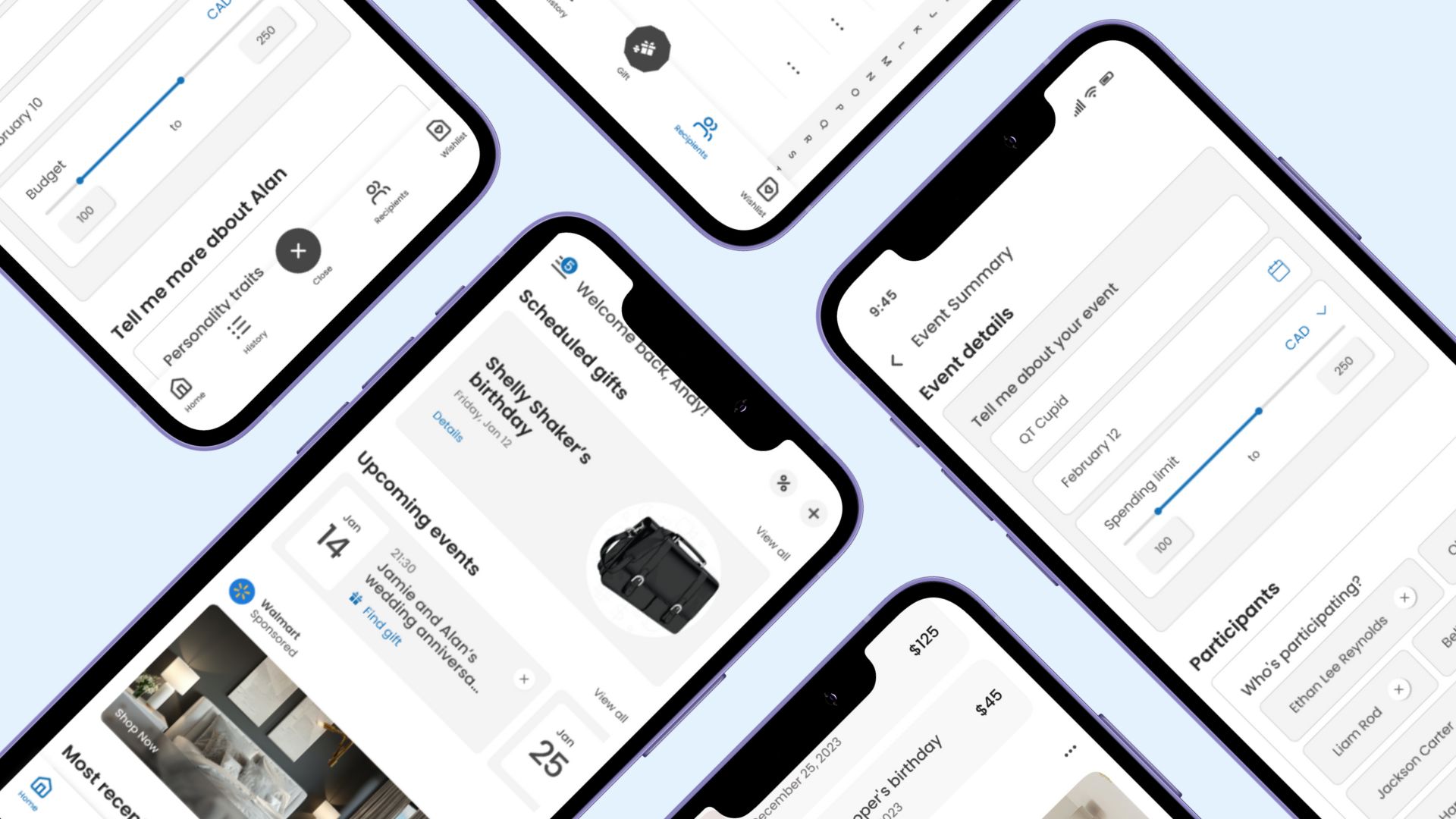
Low-fi designs of the Gift recommendation app
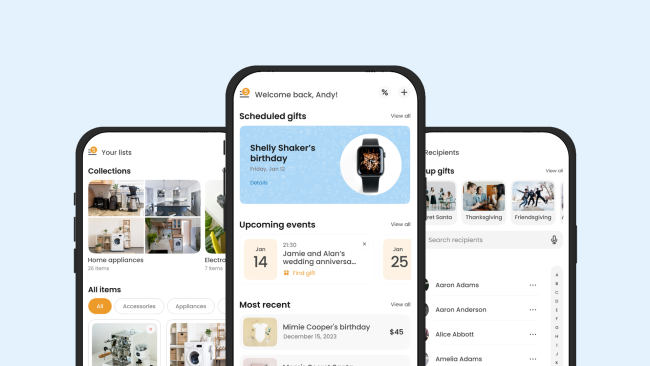
Gift recommdation app screenshots

Color Palette

The color palette is carefully curated to evoke a sense of reliability, warmth, and accessibility, making the app not only visually appealing but also enhancing the user experience. Each color has been selected with specific considerations in mind:

Green: Symbolizes growth, freshness, and harmony. It’s used to highlight actions and to denote positive actions like confirming choices or completing tasks, creating a sense of progress and completion.
Gamboge: A rich, golden-yellow hue that injects energy and optimism into the design. It’s used for call-to-action buttons and important icons to draw attention and encourage interaction.
Old Lace: Provides a soft, neutral background that enhances readability and reduces strain on the eyes. It’s employed in areas where users need to focus on text or make selections, offering a calming backdrop.

White: Used for background space, it creates contrast with other colors and contributes to a clean, uncluttered look that emphasizes simplicity and ease of navigation.

Seasalt: Offers a hint of sophistication. It is used to create subtle borders for some elements to create cards that don’t blend in with the background. It’s a little bit of something that makes a huge difference.
Gray: Offers a neutral, balanced touch that is perfect for typography, borders, and shadows. It helps in creating depth and separating different sections of the app without overwhelming users with color.

Black: Primarily used for text, it ensures excellent readability against the lighter background colors. It also adds a classic, timeless quality to the design, emphasizing clarity and precision.

Green

5A7D7C

Gamboge

EC9A29

Old lace

FDF2E3

White

FFFFFF

White 2

FBFBFB

Seasalt

F8F8F8

Gray

807C7D

Black

191919

Testing

Testing is a critical phase in the software development lifecycle that ensures the reliability, functionality, and performance of the gift recommendation app. Here’s an overview of various testing aspects for this project:

UNIT TESTING
  • Objective: Validate the interactions and interfaces between integrated components.

  • Scope: Test the combined functionality of interconnected modules.

  • Tools: Testing frameworks with support for integration testing.

FUNCTIONAL TESTING
  • Objective: Validate the functional requirements of the app to make sure the different features work as expected.

  • Scope: Test end-to-end scenarios and user interactions.

  • Tools: Appium for mobile apps.

REGRESSION TESTING
  • Objective: Ensure that new changes do not adversely impact existing functionality.

  • Scope: Re-run previous test cases to catch potential regressions.

  • Tools: Automated testing frameworks, version control systems.

PERFORMANCE TESTING
  • Objective: Evaluate the app’s responsiveness, stability, scalability  and resource usage under different load conditions.

  • Scope: Load testing, stress testing, and scalability testing.

  • Tools: Apache JMeter, Gatling for load testing.

SECURITY TESTING
  • Objective: Identify and rectify vulnerabilities that could compromise user data or the app’s integrity.

  • Scope: Penetration testing, vulnerability scanning.

  • Tools: OWASP ZAP, Nessus.

USABILITY TESTING
  • Objective: Assess the app’s user interface and overall user experience to make sure it is easy for the target audience to use and navigate.

  • Scope: Conduct user surveys, interviews, and usability testing sessions.

  • Tools: Usability testing platforms, analytics tools.

COMPATIBILITY TESTING
  • Objective: Ensure the app functions correctly on different devices, browsers, and operating systems.

  • Scope: Test across various configurations and environments.

  • Tools: BrowserStack, Sauce Labs.

EXPLORATORY TESTING
  • Objective: Discover unforeseen issues, especially in complex and dynamic systems.

  • Scope: Testers explore the app without predefined test cases.

  • Approach: Simulate user interactions and assess the app’s response.

AUTOMATION
  • Automate repetitive unit and integration test cases to ensure quick feedback during development.

  • Automate critical regression test cases to streamline the testing process and catch potential regressions early.

  • Automate load and stress testing scenarios to simulate realistic user interactions and analyze performance under varying conditions.

  • Integrate automated tests into CI/CD pipelines for continuous validation of code changes.

Test Process

  • Test Planning:
    • Define testing objectives, scope, and deliverables.
    • Develop a comprehensive test plan outlining testing phases, resources, and schedules.
  • Test Case Design:
    • Create detailed test cases covering functional requirements, user stories, and edge cases.
    • Ensure test cases cover positive and negative scenarios.
  • Test Environment Setup:
    • Establish testing environments that mirror production configurations.
    • Configure test databases, servers, and third-party integrations.
  • Test Execution:
    • Execute test cases based on the established test plan.
    • Monitor and record test results, including any deviations from expected outcomes.
  • Defect Tracking:
    • Log and prioritize any defects identified during testing.
    • Communicate issues to the development team for resolution.
  • Regression Testing:
    • Re-run existing test cases whenever new changes are introduced.
    • Ensure that fixes or enhancements do not introduce new issues.
  • Performance Monitoring:
    • Monitor the app’s performance during load and stress tests.
    • Identify bottlenecks and areas for optimization.
  • User Acceptance Testing (UAT):
    • Conduct UAT with actual users to validate that the app meets their expectations.
    • Gather feedback on usability and any remaining issues.

Considerations

By adopting a comprehensive testing approach and integrating it throughout the development lifecycle, we can ensure the delivery of a robust and high-quality app.

  • User Feedback Integration: Integrate user feedback into the testing process to address real-world usage issues.

  • Accessibility Testing: Ensure the app is accessible to users with disabilities by conducting accessibility testing.

  • Globalization and Localization Testing: Test the app’s compatibility with different languages, regions, and cultural norms.

  • Scalability Testing: Test the app’s scalability to ensure it can handle an increasing number of users and data.

  • Documentation: Maintain detailed documentation of test cases, test results, and any issues encountered.

  • Reporting: Provide regular testing reports to stakeholders.

  • Retrospectives: Conduct retrospectives after each testing phase to identify areas for improvement and refine testing processes based on lessons learned.

  • Feedback Loops: Establish feedback loops between development and testing teams to foster collaboration and continuous improvement.

  • Adaptability: Be adaptable to changes in requirements, technology, and user expectations.

Note: Regularly reassess and update testing strategies to align with the evolving nature of the project.

Deployment

Deployment is a crucial phase in the software development lifecycle, where the application is made accessible to users in a production environment. Below is an expatiation on the deployment process for the gift recommendation app

Prerequisites

  • Test apps for device compatibility, crashes and bugs.

  • Determine the app’s category and sub-category.

  • Pick out a unique, short, memorable, and relevant app name.

  • Create a description of the app’s functionality, incorporating relevant keywords. Include a list of main features,

  • Screenshots showcasing key features, with the most important ones first.

  • User-facing version number.

  • Bundle ID using a standard format like com.CompanyName.AppName (e.g. com.poku.gifty)

  • Review Apple App Store and Google Play Store guidelines to ensure compliance.

  • Determine the appropriate age rating for your app based on its content.

  • Create Apple Developer and Google Play Publisher accounts with up-to-date contact information.

  • Review pricing and monetization strategies.

  • Localize the app to reach a wider audience, including translations for app store descriptions and in-app content.

  • Create promotional content (graphics or a video) to highlight key features and attract users.

  • Create a product page to drive app downloads.

  • Conduct beta testing to gather feedback and ensure app stability before the official release.

FOR APPLE APP STORE
  • A 1024×1024 px app icon with no transparency.

  • App subtitle (30 characters or less) to summarize the app and its value in a concise manner.

  • Upto 3 app preview videos of 30s (or less) to demonstrate the features, functionalities and UI of the app.

  • Screenshots of the app’s UI following Apple’s specifications to highlight key features (max 10 images).

  • Promotional text e.g. news about the app, upcoming features, sales etc (upto 170 characters).

  • Keywords to determining where the app displays in search results. 100 characters in total are allowed, with each term separated by comas.

  • Application file in IPA format.

FOR GOOGLE PLAY STORE
  • A 512×512 px app icon – 32bit PNG format, 1024KB.

  • 2 to 8 screenshots of the app’s UI.

  • A feature graphic to sum up the essence of the app – 1024×500 px, JPEG or PNG.

  • Privacy policy for user and device data handling.

  • Application file in APK or ABB format.

Maintenance and Support

Maintenance and support are crucial aspects of the software development lifecycle, ensuring that the app remains reliable, secure, and up-to-date after deployment.

REGULAR UPDATES
  • Bug Fixes and Issue Resolution:
    Monitor for reported issues and proactively identify bugs.
    Regularly release patches and updates to fix bugs and improve the overall stability of the application.

  • Security Updates:
    Stay vigilant for security vulnerabilities.
    Regularly update dependencies, libraries, and frameworks to patch any security vulnerabilities.
    Conduct regular security audits and assessments.

  • Performance Optimization:
    Monitor and analyze application performance.
    Identify and address performance bottlenecks through code optimization and infrastructure improvements.

  • Feature Enhancements:
    Gather user feedback and requests for new features.
    Plan and implement feature enhancements to improve the user experience and add value to the application.
    Commit to providing regular updates, introducing new features and content.

  • Compatibility Updates:
    Keep track of changes in browsers, devices, and operating systems.
    Ensure that the app remains compatible with the latest technologies and standards.

  • Database Maintenance:
    Optimize database queries for improved performance.
    Conduct routine maintenance tasks, such as database indexing and cleanup.

  • Documentation Updates:
    Keep documentation up-to-date, including API documentation, user guides, and any other relevant documentation.

  • Regulatory Compliance:
    Stay informed about changes in data protection regulations and ensure compliance.
    Update privacy policies and terms of service as needed.

CUSTOMER SUPPORT
  • Ensure excellent customer support for all users, addressing their queries and concerns promptly.

  • Set up a support system through email, chat, or a dedicated support portal.

  • Implement a ticketing system to manage and track user issues.

  • Implement monitoring tools to detect issues and incidents in real-time.

  • Set up alerts to notify the support team of critical issues.

  • Provide ongoing training for the support team to ensure they are equipped to handle user inquiries and issues.

  • Define and track key performance indicators (KPIs) for support, such as response time, resolution time, and user satisfaction.

  • User education:
    Provide useful resources such as FAQs, tutorials, knowledge base articles.
    Add walkthroughs for new features and functionalities.

  • Incident Response:
    Develop an incident response plan to address critical issues promptly.
    Establish a communication plan to inform users about incidents and resolutions.

  • User Feedback Collection:
    Encourage users to provide feedback on their experiences.
    Use feedback to identify areas for improvement and to prioritize support efforts.

  • Escalation Process:
    Establish an escalation process for handling complex or unresolved issues.
    Ensure that support team members can escalate issues to development or other relevant teams.

EXCLUSIVE CONTENT
  • Provide exclusive content or early access to premium users, fostering loyalty.

CONTINUOUS IMPROVEMENT
  • Feedback Loop:
    Establish a feedback loop between the support team and the development team.
    Use user feedback and support interactions to inform future updates and improvements.

  • Regular Review and Planning:
    Conduct regular reviews of the application’s performance, support metrics, and user feedback.
    Plan future maintenance and support activities based on the review findings.

  • Automated Testing and Monitoring:
    Implement automated testing and monitoring solutions to catch issues before they impact users.
    Continuously refine and expand automated testing coverage.

  • User Surveys:
    Periodically conduct user satisfaction surveys to gather insights into the user experience.
    Use survey results to identify areas for improvement.

  • Documentation Review:
    Regularly review and update documentation to reflect any changes in the application.
    Ensure that documentation is comprehensive and accessible.

  • Team Training:
    Provide ongoing training for the development and support teams to stay updated on new technologies, tools, and best practices.

By prioritizing maintenance and support, we can ensure that the app remains reliable, secure, and aligned with user expectations over the long term.

Regular communication and collaboration between development and support teams are essential for a successful maintenance and support strategy.

Risks and Mitigation Strategies

Risks are inherent in any software development project, and effective risk management involves proactive identification, assessment, and mitigation planning. Regularly revisiting and updating the risk management plan throughout the project’s lifecycle ensures that the app remains resilient to potential challenges. Open communication, regular reviews, and a commitment to best practices contribute to successful risk mitigation.

Category

Risk

Mitigation Strategies

Data Security and Privacy

Inadequate protection of user data, leading to breaches or unauthorized access.

  • Implement robust encryption mechanisms for sensitive data.
  • Regularly conduct security audits and penetration testing.
  • Comply with data protection regulations and standards.
  • Educate development and support teams on best practices for data security.

Technical

Technical challenges in implementing complex features or integrating third-party APIs.

  • Conduct thorough technical feasibility assessments before starting development.
  • Keep up-to-date with the latest technologies and tools.
  • Prototype and perform proof-of-concept exercises for critical features.
  • Plan for incremental releases to address technical challenges progressively.

Dependencies

Reliance on third-party libraries, services, or APIs that may become deprecated or face disruptions.

  • Regularly update dependencies and monitor for deprecation notices.
  • Diversify dependencies where possible to reduce reliance on a single provider.
  • Have contingency plans in place for switching to alternative services if necessary.

User Adoption

Low user adoption due to inadequate marketing or an unappealing user interface.

  • Invest in a well-designed and user-friendly interface.
  • Develop a comprehensive marketing strategy to promote the app.
  • Gather user feedback during beta testing to make necessary improvements.
  • Analyze user engagement metrics and adjust marketing efforts accordingly.

User Acquisition Costs

High user acquisition costs impacting profitability

Optimize marketing channels, focus on user retention, and explore cost-effective acquisition strategies.

Market Competition

Intense competition in the market

Continuous market analysis, responsive updates, and differentiation of features to stay ahead

Scalability

The app may struggle to handle increased user loads, leading to performance issues.

  • Design the architecture with scalability in mind.
  • Regularly conduct load testing to identify potential bottlenecks.
  • Implement auto-scaling mechanisms to handle varying workloads.
  • Monitor application performance continuously and optimize as needed.

Regulatory

Changes in data protection regulations or legal requirements may impact the app’s compliance.

  • Stay informed about regulatory changes in relevant jurisdictions.
  • Engage legal counsel to ensure compliance with current and upcoming regulations.
  • Conduct regular compliance audits to identify and address any gaps.

Vendor Lock-In

Dependence on specific cloud service providers or technologies may lead to vendor lock-in.

  • Use open standards and technologies where possible.
  • Plan for data portability and develop strategies for potential migrations.
  • Evaluate the long-term viability of chosen vendors and technologies.

Budget and Resources

Budget overruns or resource constraints may impact the timely completion of the project.

  • Develop a comprehensive budget, accounting for potential contingencies.
  • Regularly review the project’s financial status and adjust plans accordingly.
  • Maintain open communication with stakeholders about resource needs.

Operational Risks

Operational disruptions, server outages, or infrastructure failures may impact the app’s availability.

  • Implement robust backup and disaster recovery plans.
  • Choose reliable hosting providers with a track record of high availability.
  • Monitor server and infrastructure health continuously.
  • Regularly conduct drills for incident response and recovery.

Team and Skillset

Insufficient expertise or resource gaps within the development or support teams.

  • Regularly assess team skills and identify areas for training.
  • Foster a culture of continuous learning within the team.
  • Consider cross-training team members to mitigate single points of failure.
  • Engage external consultants or experts for specialized tasks.

Monetization strategy

This section outlines key approaches to sustainably generate revenue and ensure long-term viability of the gift recommendation app.

cute robot holding coins

The monetization strategy for the app is designed to leverage a combination of user engagement and premium features. The goal is to offer users a free, valuable experience while providing additional benefits through subscription-based premium features.

Diversifying revenue streams allows the app to capitalize on various monetization avenues. The key is to balance user value with revenue generation, ensuring that users are willing to pay for premium features while enjoying a high-quality, ad-supported free experience.

Note: Regularly assess user feedback, industry trends, and the performance of different revenue streams to optimize the app’s overall revenue strategy.

Pricing model

The app will primarily adopt a Freemium pricing model (basic or limited features will be available to users at no cost and users can pay a premium for supplemental or advanced features).

FREE TIER

The main target of the free tier are casual users seeking basic gift recommendations. This tier will be an ad-supported experience and should include access to basic app features such as:

  • Account registration and limited profile management.

  • Standard gift suggestions based on user input.

  • Trending gifts

  • External link to purchase the gifts.

  • Gift history.

  • Recipients list.

  • Help and support.

  • Notifications about new features and feature updates.

  • Notifications about updated terms and conditions.

PREMIUM TIER

Ad-free experience with subscription-based pricing for premium features: monthly, quarterly, and annual subscription plans available. This tier will include full access to more advanced features.

  • All features in the free tier.

  • Advanced gift customization options.

  • Coupon codes to save on gift items.

  • Advanced profile management.

  • Registry creation, management and sharing.

  • Gift scheduling.

  • Notifications about upcoming events, new deals and registry purchases.

  • Priority access to new features.

Revenue Streams

DIRECT SALES
  • Offer multiple subscription tiers with varying levels of features.

  • Allow users to upgrade or downgrade subscription plans based on their needs.

  • Introduce limited-time premium feature upgrades for one-time purchases.

  • Regular promotions and discounts to drive subscription sign-ups.

ADVERTISING
  • Ad revenue from the free tier, ensuring users have a choice to upgrade for an ad-free experience.

  • Offer relevant ads to users, considering their preferences and patterns.

  • Collaborate with ad networks to maximize revenue.

AFFILIATE LINKS
  • Integrate affiliate links to products within gift suggestions.

  • Earn a commission for each sale made through affiliate links.

  • Collaborate with e-commerce platforms and retailers for affiliate partnerships.

SPONSORSHIPS
  • Seek sponsorships from brands or retailers within the app.

  • Feature sponsored content or promotions in relevant sections.

  • Negotiate sponsored campaigns based on app engagement metrics.

PARTNERSHIPS
  • Forge partnerships with brands or retailers for promotional tie-ins.

  • Offer exclusive discounts or access to special gifts through partnerships.

  • Collaborate with brands for co-branded campaigns.

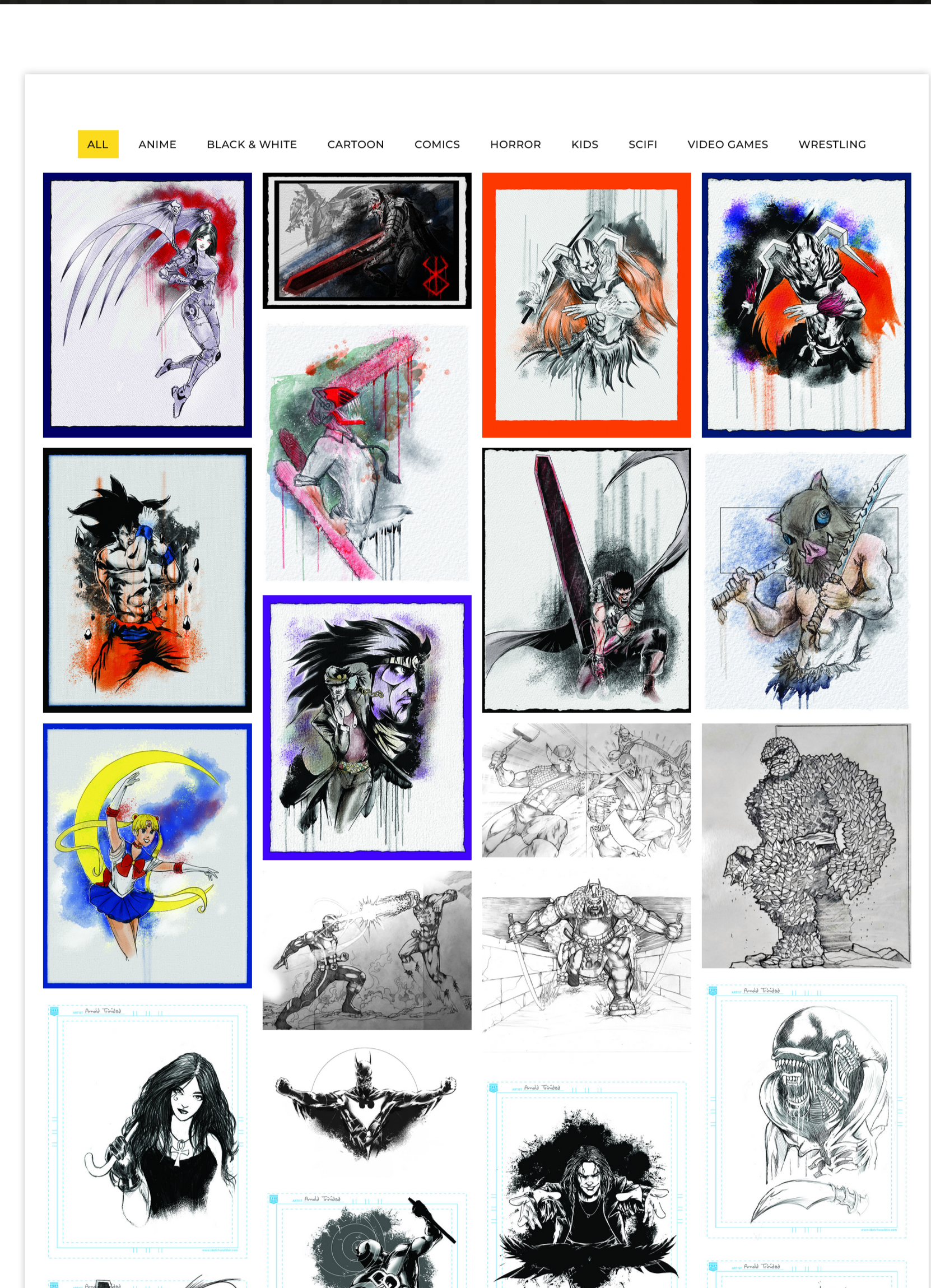
Sketch artist website

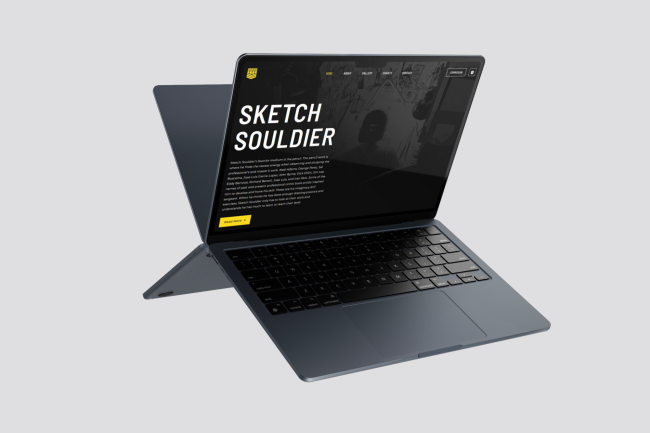
POKU - SKETCH SOULDIER

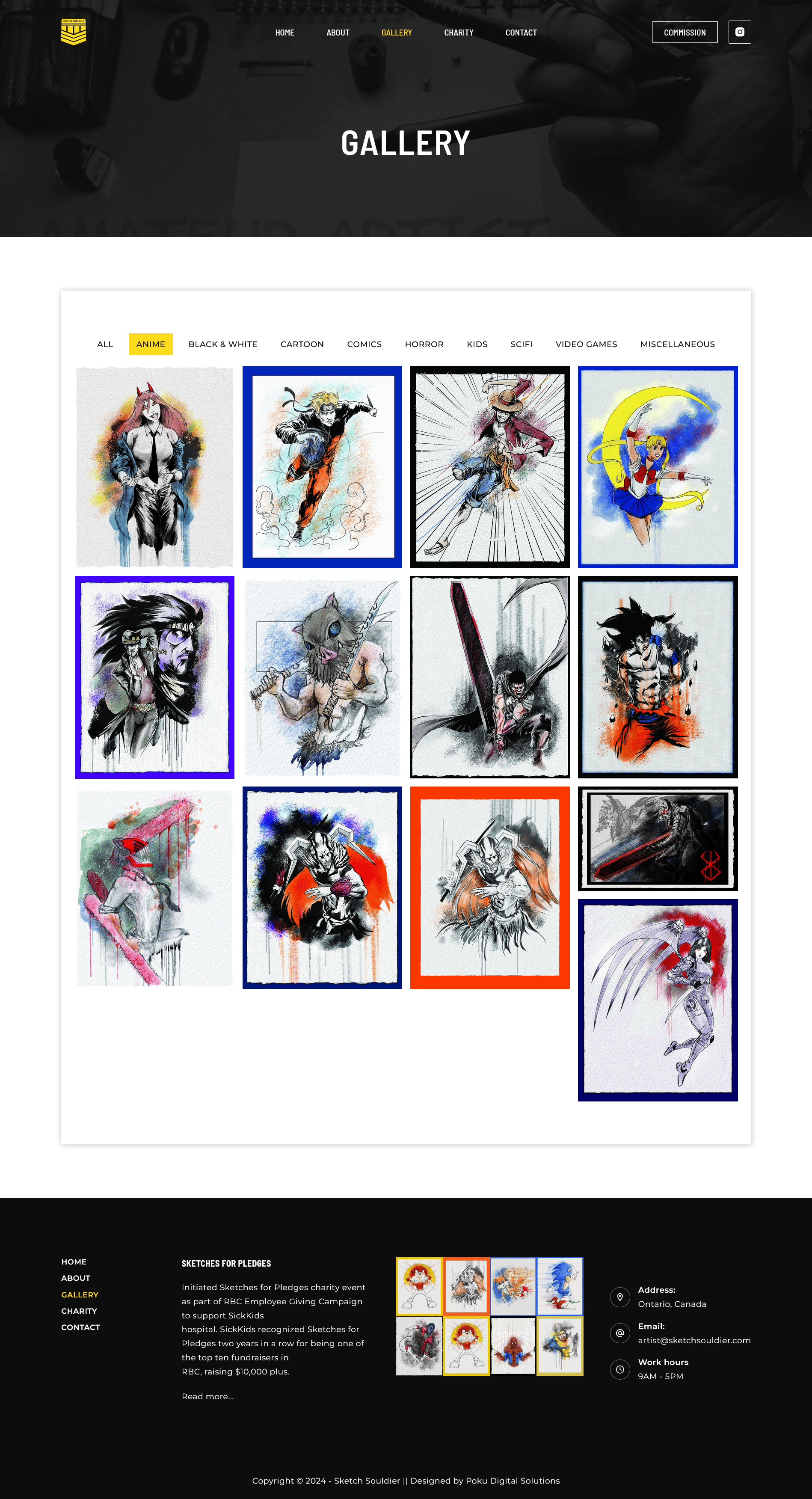
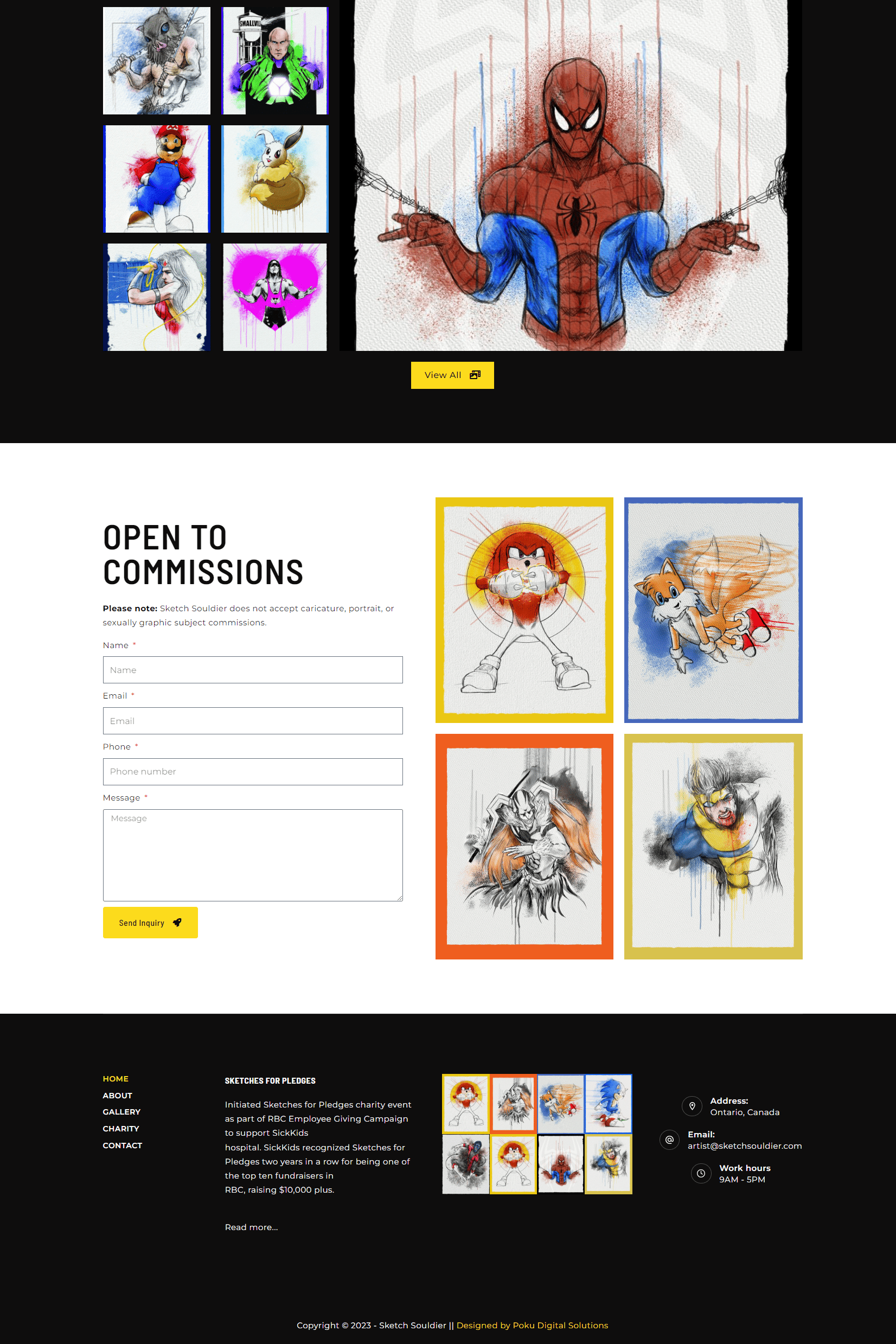
Portfolio website to showcase the works of a talented sketch artist

The focus of this project was to craft an online platform for a talented sketch artist that not only showcased their diverse portfolio but also featured a specialized event calendar to spotlight upcoming events where their followers could find them.

The website gives visitors an insight into who the artist is and offers a unique blend of artistic expression coupled with a convenient overview of the artist’s scheduled appearances.

The Agile project methodology proved instrumental in the success of this project. Embracing an Agile approach facilitated a dynamic and iterative development process that allowed us to respond swiftly to evolving client needs.

View Project

MY ROLES
  • Project Manager

  • UI/UX Designer

  • Developer


DELIVERABLES
  • Fully functional and visually appealing sketch artist portfolio website.

  • Custom event calendar seamlessly integrated into the website.

  • User-friendly content management system for easy artist portfolio updates.

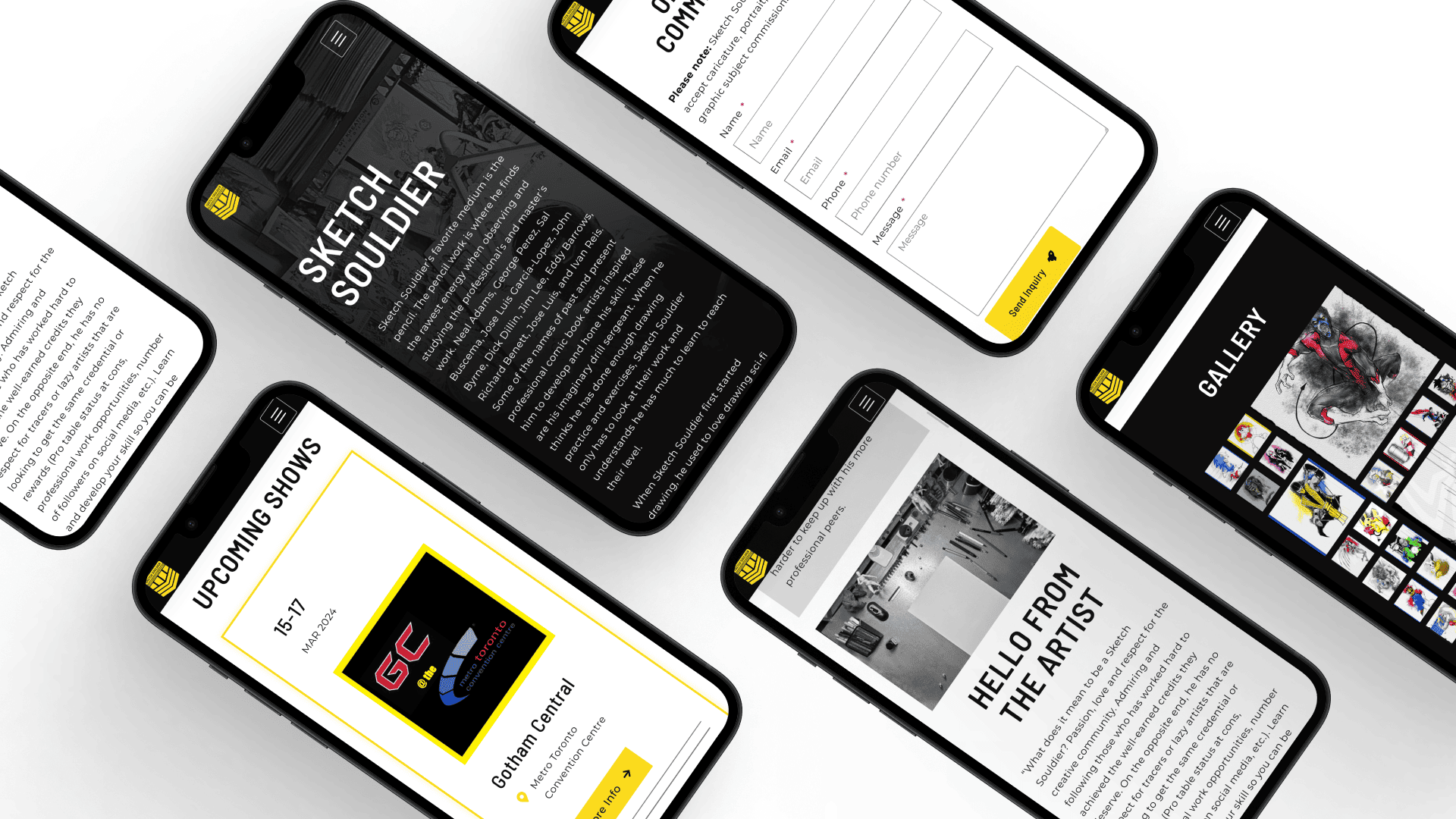
  • Responsive design to ensure optimal viewing experience across devices.

  • User guide to train the website owner on how to update their website.


TOOLS AND TECHNOLOGIES
  • Figma

  • Octopus

  • PhotoShop

  • WordPress

  • Elementor Pro

  • PHP

  • CSS

  • Google Analytics

User stories

These were derived from discussions with the client and regularly updated during project reviews.

User Story Proposed Solution
As an artist, I need a platform to showcase my art to visitors. Create a visually engaging portfolio section on the website where the artist can display a diverse collection of their sketches, providing visitors with an immersive experience of their artistic talent.
As an artist, I need a platform where followers can easily find me. Implement clear navigation and prominent social media integration to enable followers to easily locate and connect with the artist on various online platforms, fostering a broader and more engaged audience.
As an artist, I need a platform where visitors can get to know me. Develop an “About Me” section that provides a personal and compelling narrative, offering insights into the artist’s background, inspirations, and artistic journey, fostering a deeper connection with visitors.
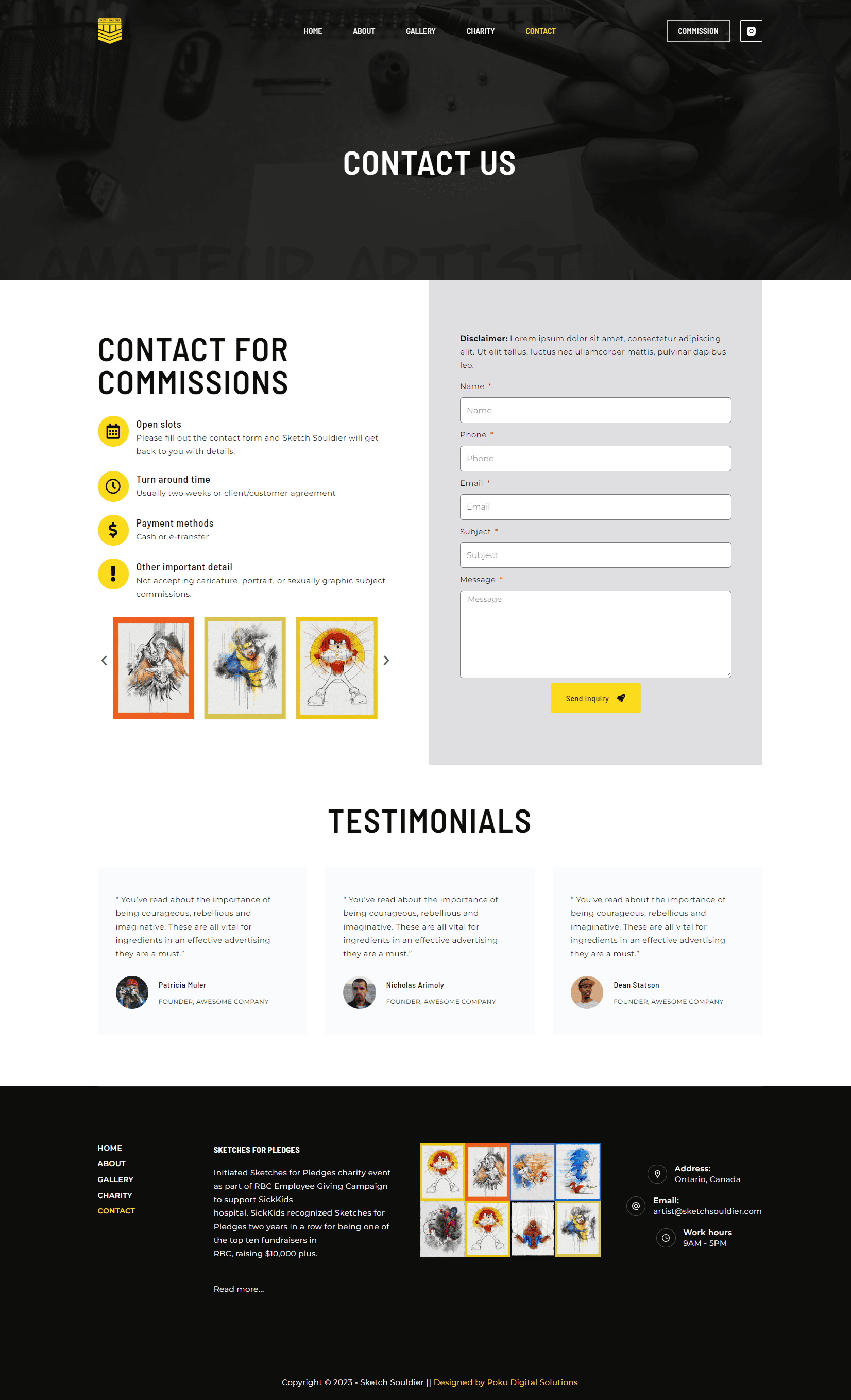
As an artist, I need a platform where people can contact me for commissions. Integrate a user-friendly contact form, allowing visitors to inquire about commissioning personalized sketches directly through the website, streamlining the commission request process.
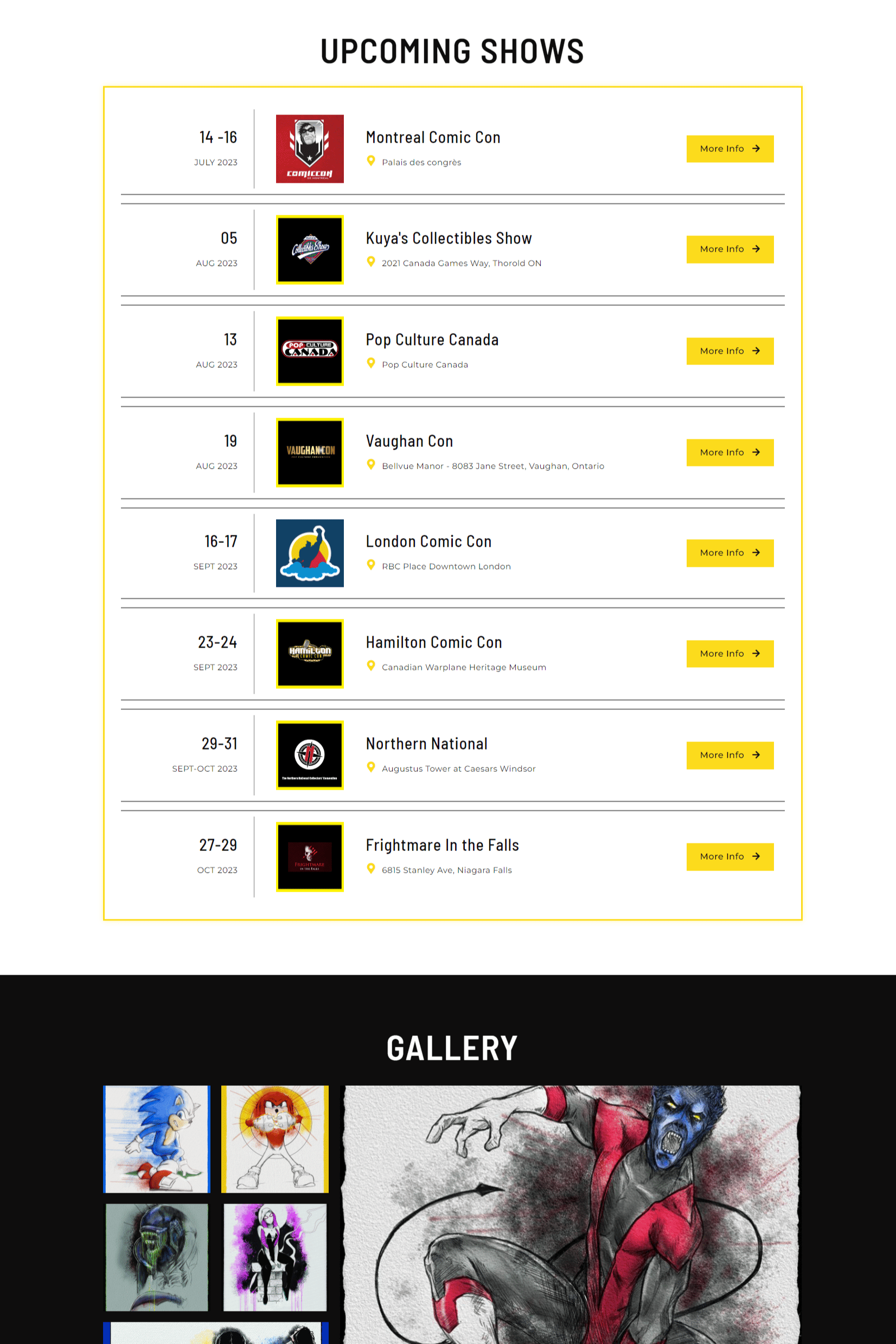
As an artist, I need a platform where followers can see a list of all the events I’ll be attending throughout the year. Implement a custom event calendar that showcases all upcoming events, providing followers with a centralized and easily accessible schedule to plan their attendance, meet the artist in person, and purchase artwork.
As an artist, I need a platform to share my charity work and encourage contributions. Develop a dedicated section highlighting the artist’s charitable initiatives, featuring information about ongoing projects, ways to contribute, and the impact of donations, fostering community engagement and philanthropy.

Research

In undertaking the research for the Sketch Souldier’s Portfolio Website, a comprehensive approach was adopted to ensure the final product aligned seamlessly with the artist’s goals and expectations, keeping the target audience in mind. The research included various key aspects:

USER NEEDS ANALYSIS
  • Conducted surveys and interviews with potential users, including art enthusiasts, to understand their preferences and expectations from an artist’s portfolio website.

  • Analyzed existing artist portfolio websites to identify common features and potential areas for differentiation, as well as gain insights into design trends, user engagement strategies, and functionality.

ACCESSIBILITY CONSIDERATIONS
  • Reviewed accessibility standards and guidelines to ensure the website catered to users with diverse needs, including those with visual or motor impairments.

  • Explored technologies and design choices that would enhance accessibility for a broad audience.

FEEDBACK LOOPS
  • Established early feedback loops with the artist through regular review meetings, ensuring alignment with their vision and incorporating iterative improvements based on their input.

  • Conducted usability testing with potential users to gather feedback on the website’s navigation, content presentation, and overall functionality.

cute robot holding a hand lens
USER JOURNEY MAPPING
  • Mapped out the anticipated user journey from entering the website to exploring the portfolio and interacting with the event calendar.

  • Identified potential pain points and areas for improvement in the user experience.

CONTENT STRATEGY
  • Collaborated closely with the artist to define a robust content strategy, ensuring that the portfolio effectively communicated the artist’s unique style and presented information in a clear and engaging manner.

  • Explored content creation strategies that would resonate with the artist’s target audience.

Site Overview

In order to meet the client’s specific requirements, certain considerations had to be made.

LANDING ON THE HOMEPAGE
  • When users visit the website URL, they should be taken directly to the home page

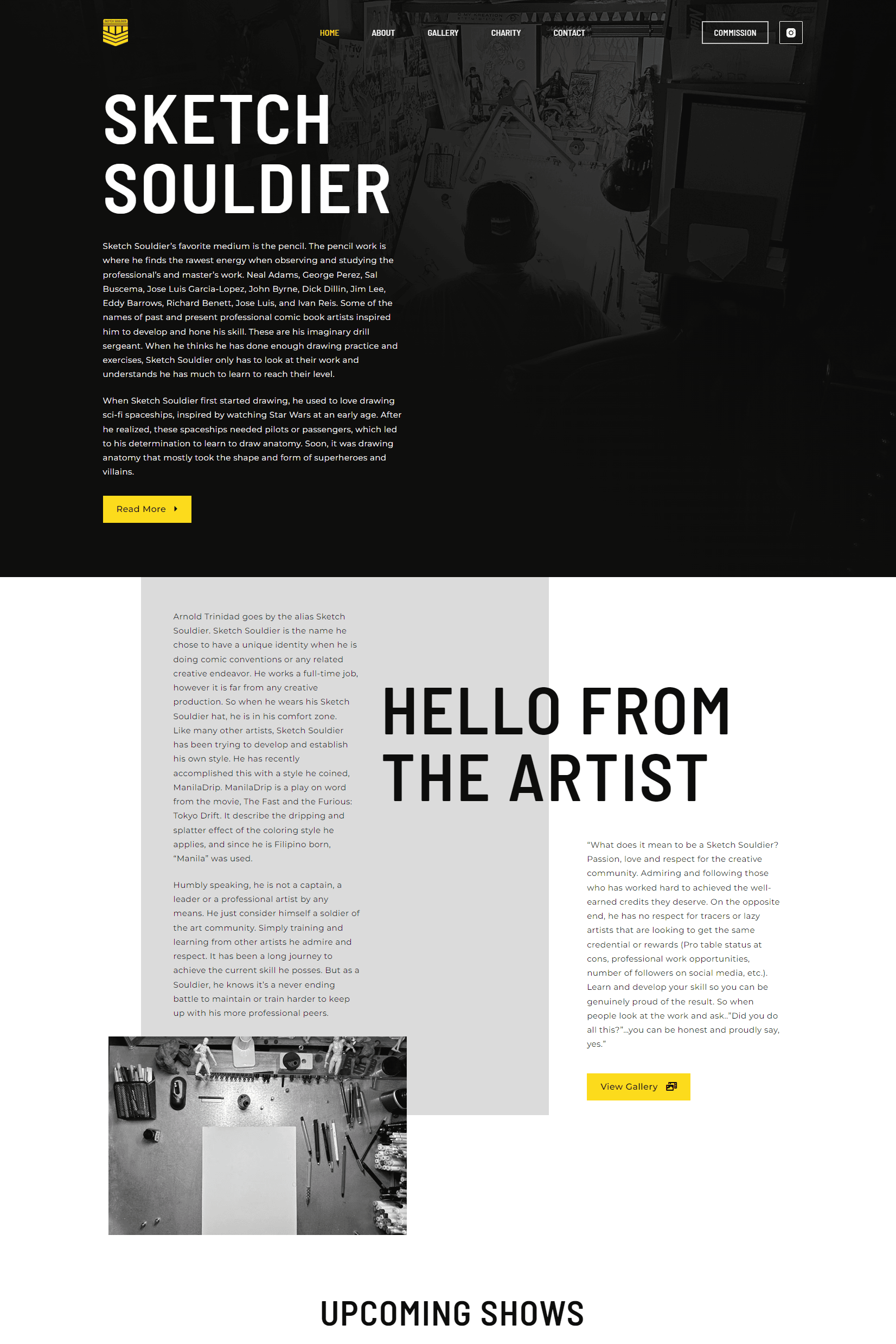
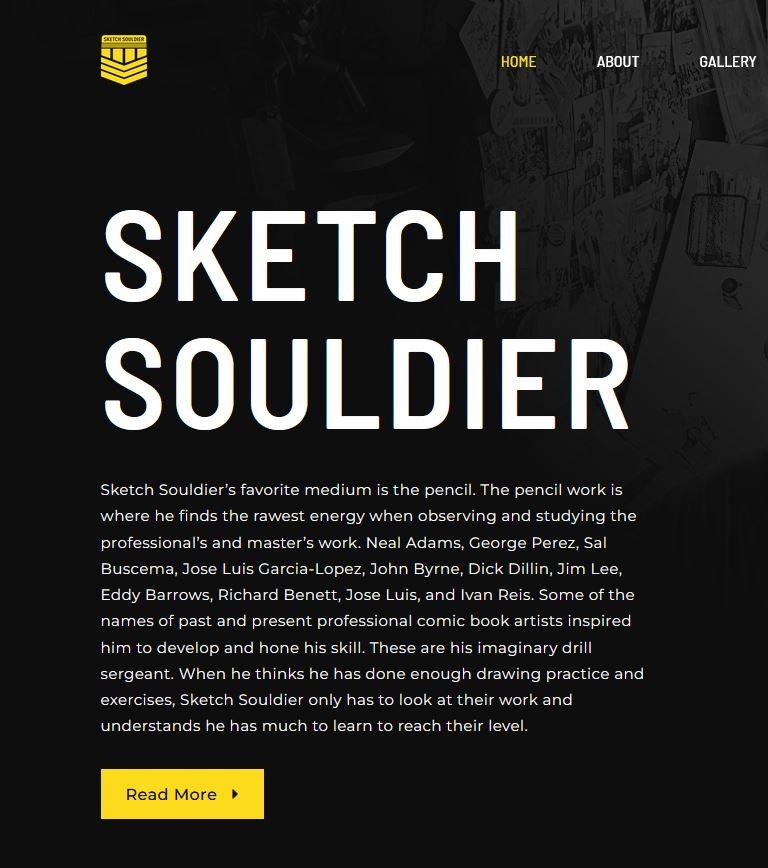
  • Users arrive at the homepage, greeted by a visually striking design that reflects the artist’s style.

  • A concise introduction welcomes visitors and sets the tone for the artistic experience.

SOCIAL MEDIA INTEGRATION
  • Clear calls-to-action and social media links encourage users to connect with the artist on various platforms.

  • Integration with social media ensures that users can stay updated on the artist’s latest works, events, and initiatives.

GETTING TO KNOW THE ARTIST
  • A prominent “Hello from the artist” section invites users to delve deeper into the artist’s background, inspirations, and journey.

  • Personal anecdotes and a compelling narrative humanize the artist, fostering a connection between the creator and the audience.

NAVIGATING THE EVENT CALENDAR
  • Users discover the custom event calendar, prominently featured on the website.

  • The calendar displays all upcoming events, allowing users to plan their attendance, learn about the artist’s schedule, and explore opportunities to meet in person.

EXPLORING THE PORTFOLIO
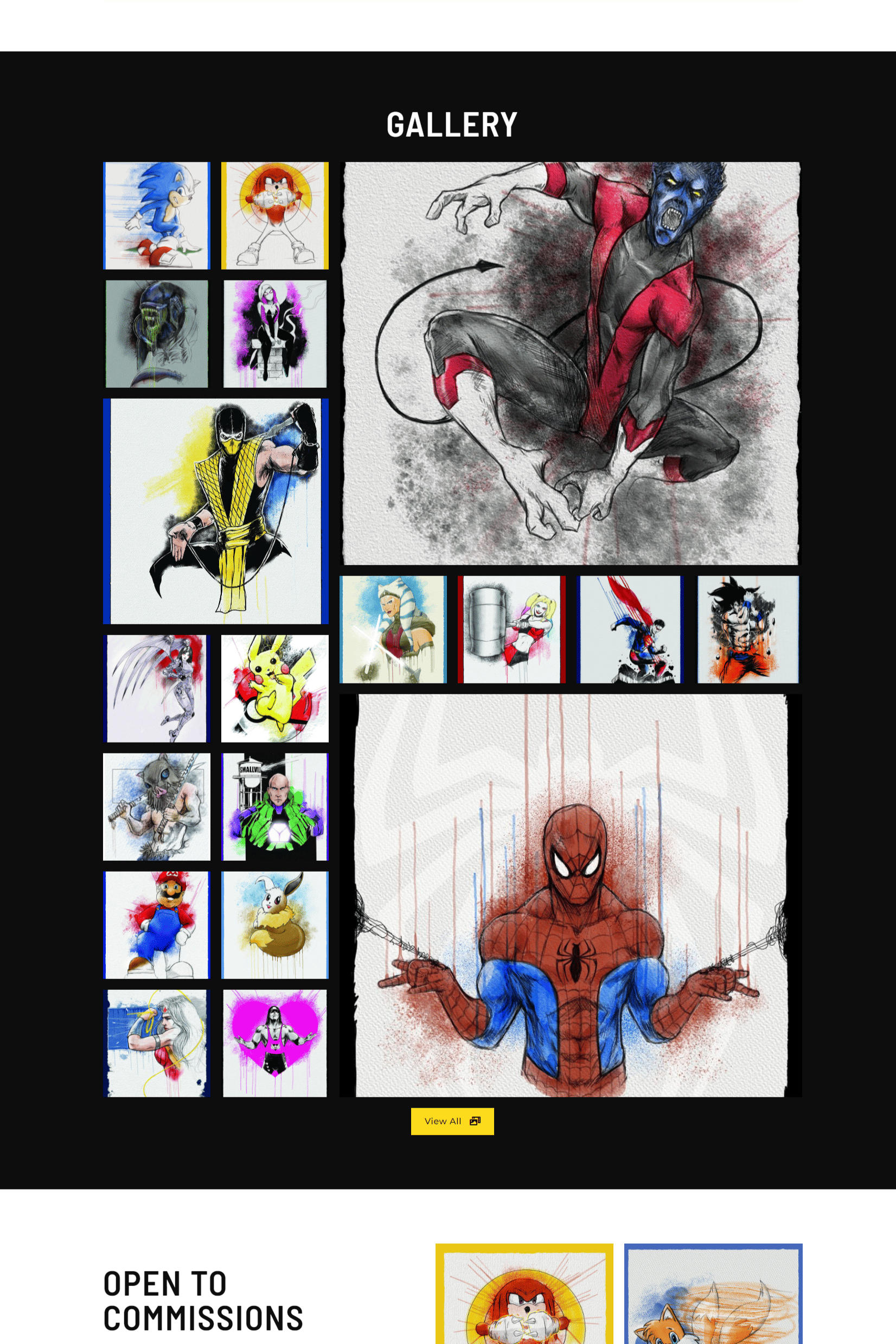
  • Users navigate to the portfolio section, where a well-organized display showcases a diverse range of the artist’s sketches.

  • A “View All” button is featured to allow visitors to see all the artist’s sketches organized in different categories

  • The Gallery page uses lazy loading to display only a number of sketches at a time as the user scrolls, thereby improving speed.

COMMISSIONING ARTWORK
  • Users interested in personalized artwork seamlessly access the contact form, where they can submit commission inquiries directly.

  • The form is designed to be user-friendly, prompting users to provide essential details for a streamlined commissioning process.

ENGAGING WITH CHARITY INITIATIVES
  • A dedicated section highlights the artist’s charity work and encourages users to contribute to ongoing initiatives.

  • Information about charitable projects, impact stories, and ways to contribute are readily accessible, fostering community engagement.

Design Process

Considering the time constraints (3 months), the design and development process had to be done expeditiously.

SITE MAP

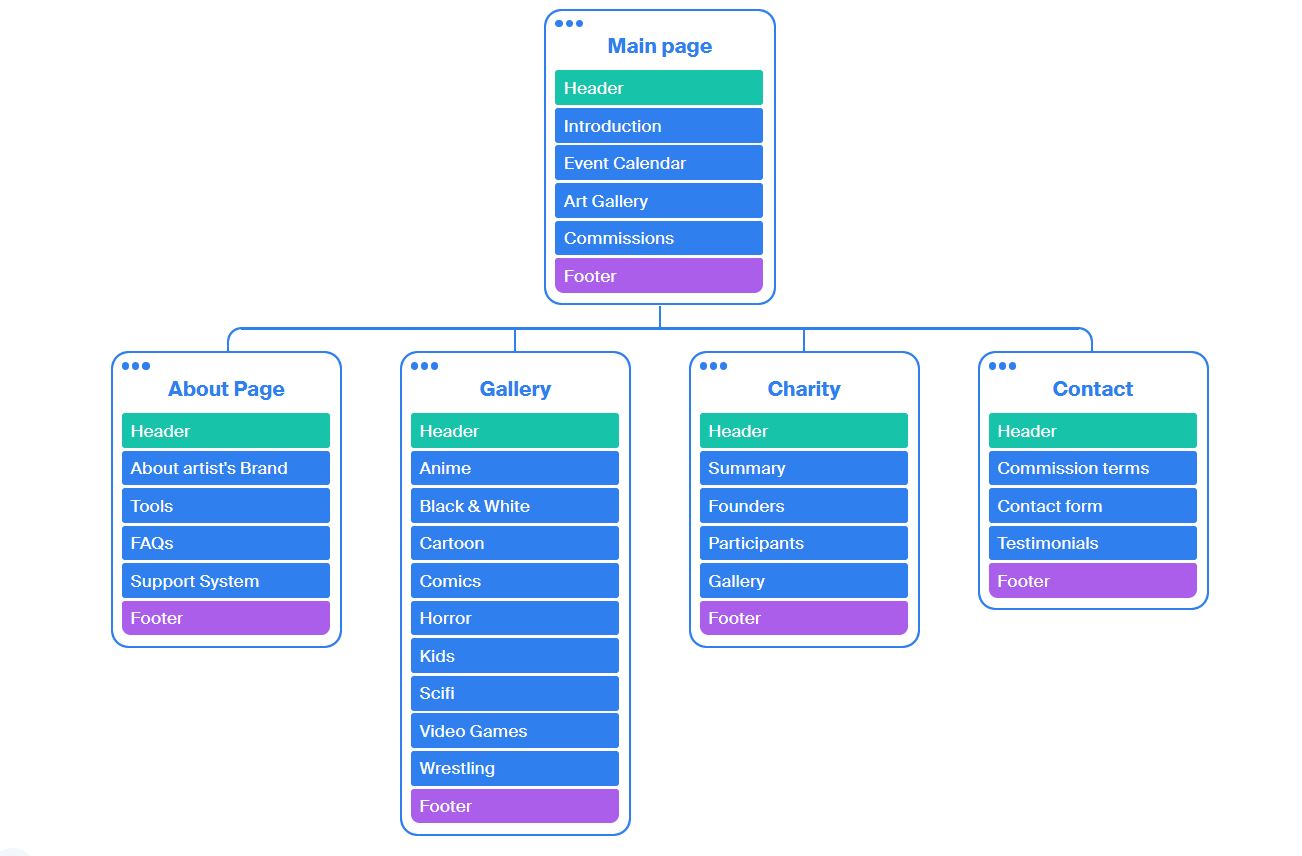
This site map, informed by surveys and interviews, organizationally depicts the key features that the site would focus on:

  1. Getting to know the artist
  2. Learning about events the artist will be attending
  3. Exploring the artists works
  4. Contacting the artist for custom commissions
  5. Learning about the artist’s charity

The framework the site map provides, along with the user insight collected thus far, would guide design decisions moving forward.

Sketch souldier site map
COLOR PALETTE

The selection of the color palette was a deliberate choice aimed at aligning the website with the artist’s brand identity. The combination of black, white, grey, and yellow was carefully chosen to evoke a specific emotional response.

  • Black and white create a timeless and sophisticated base, providing a neutral backdrop to showcase the artist’s vibrant sketches.

  • Grey adds depth and serves as a harmonizing element.

  • The introduction of yellow injects energy and vibrancy into the design, adding a pop of color that reflects the artist’s creativity.

This combination not only exudes a calm and artistic ambiance but also infuses an energetic vibe, perfectly mirroring the essence of the artist’s work.

FONT SELECTION

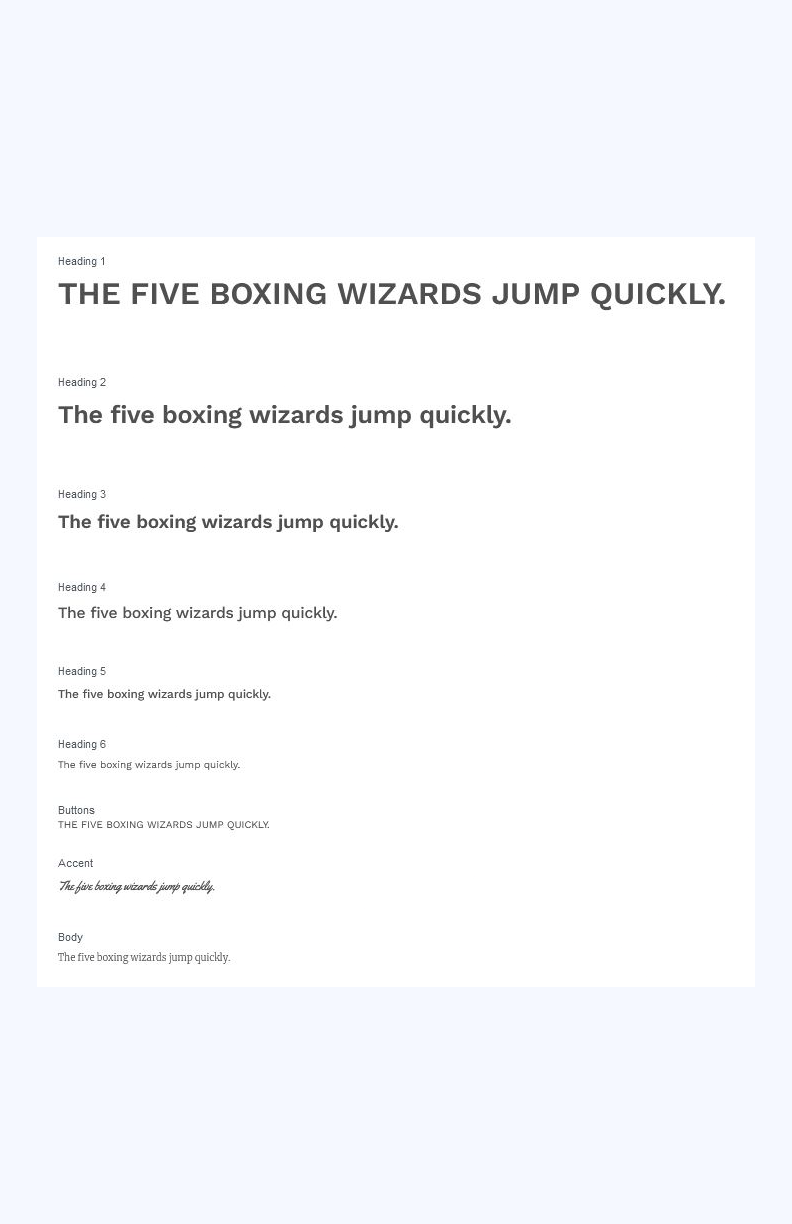
Barlow Semi Condensed and Montserrat fonts were chosen with precision to complement the overall design aesthetic.

  • Barlow Semi Condensed, with its modern and geometric qualities, adds a touch of sophistication to headers and prominent elements.

  • Montserrat, known for its readability and versatility, ensures clear and legible text throughout the website.

The combination of these fonts contributes to a cohesive and contemporary typographic style that resonates with the artist’s brand and enhances the overall visual harmony.

typography-showcase
PORTFOLIO PAGE

The portfolio section boasts an interactive design with special effects triggered upon user hover. This feature enhances user engagement and provides a dynamic experience while exploring the artist’s sketches.

Additionally, the implementation of portfolio filtering allows users to easily categorize sketches, providing a tailored and organized viewing experience.

WHITE SPACE

The intentional incorporation of ample white space in the design serves multiple purposes.

  • Firstly, it enhances the overall visual appeal by providing breathing room around key elements, allowing the content to stand out.

  • Secondly, white space contributes to a clean and minimalist aesthetic, aligning with the artist’s desire for a sophisticated presentation.

The judicious use of white space not only promotes readability and clarity but also adds an element of elegance to the overall user experience.

PERFORMANCE OPTIMIZATION

The website has been optimized for performance across various devices, ensuring a seamless user experience. Lazy loading has been incorporated to enhance loading times, allowing for a smooth and efficient navigation experience for visitors, irrespective of the device they use.

DYNAMIC CONTENT UPDATES

The website was developed using WordPress, Elementor, PHP and CSS, in a manner to ensure that the artist can effortlessly add new sketches, update the portfolio, and manage events in real-time without requiring extensive development support. This flexibility ensures that the website stays current and reflective of the artist’s evolving body of work and schedule.

Every design choice made in the development of this project was guided by a thoughtful consideration of the artist’s brand identity, the desired emotional impact, and the need for a seamless user experience. The collaboration between wireframing, development, and iterative review cycles ensured that the final product not only met functional requirements but also embodied the artistic essence of the client.

  • The possibility of integrating a live social media feed directly into the website can be explored. This would provide visitors with real-time updates from the artist’s social platforms, fostering a sense of community engagement and keeping the content fresh.

  • Detailed descriptions or stories could be added to accompany each artwork in the portfolio. This will not only add depth to the artistic narrative but also provide visitors with insights into the inspiration and creative process behind each piece.

  • Introducing social sharing buttons on individual artwork could encourage visitors to share their favorite pieces across social media platforms. This can amplify the artist’s reach and foster a sense of community among followers.

  • A robust Search Engine Optimization (SEO) strategy can enhance the website’s visibility on search engines. This will include optimizing meta tags, image alt text, and ensuring that relevant keywords are strategically incorporated throughout the content.

  • A feedback mechanism could be introduced for users to share their thoughts on the website, provide input on their favorite features, and suggest improvements. This will not only foster community engagement but also offer valuable insights for future enhancements.

Possible improvements

Issues to Address for Longer-Term Development

Cute robot holding a pencil

Reflection

Every project comes with its unique challenges and navigating these always gives way for teachable moments. The lessons learned from this project underscore the importance of collaboration, adaptability, and a user-centric approach in delivering a successful and engaging online platform.

COLLABORATIVE WIREFRAMING
  • The collaborative approach to wireframing, involving the artist in the early stages, was invaluable. It facilitated a shared understanding of the website’s structure and minimized misunderstandings later in the development process.

  • Takeaway: Prioritize collaborative discussions during the initial planning stages to align with the client’s vision and streamline subsequent development.

USER FEEDBACK
  • User feedback, particularly during testing phases, provided valuable insights into user preferences and potential enhancements.

  • Takeaway: Actively seek and welcome user feedback as it offers a user-centric perspective, guiding ongoing improvements and refinements.

ITERATIVE DEVELOPMENT AND TESTING
  • The decision to transition swiftly from wireframes to development due to time constraints necessitated frequent iterative testing. Regular review cycles allowed for real-time adjustments, ensuring that the final product met functional requirements.

  • Takeaway: Embrace an agile development approach, incorporating iterative testing and continuous client feedback to address evolving needs and preferences.

ADAPTABILITY TO CLIENTS' EVOLVING NEEDS
  • The project’s success hinged on the team’s adaptability to the artist’s evolving needs and preferences throughout the design and development process.

  • Takeaway: Embrace a flexible approach, being responsive to client feedback and ready to pivot strategies as the project unfolds.

Secondary School Website and e-Learning Platform

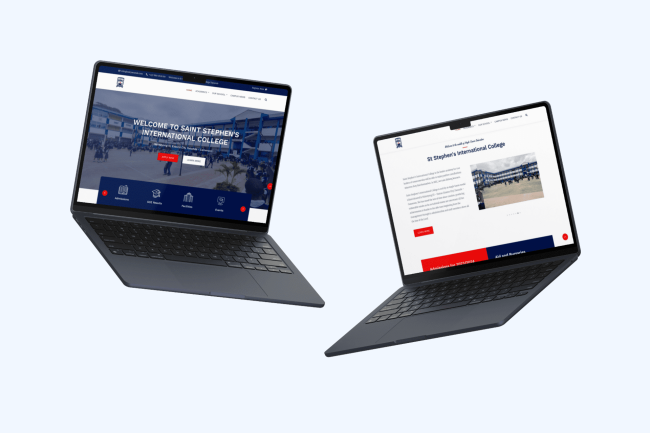
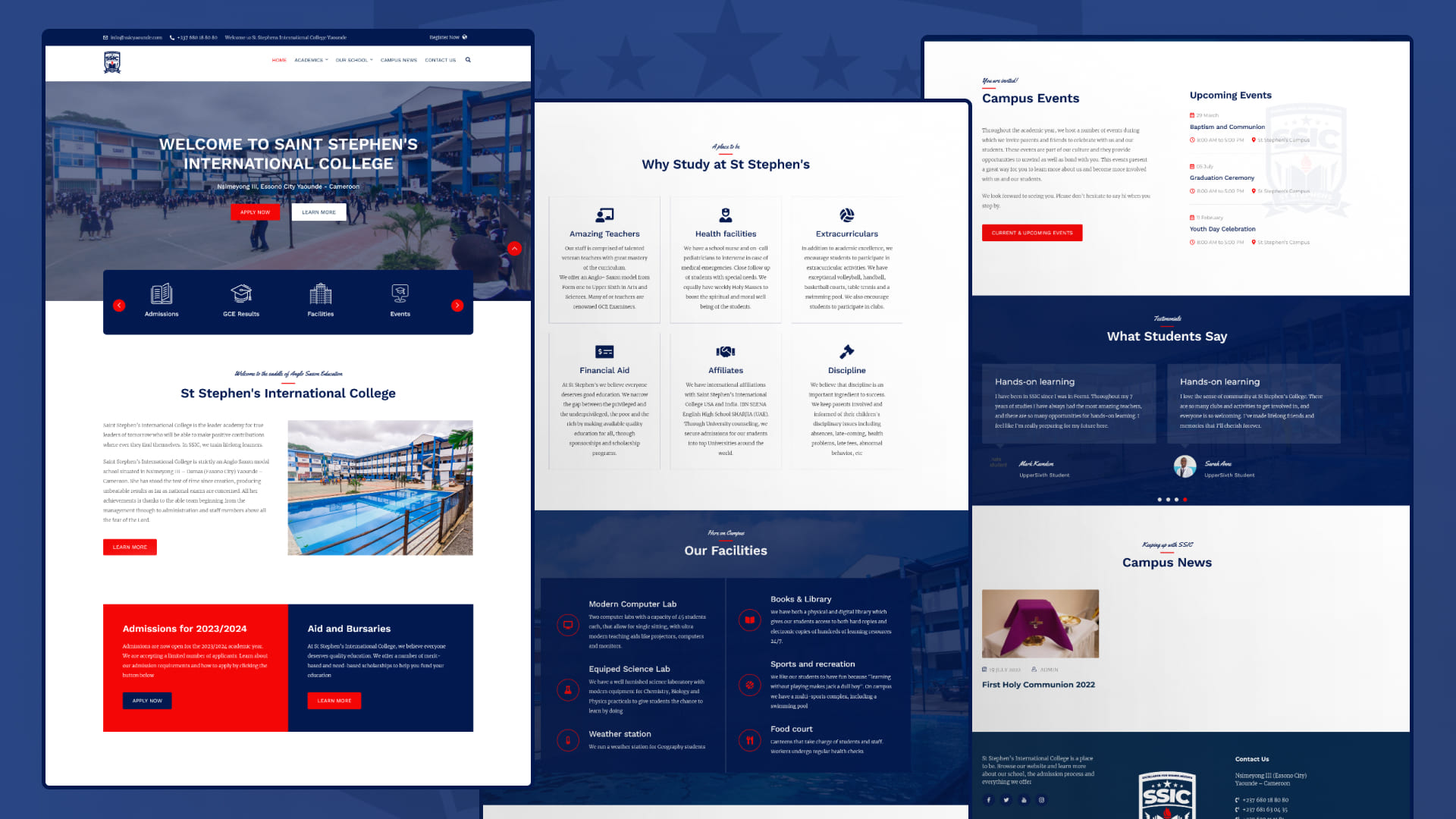
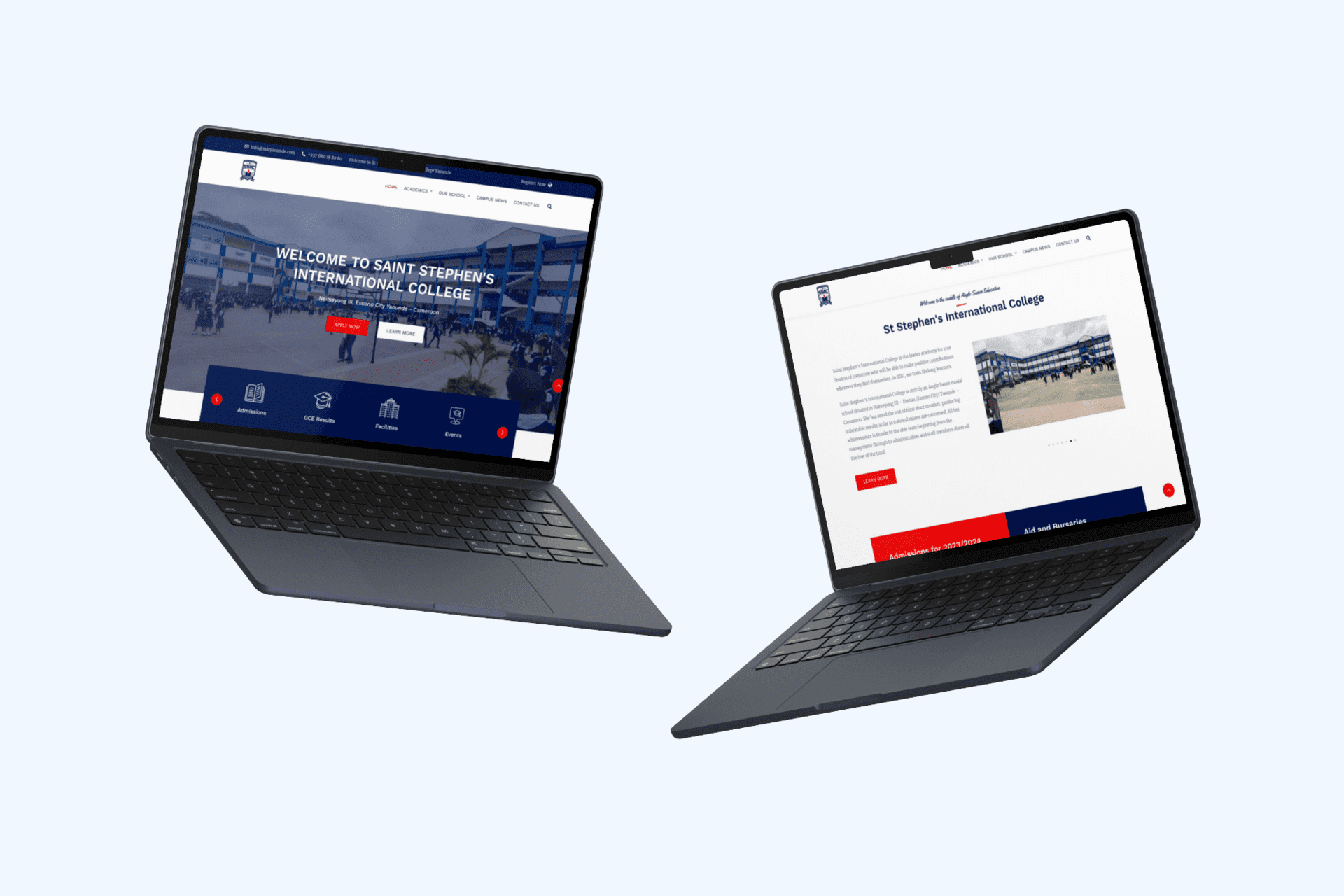
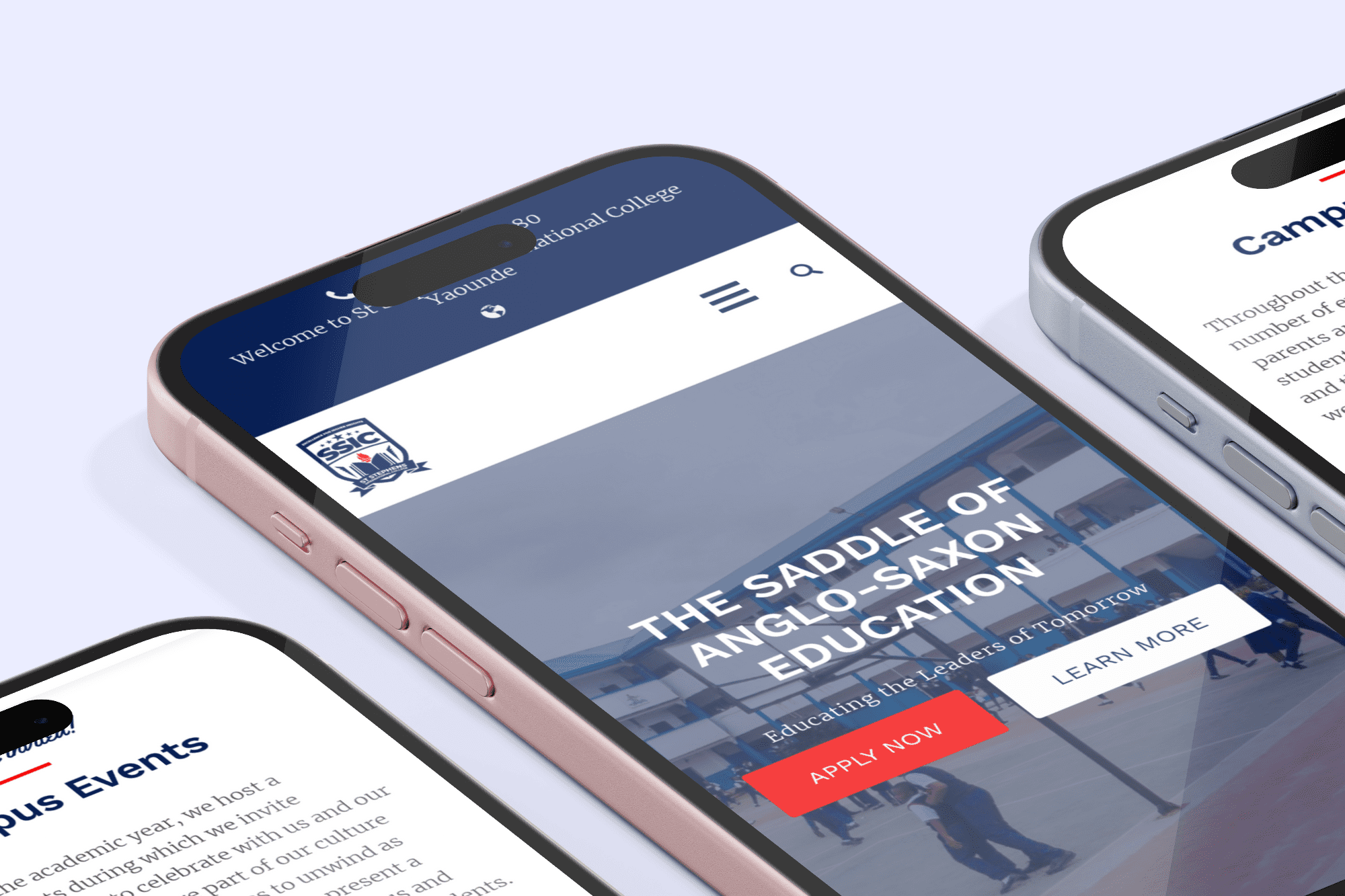
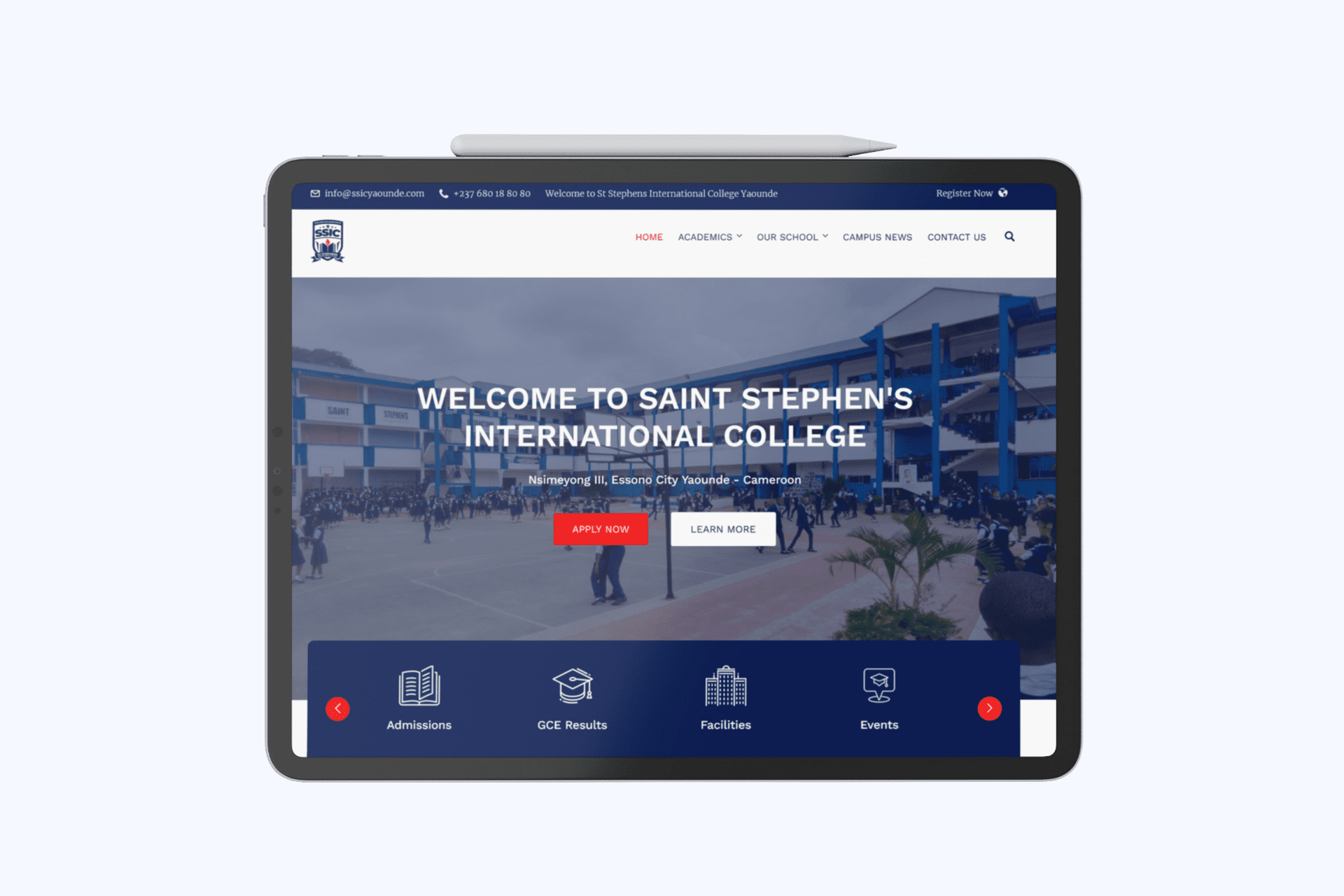
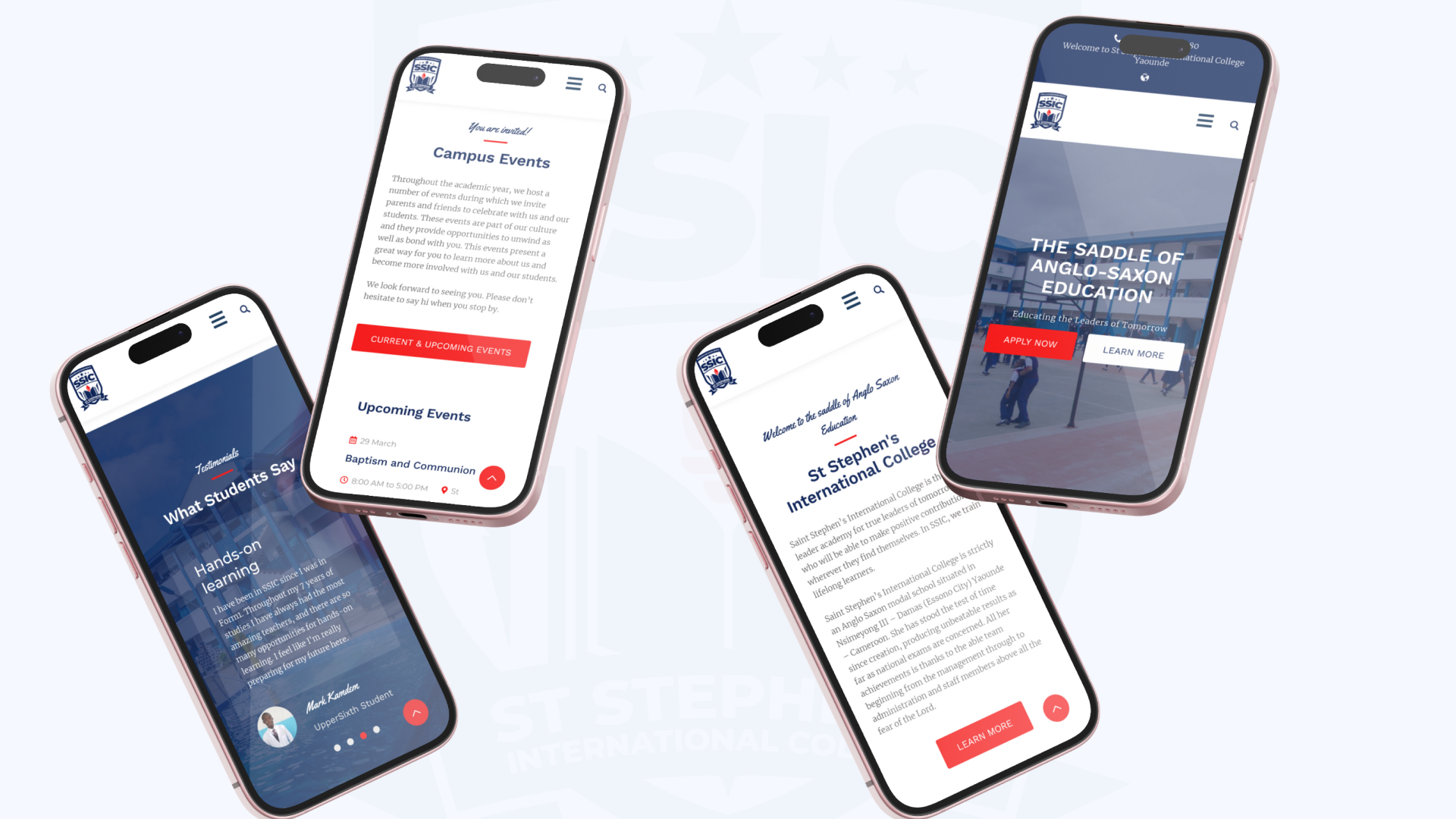
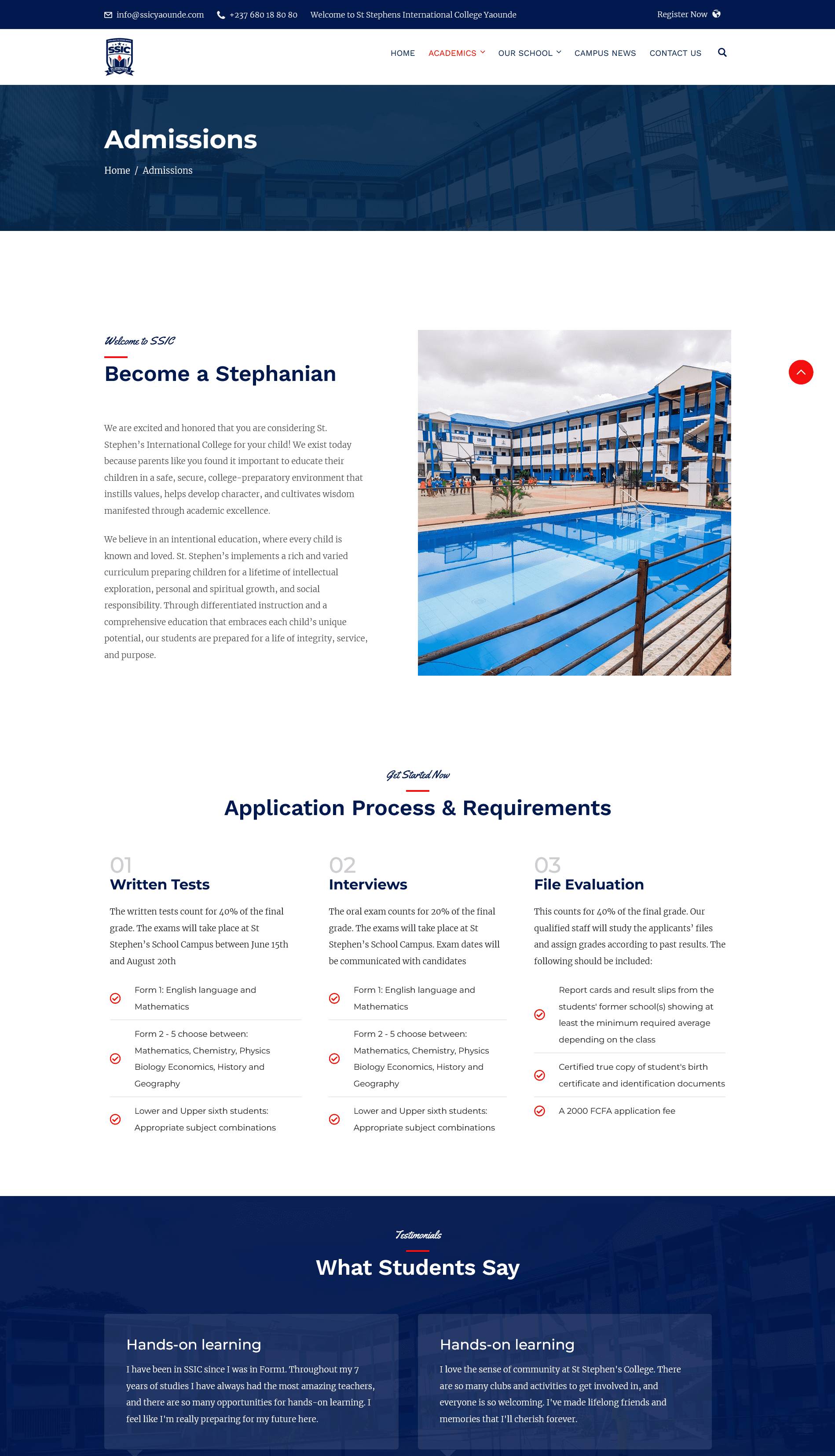
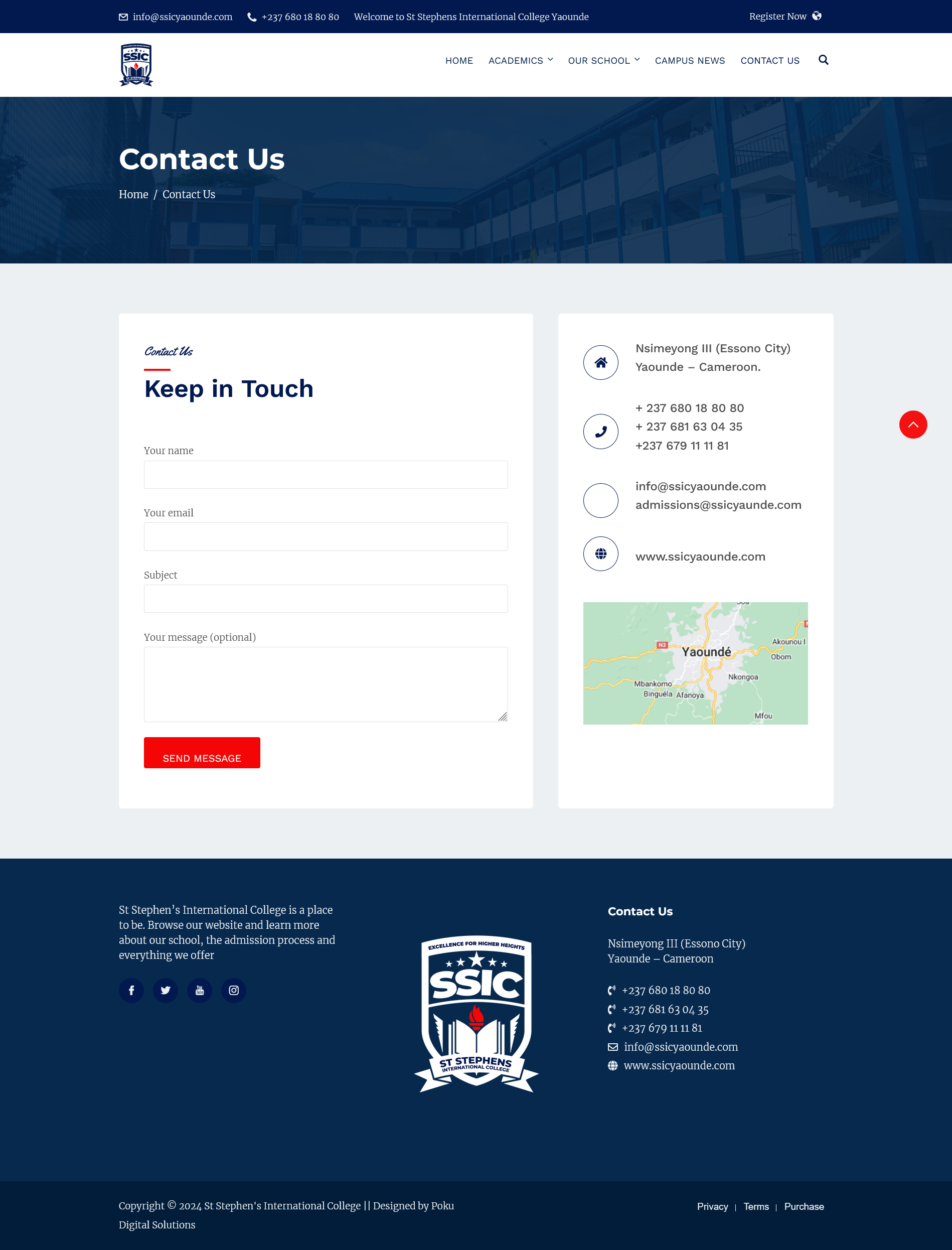
Screenshots of different sections of the SSIC website home page

POKU - SSIC

Building a Modern, Accessible, and Engaging Digital Hub for St Stephen's International College (SSIC)

As a project manager, product owner, and lead developer, I undertook a multifaceted role in designing and developing this fully functional and responsive website for St Stephen’s International College. The aim of this project is to provide comprehensive information for parents, teachers, school staff, and students about the school, enhance the school’s online presence and improve communication within the school community.

Through effective collaboration with stakeholders and a strong focus on user experience, the first phase of the project was successfully completed, offering key features such as detailed school information, teacher profiles, curriculum details, and admission details.

This use case provides an in-depth insight into my roles, process, and contributions to the project, highlighting my skills and expertise in website design and development

View Project
MY ROLES
  • Project manager

  • Product owner

  • Lead Developer

TOOLS AND TECHNOLOGIES
  • Figma

  • Octopus

  • Lucidchart

  • Visual Paradigm

  • PhotoShop

  • HTML, CSS, PHP

  • WordPress

  • Elementor page builder

  • LearnPress

  • Google analytics

  • Jira

DELIVERABLES
  • Project charter

  • Project plan

  • Feasibility study

  • Budget plan

  • Budget plans

  • User flow diagrams

  • Wireframes and mockups

  • Prototypes

  • Fully functional, responsive website

  • User manuals

Project Overview

This section provides an overview of the project and objectives.

Cute robot holding a lens

The project involves the design and development of a fully functional and responsive website for St Stephen’s International College (SSIC). The primary goal was to create an informative platform that caters to the needs of parents, teachers, school staff, and students, providing insight into the school as well as easy access to important information and resources.

The website was built using WordPress as the content management system (CMS) and LearnPress to enhance its educational capabilities. HTML, PHP, and CSS were utilized for additional customization, ensuring a responsive design across all devices.

Key features of the website include detailed information about the school, teacher and staff profiles, curriculum details, admission information for students, interactive calendars for school events, and resources for parents.

The project required careful coordination with school administrators to gather information, decide on the website’s design, and organize content effectively. Despite these challenges, the website was successfully launched, providing a user-friendly and informative platform for the school community.

OBJECTIVES

The project aims to create a modern, accessible, and informative website for  SSIC, serving as a central hub for parents, teachers, school staff, and students. The website will enhance the educational experience and streamline communication within the school.

  • Design and develop a fully functional and responsive website for the school.

  • Create an informative platform that caters to the needs of parents, teachers, school staff, and students.

  • Provide easy access to important information and resources related to the school, curriculum, and extracurricular activities.

  • Integrate educational tools and features, to enhance the website’s educational capabilities.

  • Ensure a user-friendly experience for all website visitors, with intuitive navigation and accessible content.

  • Collaborate with school administrators and other stakeholders to gather information, decide on the website’s design, and organize content effectively.

  • Launch the website successfully, meeting all project deadlines and requirements.

  • Provide ongoing maintenance and support to ensure the website remains functional and up-to-date.

  • Provide training documents and user manuals.

Requirements Gathering

Effective requirements gathering is the cornerstone of any successful website project, ensuring that the final product meets the needs and expectations of its users.

Requirements Gathering Approach

  • Identifying the key stakeholders who will be involved in the website project, including school administrators, teachers, parents, and students.

  • Stakeholder Interviews to gather their input on the website’s requirements, using open-ended questions to understand their needs, preferences, and pain points.

  • Developing user personas based on the information gathered from stakeholder interviews. User personas help understand the needs and goals of different types of users, guiding the design and development process.

  • Defining goals and objectives of the website based on the information gathered from stakeholders, ensuring they align with the needs of the stakeholders and the overall mission of the school.

  • Identifying the features and functionalities that are most important to stakeholders, using techniques like MoSCoW prioritization to categorize features as Must-have, Should-have, Could-have, and Won’t-have.

  • Creating storyboards and wireframes to validate concepts with stakeholders and ensure a shared understanding of requirements and deliverables.

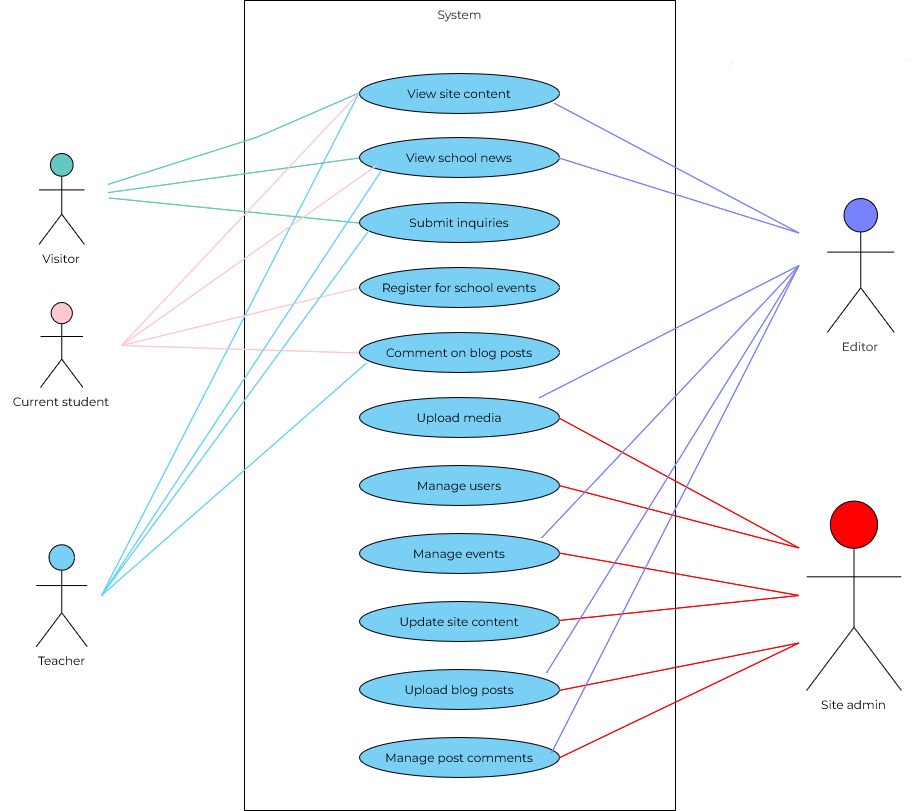
  • Documenting the requirements in a clear and structured manner, including information such as functional requirements, non-functional requirements, and any constraints or dependencies.

  • Reviewing the requirements with stakeholders to ensure they accurately reflect their needs and expectations, and making any necessary revisions based on feedback.

  • Obtaining formal approval from stakeholders on the final set of requirements before moving forward with design and development.

  • Establishing collaborative tools to facilitate collaboration with team members and stakeholders

User Stories

Role

Story

Objective

Project phase

As a current student

I want to be able to easily access the school’s academic calendar

so that I can plan my study schedule and prepare for exams.

Phase 1

I want to stay informed about school events and extracurricular activities

so that I can participate in school life effectively

Phase 1

I want to access course materials, assignments, and assessments online

so that I can complete my coursework and study at my own pace

Phase 2

I want to communicate and collaborate with my classmates and teachers through messaging systems or discussion forums

so that I can ask questions, participate in discussions, and seek help when needed

Phase 2

As a prospective student

I want to find information about the admission process, including eligibility criteria and datelines

so that I can apply to the school.

Phase 1


I want to explore information about school infrastructure, facilities, and campus amenities

so that I can get a sense of the school’s environment and resources.

Phase 1

As a parent

I want to easily access information about the school, including its history, mission, and values

so that I can make informed decisions about my child’s education.

Phase 1

I want to easily navigate and find information about school infrastructure, facilities, and campus amenities

so that I can get a sense of the school’s environment.

Phase 1

I want to view profiles of school administrators, such as the principal and vice-principal

so that I can learn more about the leadership of the school.

Phase 1

I want to monitor my child’s academic progress, including grades, assignments, and attendance records

so that I can support their learning and track their performance

Phase 2

As a teacher

I want to have access to resources for lesson planning and classroom management

so that I can supplement my teaching materials and effectively teach my students

Phase 2

I want to have access to school administration information, including profiles of school administrators and contact details

so that I can communicate with them when needed

Phase 1

I want to create and manage course materials, lesson plans, and assessments

so that I can deliver engaging and effective instruction to my students

Phase 2

I want to conduct virtual classroom sessions, live chats, and online discussions

so that I can engage with my students and facilitate interactive learning experiences

Phase 2

As a member of the school staff/ administration

I want to be able to publish news and updates about school events and achievements

so that I can keep the school community informed and engaged

Phase 1

I want to manage user authentication and authorization

so that I can control access to the learning platform and ensure the security of student data

Phase 2

Requirements Specification

Phase 1: Website Development
FUNCTIONAL REQUIREMENTS
  • Display comprehensive information about the school, including its history, mission, and values.

  • Provide details about school infrastructure, facilities, and campus amenities.

  • Present information about the admission process, including eligibility criteria and deadlines.

  • Include resources for prospective students and parents, such as FAQs and contact information for admissions staff.

  • Showcase profiles of school administrators, including the principal, vice-principal, and other administrative staff.

  • Provide contact information for administrative offices, such as the registrar’s office and the admissions office.

  • Display a calendar of school events, including academic schedules, extracurricular activities, and special events.

  • Feature news and updates about school events, achievements, and campus initiatives.

  • Provide a repository of educational resources, such as textbooks, reference materials, and study guides.

  • Organize resources by subject, grade level, or topic for easy access.

NON-FUNCTIONAL REQUIREMENTS
  • Performance: the website should load quickly and respond promptly to user interactions.

  • Security measures should be put in place to protect user data and prevent unauthorized access to sensitive information.

  • The website should be accessible to users with disabilities, adhering to web accessibility standards (e.g., WCAG).

  • Scalability: The website should accommodate future growth and expansion, allowing for the addition of new features and content.

CONSTRAINTS AND DEPENDENCIES
  • The website design must align with the school’s branding guidelines and visual identity.

  • All content for the website, such as school information and resources, must be provided by school administrators and staff.

  • Budgets must be respected.

  • The requirements must be delivered within the project timelines.

Phase 2: Learning Platform Development

Upon completion of Phase 1, the following additional requirements will be implemented for the learning platform:

FUNCTIONAL REQUIREMENTS
  • Curriculum Management: Create and manage course materials, lesson plans, and assessments for each subject and grade level.

  • Align curriculum content with educational standards and learning objectives.

  • Implement user authentication and authorization mechanisms for teachers, students, and parents.

  • Provide secure login portals for each user role, with access to personalized information and features.

  • Enable communication and collaboration between teachers and students through messaging systems or discussion forums.

  • Facilitate virtual classroom sessions, live chats, and online discussions.

NON-FUNCTIONAL REQUIREMENTS
  • Performance: Ensure the learning platform is responsive and performs well under heavy usage, with minimal latency.

  • Robust security measures to protect student data and ensure the confidentiality of educational materials.

  • The learning platform should be accessible to users with disabilities, with support for assistive technologies and screen readers.

  • Scalability: the learning platform should be able to accommodate a growing number of users and classes, with scalability features to handle increased demand.

CONSTRAINTS AND DEPENDENCIES
  • The learning platform must integrate seamlessly with school’s branding and the existing website, maintaining a consistent user experience and branding.

  • Content for the learning platform, such as course materials and assignments, must be developed in collaboration with teachers and subject matter experts.

  • The project must be completed within the specified time frame

  • Budgets must be respected.

  • The project team must be limited to St Stephen’s employees and contractors for privacy reasons.

Design Steps

Designing a secondary school website requires a thoughtful approach that considers the needs of various stakeholders, including parents, teachers, school staff, and students. The design should not only be visually appealing but also user-friendly, informative, and accessible. This section outlines the key design steps for this project that meets the requirements of the school community and considers the overall user experience.

Goals and Objectives

  • Design a website that is accessible and usable on various devices and screen sizes

  • Understand the needs and preferences of stakeholders to inform the design process

  • Organize the website’s content and structure for easy navigation and access to information

  • Visualize the layout and functionality of the website before development begins

  • Develop informative and engaging content that aligns with the website’s goals and objectives

  • Gather feedback from stakeholders to identify areas for improvement and ensure a user-friendly design

  • Prepare the website for launch and ensure that it meets all requirements and objectives

cute robot with one arm up

Research and Discovery

The research and discovery phase was a crucial step. This phase involved gathering information about the school, its stakeholders, and best practices to inform the design process. By conducting thorough research and engaging stakeholders in the discovery process, we can ensure that the website meets the needs of its users and aligns with the school’s goals and objectives.

KEY OBJECTIVES
Understand Stakeholder Needs

Conduct interviews and surveys with parents, teachers, students, and school administrators to understand their needs, preferences, and pain points.

Analyze Competitor Websites

Review websites of other schools and educational institutions to identify design trends, features, and best practices.

Create User Personas

Develop user personas based on the information gathered from stakeholders to represent the needs and goals of different user groups.

Define User Stories

Create user stories to outline the specific tasks and goals that users wanted to accomplish on the website.

Identify Content Requirement

Determine the types of content that needed to be included on the website, and communicated this with the stakeholders in meetings.

Establish Design Principles

These design principles will guide the visual and functional aspects of the website, such as branding, accessibility, and usability.

OUR APPROACH
  • Stakeholder Interviews: We conducted interviews with parents, teachers, students, and school administrators to gather insights into their needs and preferences.

  • Surveys: We distributed surveys to a broader audience to collect quantitative data on user preferences and behavior.

  • Competitor Analysis: We reviewed websites of other schools and educational institutions to identify design trends, features, and best practices.

  • User Testing: We conducted usability testing with stakeholders to gather feedback on prototypes and design concepts.

  • Analytics Review: We analyzed website analytics data to understand user behavior and identify areas for improvement.

DELIVERABLES
  • Stakeholder Interview Reports: We documented key insights and findings from stakeholder interviews.

  • User Stories: We defined user stories that outlined the specific tasks and goals of different user groups.

  • User Personas: We created detailed user personas based on the information gathered from stakeholders.

  • Content Inventory: We compiled a list of content requirements for the website, including text, images, and multimedia, as well as a plan on how to acquire all the content.

  • Design Principles Document: We defined design principles that guided the visual and functional aspects of the website, and aligned with the school’s brand.

Collaboration and Communication

Throughout the project, a collaborative approach was taken to ensure that all team members and stakeholders were involved in the process and that their input was considered in the decision-making process.

KEY OBJECTIVES
Collaboration

Foster collaboration among team members, including designers, developers, and content creators, to ensure a cohesive and unified approach to the project.

Communication

Establish clear communication channels and protocols to ensure that all team members and stakeholders were kept informed and updated on project progress.

Alignment

Involve stakeholders, including parents, teachers, students, and school administrators, in the design process to gather feedback and ensure that their needs were met.

Feedback

Effectively manage feedback from stakeholders to incorporate their suggestions and ideas into the design while maintaining project timelines and objectives.

STRATEGY
  • Regular Meetings: We held regular team meetings to discuss project progress, address any issues or concerns, and ensure that everyone was on the same page.

  • Collaborative Tools: Utilized collaborative tools such as project management software, shared document repositories, and communication platforms to facilitate teamwork and information sharing.

  • Feedback Loops: Established feedback loops with stakeholders to gather their input at key stages of the project, such as during wireframing, prototyping, and design iterations.

  • Transparency: Maintained transparency throughout the project by sharing updates, milestones, and decisions with all team members and stakeholders.

CHALLENGES AND SOLUTIONS
  • Coordination: Coordinating schedules and priorities among team members and stakeholders was challenging. Regular communication, flexible scheduling and public calendars helped overcome this challenge.

  • Feedback Overload: Managing feedback from multiple stakeholders with varying opinions and priorities was challenging. Establishing clear criteria for prioritizing feedback and involving stakeholders in the decision-making process helped address this issue.

  • Scope Creep: Managing scope creep, where new features or requirements were added during the project, was challenging. Clearly defining and documenting project scope and objectives from the outset helped mitigate this risk.

Information Architecture and Interaction Design

Information architecture and interaction design are fundamental components of the every web development project, shaping how content is organized and presented to users and how they interact with the website’s interface. By carefully designing the information architecture and interaction patterns, we aimed to create a seamless and intuitive user experience that caters to the needs of the school community.

KEY OBJECTIVES
Logical structure

Develop a clear and logical structure for organizing the website’s content, ensuring that users can easily find the information they need.

Intuitive navigation

Design intuitive navigation pathways that guide users through the website and help them quickly locate relevant information.

Consistency

Establish consistent interaction patterns and design conventions to provide users with a familiar and predictable browsing experience

Accessibility

Ensure that the website is accessible to users of all abilities, with intuitive navigation and clear labeling of content.

STRATEGY
  • User-Centered Design: Conducted user research to understand the needs and preferences of stakeholders, informing the design of the information architecture, interaction patterns, and layout.

  • Card Sorting: Conducted card sorting exercises with stakeholders to identify common themes and categories for organizing website content.

  • Hierarchical Structure: Established a hierarchical structure for organizing content, with clear categories and subcategories to facilitate navigation.

  • Visual Hierarchy: Used visual hierarchy principles to prioritize important content and guide users’ attention to key information.

  • Responsive Design: Designed the website to be responsive, adapting to different screen sizes and devices to ensure a consistent user experience across platforms.

  • Site Map: Developed a site map to visualize the structure of the website and ensure that all content was logically organized and easily accessible.

  • Navigation: Designed a clear and intuitive navigation system, including menus, links, and buttons, to help users navigate the website efficiently.

  • Layout: Carefully considered the placement of content, images, and interactive elements to create a visually appealing and organized layout.

  • User Flows: Created user flows to map out the paths that users would take to accomplish specific tasks on the website, ensuring a smooth and intuitive user experience.

SOME INTERACTION DESIGN PATTERNS USED
  • Clear and concise navigation menus, allowing users to easily access different sections of the website.

  • Search function to allow users to quickly find specific information or resources.

  • Clickable elements such as buttons, links, and icons to be visually distinct and easily identifiable.

  • Forms with clear labels and instructions, to make it easy for users to input information and complete tasks.

  • Feedback mechanisms such as hover effects, tooltips, and confirmation messages to provide users with feedback on their interactions.

CHALLENGES AND SOLUTIONS
  • Content Organization: Balancing the organization of a large amount of content while keeping the navigation simple was challenging. Conducting user testing and refining the information architecture based on feedback helped address this issue.

  • Mobile Optimization: Ensuring that the website was optimized for mobile devices without sacrificing functionality or usability was challenging. Adopting a mobile-first approach and conducting thorough testing on different devices helped overcome this challenge.

  • Accessibility: Designing the website to be accessible to users with disabilities required careful consideration of design elements such as color contrast, text size, and keyboard navigation. Following web accessibility guidelines and conducting accessibility audits helped ensure compliance.

Visual Design

Visual design is a key to shaping aesthetic appeal and enhancing overall user experience. By focusing on visual elements such as color, typography, imagery, and layout, we aimed to create a website that not only looks visually appealing but also aligns with the school’s branding and engages its users.

KEY OBJECTIVES
Reflect School Brand Identity

Develop a visual design that reflects the school’s branding, including its logo, colors, and overall visual identity.

Enhance User Experience

Use visual elements to enhance the user experience, making it easy for users to navigate the website and find the information they need.

Promote Engagement

Create visually engaging elements such as images, graphics, and animations to capture users’ attention and encourage interaction.

Ensure Accessibility

Design the website with accessibility in mind, using color schemes and typography that are easy to read and navigate for all users.

BRANDING ELEMENTS

Incorporating branding elements into the website design was essential to maintain consistency with the school’s identity. We meticulously utilized the school’s logo, colors, and other brand assets throughout the website to reinforce its visual identity and foster brand recognition among users.

IMAGERY

Compelling imagery played a pivotal role in engaging users and conveying the school’s ethos and values. We selected high-quality, authentic imagery that resonated with the target audience and showcased various aspects of school life, including academics, extracurricular activities, and campus facilities. Thoughtfully integrated imagery served not only as visual embellishments but also as powerful storytelling tools, fostering emotional connections and enhancing user engagement.

COLOR STRATEGY AND APPLICATION

A thoughtfully curated color strategy played a pivotal role in evoking the desired emotions and establishing a cohesive visual identity for the website. We developed a color palette that harmonized with the school’s branding guidelines, selecting hues that resonate with its values and aspirations. These colors were strategically applied to various elements of the website, from navigation menus to call-to-action buttons, to create visual hierarchy and guide user attention effectively.

Accessibility considerations: We ensured that color contrast ratios and text sizes met accessibility standards, making the website readable for all users.

  • Shade of Black for Body Text: to ensure optimal readability and contrast against the background. Black is a neutral color that allows the content to stand out while maintaining a clean and professional look.

  • Navy as the Main Color: Navy is associated with stability, trustworthiness, and professionalism. It reflects the school’s commitment to excellence and provides a strong, grounding color that sets the tone for the website’s design. It is also a prominent color in the school’s uniforms.

  • Red for Highlights: to add a vibrant and energetic touch to key elements. It is used sparingly to draw attention to important information, creating a sense of urgency and excitement. Red is also a highlight color in the school’s uniforms.

  • White as the Background Color/Color for Text on Colored Backgrounds: White was used as the background color and color for text on colored backgrounds to provide a clean and crisp backdrop that enhances readability and visual appeal. It creates a sense of space and openness, making the content easy to read and navigate.

Together, these colors create a cohesive and visually appealing color scheme that reinforces the school’s brand identity and message. The combination of navy, black, red, and white adds depth and sophistication to the website’s design, creating a memorable and engaging user experience.

TYPOGRAPHY

Typography played a crucial role in shaping the tone, readability, and overall aesthetic of the website. We carefully selected fonts that complemented the school’s branding and conveyed a sense of professionalism and accessibility. By utilizing different font weights, styles, and sizes, we established a clear hierarchy and emphasized key pieces of information, ensuring optimal readability across various devices and screen sizes.

  • Merriweather for Body Text: Merriweather was chosen for its readability and classic style, which aligns with the school’s focus on tradition and academic excellence. Its serif style conveys a sense of professionalism and authority.

  • Yellowtail for Highlights: Yellowtail, a handwritten font, was selected for highlights and accents to add a touch of creativity and warmth. Its playful and informal style contrasts with Merriweather’s formality, making it ideal for drawing attention and making the content more engaging.

  • Work Sans for Headings and Buttons: Work Sans, a modern sans-serif font, was chosen for headings and buttons to provide a clean and contemporary look. Its geometric shapes and uniform strokes create a sense of stability and professionalism, making it perfect for navigation elements and headers that need to stand out.

The combination of these fonts creates a harmonious and visually appealing typography system that enhances the overall aesthetic of the website. The contrast between serif and sans-serif fonts adds visual interest and helps guide users through the content, while the handwritten font adds a personal and fun touch.

SPACING, GROUPING AND LAYOUT

Effective spacing and grouping techniques were employed to enhance visual clarity, organization, and user comprehension.

We meticulously crafted layouts with ample whitespace by making proper use of margins and padding, allowing content to breathe and facilitating effortless navigation.

Grouping related elements together, such as text blocks and imagery, and applying clear visual hierarchy, helps users quickly parse information and understand its context within the website’s structure.

  • Responsive Layout: Designed the website to be responsive, ensuring that it looks and functions well on a variety of devices and screen sizes.

  • Media Queries: Implemented media queries to apply specific styles based on the device’s screen size, ensuring a consistent user experience across devices.

  • Mobile Optimization: Optimized the design for mobile devices, including touch-friendly elements and simplified navigation for smaller screens.

ACCESSIBILITY CONSIDERATIONS
  • Accessibility Standards: Adhered to web accessibility standards, including WCAG (Web Content Accessibility Guidelines), to ensure that the website is perceivable, operable, and understandable for all users.

  • Semantic HTML: Used semantic HTML elements to ensure proper document structure and facilitate navigation for users of assistive technologies.

  • Color Contrast: Ensured sufficient color contrast between text and background colors to enhance readability for users with visual impairments.

  • Keyboard Accessibility: Implemented keyboard accessibility features to ensure that all interactive elements can be accessed and activated using a keyboard.

  • Alt Text for Images: Provided descriptive alt text for images to ensure that users with visual impairments can understand the content of the images.

  • Screen Reader Compatibility: Tested the website with screen reader software to ensure compatibility and usability for users with visual impairments.

  • Accessibility Testing: Collaborated with accessibility experts and utilized automated testing tools to address accessibility issues.

Cute robot holding a heart

Content creation and integration

By focusing on creating high-quality content and seamlessly integrating it into the website’s design, we aimed to provide users with valuable resources and insights to enhance their experience and foster engagement.

KEY OBJECTIVES
SEO Optimization

Ensure that content is optimized for search engines to improve visibility and accessibility, making it easier for users to find relevant information.

User-Centric Approach:

Create content that is tailored to the needs and preferences of the target audience, including parents, students, teachers, and other stakeholders.

Visual Enhancement

Utilize multimedia elements such as images, videos, and infographics to enhance the visual appeal and effectiveness of the content.

SEO Optimization

Ensure that content is optimized for search engines to improve visibility and accessibility, making it easier for users to find relevant information.

STRATEGY
  • Collaborative Content Creation: Collaborated with school administrators, teachers, students, and other stakeholders to gather information and insights.

  • Clear Organization: Organized content into logical sections and categories to facilitate navigation and make it easier for users to find what they’re looking for.

  • Multimedia Integration: Integrated multimedia elements such as images, videos, and infographics to complement textual content and provide users with a more engaging and immersive experience.

  • SEO Best Practices: Incorporated SEO best practices such as keyword research, metadata optimization, and internal linking to improve search engine rankings and drive organic traffic to the website.

  • Content Updates: Implemented content management systems (CMS) and assigned content owners responsible for updates helped streamline this process.

  • Continuous Improvement: Regularly monitoring website analytics and user feedback allows for continuous improvement of content quality and relevance.

CONTENT TYPES
  • Comprehensive information about the school’s history, mission, vision, and values.

  • Information about the different infrastructure and facilities available to teachers and students on campus.

  • Details about the different academic departments, curriculums, classes, and extracurricular activities.

  • Information about the admissions process, requirements, deadlines, and contact details for inquiries.

  • Calendar of upcoming events, and extracurricular activities.

  • Updates and announcements about school news, achievements, and important dates.

  • Testimonials from current and former students, teachers and parents to boost trust and increase conversions (from prospective student to registered student).

Testing, Feedback and Iterative design

By conducting thorough testing, gathering feedback from users and stakeholders, and implementing iterative design improvements, we were able to enhance the functionality, usability, and accessibility of the website.

USER TESTING

Conducted usability testing with representatives from the target audience, including parents, students, teachers, and school administrators, to gather feedback on the website’s design and functionality.

CROSS-BROWSER AND CROSS DEVICE TESTING

Tested the website across different browsers (e.g., Chrome, Firefox, Safari, Edge) and devices (e.g., desktops, laptops, tablets, smartphones) to ensure consistent functionality, appearance and ease of use.

FEEDBACK COLLECTION
  • Feedback forms to gather feedback from users on their experience, suggestions for improvement, and any issues encountered.

  • Conducted user surveys to gather feedback on specific aspects of the website, such as content relevance, navigation ease, and design appeal.

  • Interviewed school administrators, teachers, and other stakeholders to gather feedback on the website’s alignment with the school’s goals and objectives.

USABILITY TESTING

Evaluated the usability of the website, including navigation, content organization, and interactive elements, to ensure a seamless user experience.

ACCESSIBILITY TESTING

Utilized accessibility tools to conduct accessibility testing using assistive technologies such as screen readers, magnifiers, and keyboard navigation, to ensure that the website is accessible to users with disabilities.

PERFORMANCE TESTING

Used performance testing tools to assess the website’s loading times, server response times, and overall performance, optimizing performance where necessary.

ITERATIVE DESIGN

We used an iterative design approach to incorporate feedback into the website’s design, making iterative improvements based on user feedback and testing results.

Challenges and Solutions

Challenge category

Description

Solution

Diverse User Base

Addressing the needs and preferences of a diverse user base, including parents, students, teachers, and school administrators

Conducting targeted user testing and gathering feedback from each group helped address this issue.

Accessibility Compliance

Ensuring compliance with web accessibility standards, especially for complex interactive elements.

Collaborating with accessibility experts and conducting thorough testing helped identify and address accessibility issues.

Technical Constraints

Addressing technical constraints, such as browser compatibility and performance optimization, required.

Close collaboration between designers and developers, implementing best practices and regular testing helped ensure a seamless user experience.

Finalization and launch

This stage involved finalizing the website’s design, content, and functionality, as well as preparing for its public release.

  • Quality Assurance Testing

    Conducted thorough testing of the website’s functionality, usability, and compatibility across different devices and browsers to ensure a seamless user experience.

  • Content Review

    Reviewed all website content, including text, images, and multimedia elements, to ensure accuracy, relevance, and consistency.

  • Performance Optimization

    Optimized the website’s performance by minimizing code bloat, optimizing images and multimedia content, and implementing caching mechanisms.

  • Launch Preparation

    Prepared for the website’s launch by setting up hosting, domain, and server configurations, as well as implementing security measures to protect against cyber threats and spam.

  • Soft Launch

    Conducted a soft launch of the website to a limited audience, such as school staff and administrators, to gather feedback and identify any last-minute issues.

  • Feedback Collection

    Gathered feedback from users and stakeholders during the soft launch phase to make any necessary adjustments before the public launch.

  • Public Launch

    Launched the website to the public, including parents, students, and the broader community, to provide access to information about the school and its programs.

  • Monitoring and Maintenance

    Implemented monitoring tools to track website performance and user engagement, as well as to address any issues that may arise post-launch.

  • Content Updates

    Continued to update and maintain website content to ensure that it remains relevant and up-to-date.

  • User Support

    Provided ongoing user support to address any questions or issues that users may have regarding the website.

Results and Impact

By analyzing key metrics and gathering feedback from users and stakeholders, we were able to measure the website’s success and identify areas for improvement.

STRATEGIES USED
  • Analytics Tools: Utilized web analytics tools, such as Google Analytics, to track key metrics and performance indicators.

  • Surveys and Feedback: Conducted surveys and gathered feedback from users and stakeholders to assess their satisfaction and gather insights for improvement.

  • Comparative Analysis: Conducted comparative analysis with similar websites and industry benchmarks to assess the website’s performance and effectiveness.

  • School Community Impact: Assessed the website’s impact on the school community, including its ability to enhance communication, facilitate access to information, and foster engagement.

KEY METRICS
  • Traffic Metrics: Analyzed website traffic metrics, such as unique visitors, page views, and session duration, to assess user engagement and popularity of content.

  • Engagement Metrics: Measured user engagement metrics, such as bounce rate, exit rate, and average session duration, to assess user interaction with the website.

  • Conversion Metrics: Tracked conversion metrics, such as form submissions and registrations, to measure the website’s effectiveness in driving desired actions.

  • User Satisfaction: Assessed user satisfaction through surveys and feedback to gauge the website’s effectiveness in meeting user needs and expectations.

Future plans and recommendations

There is always room for improvement in every projects to further enhance effectiveness in serving the needs of users and making a positive impact. Based on the evaluation of results and feedback gathered, the following future plans and recommendations are proposed.

CONTENT OPTIMIZATION
  • Regular Updates: Establish a content update schedule to ensure that website content remains fresh, relevant, and up-to-date.

  • Content Diversification: Expand content offerings to include a wider range of topics and formats, such as blogs, videos, and interactive resources.

  • User-Generated Content: Encourage user-generated content, such as student projects, achievements, and testimonials, to foster community engagement and showcase the school’s accomplishments.

ENHANCED USER EXPERIENCE
  • Mobile Optimization: Further optimize the website for mobile devices to ensure a seamless and intuitive user experience across all screen sizes.

  • Usability Improvements: Conduct usability testing and analysis to identify areas for improvement in navigation, layout, and interactive elements.

  • Personalization: Implement personalized user experiences, such as customized dashboards and recommendations, based on user preferences and behavior.

ACCESSIBILITY ENHANCEMENTS
  • Accessibility Audits: Conduct regular accessibility audits to identify and address any barriers to access for users with disabilities.

  • Training and Awareness: Provide training and resources to website administrators, content creators, and developers on accessibility best practices and guidelines.

  • Feedback Mechanisms: Implement feedback mechanisms specifically for users with disabilities to gather insights and prioritize accessibility improvements.

COMMUNITY ENGAGEMENT
  • Interactive Features: Introduce interactive features such as forums, discussion boards, and polls to encourage user engagement and facilitate community interaction.

  • Events and Activities: Promote school events, activities, and initiatives through the website to encourage participation and involvement from the school community.

  • Collaborative Projects: Facilitate collaborative projects and initiatives involving students, teachers, parents, and alumni to strengthen ties within the school community.

TECHNICAL OPTIMIZATION
  • Performance Monitoring: Continuously monitor website performance and conduct regular performance audits to identify and address any issues affecting speed, reliability, or responsiveness.

  • Security Updates: Implement regular security updates and patches to protect against potential cyber threats and vulnerabilities.

  • Integration with Third-Party Tools to enhance functionality and streamline processes.

  • Continuous SEO.

CONTINUOUS LEARNING AND DEVELOPMENT
  • Professional Development: Invest in professional development opportunities for website administrators, content creators, and technical staff to stay updated on the latest trends and best practices in web design and development.

  • Benchmarking and Peer Collaboration: Participate in benchmarking exercises and collaborate with peer institutions to share insights, strategies, and best practices for website management and optimization.

Lessons learned

A Powerful and Elegant Front End Page Builder for WordPress

  • Preparation is Key: Thorough preparation and planning are essential for a successful website launch, including testing, content review, and performance optimization.

  • Effective Communication: Clear and open communication is essential for successful collaboration. Providing regular updates and soliciting feedback from stakeholders early and often can help ensure that everyone is aligned.

  • Stakeholder Engagement: Involving stakeholders in the design process is critical. Their input and feedback can provide valuable insights and help ensure that the final product meets their needs and expectations.

  • Flexibility: Being flexible and adaptable to changing requirements and priorities is key. Being able to adjust project plans and timelines based on feedback and new information is crucial for success.

  • User-Centered Approach: Putting the needs and preferences of users at the center of the design process is essential for creating a user-friendly website.

  • User Feedback: Incorporating user feedback throughout the design process is crucial for ensuring that the design meets the needs and expectations of its users.

  • Iterative Design: Iterating on the information architecture, interaction design, and layout based on user feedback and testing results is crucial for refining the user experience and addressing usability issues.

  • Collaboration: Collaborating closely with stakeholders, including parents, teachers, students, and school administrators, throughout the design process helps ensure that the website meets their needs and expectations.

  • Balance Design and Functionality: Balancing visual design elements with functional considerations is essential for creating a website that is both visually appealing and user-friendly.

  • Accessibility: Designing with accessibility in mind from the outset is important for ensuring that the website is usable by all users, regardless of their abilities.

  • Continual Improvement: Website maintenance and updates are ongoing processes that require continual monitoring and improvement to meet user needs and expectations.

  • Data-Driven Decision Making: Using data and analytics to inform decision-making processes is essential for optimizing website performance and achieving desired outcomes.

WiServe Africa – Consulting Company

WiServe Africa

African-based Consulting Company that offers a myriad of services including Business consulting, project management and event planning

View Project

Peterborough Vegshop

PTBO VEGSHOP

This project is for Peterborough Vegfest, a community which aims to promote a vegan/vegetarian lifestyle. The focus of this project was to create a fully functional shop with working payment methods (PayPal) to sell Vegfest merch online.

PROJECT DELIVERABLES
  • Responsive and user-friendly online shop

  • Good security

  • Working payment methods

  • User training manuals and training videos

View Project

Peterborough VegDirectory

A listing of Vegan and Vegetarian businesses in Peterborough, Ontario

Peterborough VegDirectory

PROJECT DETAILS

This project was built for Peterborough VegFest, in partial fulfillment of the requirements of the Applied Project Management course I took for my Wireless Information Networking program at Fleming College. The objective of the project was to provide a directory where vegan and vegetarian businesses in Peterborough can be cataloged.

This website was built using WordPress CMS, following the sponsor’s requirements.

View Project

FEATURES AND DELIVERABLES

RESPONSIVE DESIGN

This website is adaptable to various screen sizes, including laptops, desktops, tablets, and mobile phones.

FILTERABLE

The website has search and sort features which allows users to easily filter listings based on a number of criteria. This makes it easier to find what one is looking for.

GOOD SECURITY

The website uses SSL to ensure that user data is protected. All passwords and sensitive information are properly encrypted.

USER TRAINING MANUALS

The project comes with manuals and tutorial videos to train the users on how to update and maintain the website.

WHAT I DID

For this project, I worked with a team of 4 talented classmates. I was lead developer and communications lead: I handled communications between the team, the project sponsor and the project mentor. I also worked on the front-end and back-end aspects of the website development process, I chose colors and fonts that matched with the Peterborough VegFest parent website so they could look related, and I added a number of features to the project to fulfill the sponsor’s requirements.

Privacy Settings
We use cookies to enhance your experience while using our website. If you are using our Services via a browser you can restrict, block or remove cookies through your web browser settings. We also use content and scripts from third parties that may use tracking technologies. You can selectively provide your consent below to allow such third party embeds. For complete information about the cookies we use, data we collect and how we process them, please check our Privacy Policy
Youtube
Consent to display content from - Youtube
Vimeo
Consent to display content from - Vimeo
Google Maps
Consent to display content from - Google